
Peripheral Component Interconnect Express (PCIe) is an expansion bus commonly used for graphics cards and storage. You'll see PCIe slots on the motherboard between x1 and x16, which dictates how many lanes are available per slot. The more lanes, the higher the bandwidth. We're currently on PCIe 5.0, and while you can technically use any generation of PCI device with any slot, you'll lose out on some benefits with later generations. It's recommended to match the PCIe generations, or at least have the motherboard using newer tech to allow for future upgrades. Interested in learning the differences between PCIe 4.0 and PCIe 5.0 for SSDs? Read on!
4 PCIe 5.0 is twice as fast as PCIe 4.0
PCIe 1.0 offered 2.5 GT/s, PCIe 4.0 bumped this up to a whopping 16 GT/s and PCIe 5.0 took this even further to 32 GT/s, offering incredible amounts of bandwidth for connected hardware. Graphics cards and SSDs aren't utilizing anywhere near this amount of bandwidth. GPUs don't even use PCIe 5.0, though we can expect to see some news surrounding this with next-gen graphics cards from Nvidia and AMD. Though actual maximum transfer rates with PCIe 5.0 are higher than PCIe 4.0, actual real-world results in games and loading files will be negligible with identical controllers and memory.
|
PCIe 1.0 |
2.5 GT/s |
|
PCIe 2.0 |
5 GT/s |
|
PCIe 3.0 |
8 GT/s |
|
PCIe 4.0 |
16 GT/s |
|
PCIe 5.0 |
32 GT/s |
As the technology matures and we see new controllers hit the market, PCIe 5.0 SSDs should start to offer better performance with smaller data packets, as well as improve maximum throughput. For maximum transfer speeds, we've already seen PCIe 5.0 SSDs almost hit 15,000 MB/s, like the impressive Crucial T700, whereas the fastest PCIe 4.0 drives will "only" achieve 7,500 MB/s. 7.5 GB/s is still rapid and good enough for transferring massive files and loading games, though if your CPU and motherboard allow, bumping that up further could provide additional headroom for 4K content.

Best PCIe 5.0 SSDs in 2025
The latest standard for speedy SSDs is here, and we've rounded up the best ones available
3 PCIe 5.0 SSDs are better for heavier workloads
Are you into video editing? If so, you'll need the best storage solutions available and that's an SSD running at PCIe 5.0 speeds. It's not all about the maximum transfer speed, as noted above, though it most certainly helps things, but it's also the overall throughput with the alter generation. When running video editing software and working with 4K UHD files, you'll see noticeable improvements in writing and can enjoy slightly reduced latencies. When working with big data, you'll often see the improvements PCIe 5.0 SSDs will offer over previous-gen counterparts, whereas the average PC user likely won't.
2 PCIE 5.0 SSDs produce more heat
You've probably seen (and laughed) at some of the truly obscene heatsinks attached to some PCIe 5.0 SSDs but they're warranted as these things can produce some serious heat. PCIe 4.0 drives also got warm, but bumping everything up to 11 for the new generation had the side effect of more waste heat. That's where these heatsinks come into play, allowing the drive to operate at reasonable temperatures without throttling speed. So long as you have adequate airflow, you shouldn't have any issues regarding temperatures, but it's worth bearing in mind for more compact systems.
1 PCIe 5.0 SSDs are more expensive
One major drawback with PCIE 5.0 SSDs, especially the fastest drives, is the price. They're incredibly expensive compared to PCIe 4.0 and PCIe 3.0 drives. A 2TB PCIe 5.0 SSD will set you back $200 and 4TB will be a considerable sum of money. Working these prices out for $ per GB, you'll need to fetch a tissue. If you have the money to cover the cost and will actually make use of the available bandwidth and higher speeds, it's worth the additional cost, but for everyone else, PCIe 4.0 is perfectly suitable.
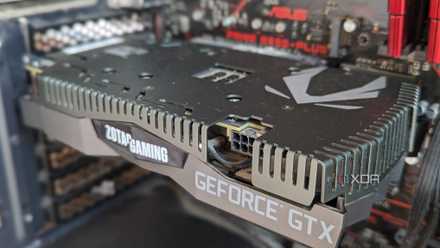
4 reasons PCIe 5.0 still doesn't matter for most people
If you've been wondering whether your GPU uses PCIe 5.0 or you want an SSD that supports it, here's why it doesn't matter.
Remember: You'll need a motherboard with PCIe 5.0
To take advantage of the faster PCIe 5.0 speeds and higher bandwidth, you'll need a motherboard with a corresponding PCIe 5.0 M.2 slot. These are aplenty with the latest AMD and Intel chipsets, but it's important to check the specifications sheet before dropping your hard-earned cash on a board that won't push the drive to its limits. On the flip side, if you need to replace your SSD before upgrading the motherboard, you can buy a PCIe 5.0 SSD now and temporarily use it on a PCIe 4.0 slot. Then, when you're ready to upgrade the rest of the system, the SSD will come alive.

Best PCIe 5.0 motherboards in 2025
PCIe 5.0 is the latest big standard for computing, and these are the best motherboards that support it.