
Summary
- Wi-Fi 7 offers incredible speeds, potentially beating wired Ethernet in ideal conditions.
- You'll need super-fast internet and devices compatible with Wi-Fi 7 for optimal performance.
- Wi-Fi 7 doesn't solve congestion, interference, or coverage issues, and its overall benefits will depend on your complete setup.
Apple certainly wasn't the first company to ship a device with Wi-Fi 7 when it added the networking spec to the iPhone 16 series. However, there's no doubt that Wi-Fi 7 awareness and adoption is about to spike now that millions of people are upgrading to a device that supports it. Networking fanatics have known about Wi-Fi 7 for a long time, and we've all been wondering whether this is the standard that makes wired Ethernet cables obsolete for most home users. So, if you have the right internet plan and hardware, can you ditch your cable runs?
The answer is complicated. Yes, the theoretical speeds offered by Wi-Fi 7 can outpace nearly all home Ethernet solutions, since they typically top out at 10-Gigabit speeds. If you have a fiber-optic internet connection, a Wi-Fi 7 router, and Wi-Fi 7 devices, you'll get speeds that should match or beat that of a wired connection in ideal conditions. With that being said, there are a lot of problems with wireless connection that Wi-Fi 7 doesn't solve, like congestion, interference, and more. Let's break it all down.
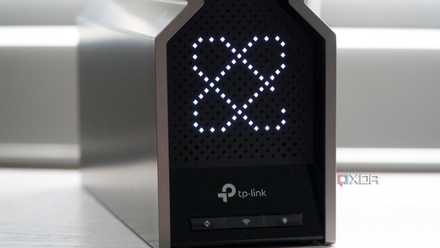
What is Wi-Fi 7?
Wi-Fi 7 makes more efficient use of wireless spectrum to offer incredible speeds and better latency compared to even Wi-Fi 6E.
Everything you need to take advantage of Wi-Fi 7
Without the right internet plan, router, and devices, Wi-Fi 7 will be moot
The top speed of a Wi-Fi standard represents the absolute best it can perform under near-perfect conditions. If you expect that level of performance at home, you'll be in for a disappointing experience. There are all sorts of bottlenecks and limitations that can hamper the experience and cause bottlenecks, not just for Wi-Fi 7, but also for Wi-Fi 6 and Wi-Fi 6E. The most important one is the top speed of your internet coming from the internet service provider (ISP) you use.
Basic internet plans across the U.S. commonly feature download speeds measured in Megabits-per-second (Mbps), not Gigabits-per-second (Gbps). So, check to see that you have an internet plan capable of making the most of Wi-Fi 7. Typically, you'll need a fiber-optic connection to maximize the bandwidth and speed capabilities of the latest wireless spec. For example, in my area, the best internet plan I can buy supports 1-Gigabit speeds. It wouldn't make sense for me to upgrade to Wi-Fi 7, since older standards — like Wi-Fi 5, Wi-Fi 6, and Wi-Fi 6E — are able to deliver 1-Gig speeds over a wireless connection.

Upgrading to the iPhone 16? You might want to upgrade your router, too
The iPhone 16 comes with Wi-Fi 7, so you might want to start Wi-Fi router shopping.
Assuming you have a super-fast internet plan — Google Fiber sells plans up to 5-Gig and 8-Gig speeds that would be perfect for use with a Wi-Fi 7 router — it's worth exploring the world of Wi-Fi 7. Still, you'll need the right devices. There are a growing number of routers and consumer devices that support Wi-Fi 7, including the iPhone 16 and a few high-end gaming laptops. If your computer and mobile devices support Wi-Fi 7, an investment in router hardware might be worthwhile.
You'll have to go into the endeavor knowing that most of your wireless devices won't support Wi-Fi 7 right out of the gate, and upgraded models could take years to appear. Additionally, if a single part of this chain isn't capable of delivering high speeds — from your internet plan, to your router, to your devices — it'll all be for nothing.
How fast is Wi-Fi 7?
It's so fast, we're wondering whether cable runs are even necessary
Wi-Fi is plenty fast. The specification maxes out at 46 gigabits per second (Gbps), although those are theoretical numbers. Real-world performance will certainly deliver lower speeds, but they will still be incredibly high for a wireless connection. Considering that the Wi-Fi 6 specification tops out at 9.6 Gbps, Wi-Fi 7 represents a significant jump. It's nearly five times faster than Wi-Fi 6.
The elephant in the room here is that the fastest Ethernet speeds available for home users are 10-Gigabit in nearly all circumstances. Yes, there are faster Ethernet speeds for use in data centers and large-scale enterprise deployments, but you won't find them in the average home.
If you're using a Cat-5 or Cat-6 cable, which are the most common at home, Wi-Fi 7 could theoretically beat wired speed. A Cat-8 cable with its support for 40Gbps would get Ethernet closer to Wi-Fi 7 speeds, but Cat-8 is still rare for residential use.

For gamers, a wireless connection is completely fine
Wireless technology adoption has outpaced faster wired connections, so you can happily use Wi-Fi for online gaming.
No, you shouldn't throw away your Ethernet cables just yet
Wired connections absolutely still have benefits, even if they're not as crucial nowadays
The raw speeds offered by Wi-Fi 7 sound inconceivable, but Wi-Fi 7 still isn't the standard that'll make you throw away a wired connection. There are a few reasons for that, starting with the fact that only a small fraction of people have access to internet plans even remotely capable of taking advantage of Wi-Fi 7 speeds. Due to that fact, a Wi-Fi 6 and Wi-Fi 6E router is just as good as a Wi-Fi 7 router for most people. And, a 10-Gig wired connection will beat out a Wi-Fi 6E wireless connection.
However, that's a relatively small detail in the grand scheme of things. More importantly, Wi-Fi 7 doesn't solve the problems of coverage, interference, and congestion. If you live in a household with IOT devices, smart home products, mobile devices, and PCs, you could easily exceed 100 devices on your wireless network. All these devices will bog down your network, lowering the theoretical speed of Wi-Fi 7 significantly. Interference from thick walls and coverage problems for large properties will still exist, also lowering speeds.
If you can just connect one or two devices to an Ethernet cable, it could help lower your network's overall congestion. That's why wired cables aren't going anywhere, anytime soon — even if you have Wi-Fi 7. The cool thing about Wi-Fi 7, and to some degree, Wi-Fi 6E, is that you don't have to run an Ethernet cable to every device in your home anymore. The days of running an Ethernet cable up the stairs for a faster gaming connection are pretty much over, because Wi-Fi is up to the challenge. But our general advice hasn't changed: use a cable, whenever you can.

How internet connectivity grew from dial-up to DSL to fiber, according to one of its pioneers
31 years ago, the World Wide Web launched in the public domain. We spoke to one of broadband's biggest innovators to commemorate the anniversary.