
Summary
- Explore websites like GOG, My Abandonware, and Itch.io for thousands of free and nearly free games legally available.
- These platforms offer access to older and less popular but quality games, perfect for those looking to expand their game library.
- From indie titles on Game Jolt to classic Windows XP games on Acid-Play, PC gaming can be affordable and diverse with the right sources.
Probably the first step after building a PC is downloading all your favorite game launchers and game libraries to set up your brand-new gaming PC. Adding shiny new games to your library is exciting but the cost quickly adds up, especially if you're like me and end up building your library instead of actually playing and finishing games.
A possible solution to this chronic compulsion is to explore websites that offer free (and nearly free) games that you can download legally. No need to frequent shady websites with pirated games and suspicious sources — you can get thousands of relatively older and less popular (but free) titles using these 10 websites
9 GOG
One of the most popular options
GOG (formerly Good Old Games) is a digital storefront similar to Steam and Epic Games, but it frequently offers free games on its platform. You can expect 3-4 free game codes on GOG every month. Sure, these are rarely AAA titles, but you can still get access to some quality games when you're looking for a change of pace from your overstuffed AAA library.
The website is well-designed and easy to use, and even when you're not looking for free titles, you can use it to buy excellent, DRM-free paid games at discounts.
8 My Abandonware
Great for old classics
If you're craving to relive old gaming memories, My Abandonware is one of the best treasure troves of abandonware titles on this list. Stocking landmark titles like Pacman, Tetris, Sim City, Test Drive, Silent Hill 2: Restless Dreams, Prince of Persia, Need for Speed II: SE, Need for Speed: Underground 2, Mechwarrior 4: Mercenaries, and Sid Meier's Civilization, this website makes it super easy to find your childhood favorite.
You can filter games by year, genre, platform, theme, and even by publisher and developer. And you can also search for the game if you have something specific in mind. Nearly 29,000 retro games are ready to be downloaded and played. Plus, you can also download the Mac and Linux versions in addition to the Windows versions of all the games.
7 Itch.io
The indie scene is flourishing
Itch.io is a website where anyone can host and sell their indie game. If you're seeing the same titles turn up on the "best indie games" lists, this website can scratch that indie itch for you. Itch.io hosts indie games for multiple platforms — Windows, macOS, Linux, Android, and iOS. You can even find games that you can play in your browser, if downloading is too much to ask for.
You can filter games by genre, average session length, controller type, and sort the top sellers or top-rated titles. There are even paid or "on sale" titles at any given moment that can reveal your new favorite indie game. The website currently hosts over 41,000 free games, from psychological horror, first-person shooters, and platformers to sports and simulation.
6 Game Jolt
Another great source for indie titles
Game Jolt started out as a website hosting free indie games, but has now grown massively to become a social platform for both small and large indie games from around the globe. The site is home to thousands of free and paid indie games with varying levels of polish. The home page of the store will greet you with the "featured" titles — these are some of the most professional games on the platform. You can also sort the titles by "hot", "best", and "new".
For filtering purposes, you have limitless genre options — from horror, RPG, and Sci-Fi to VR, survival, arcade, and strategy. You can also filter for Windows, macOS, Linux, and more. Plus, you can even filter fan games and the site has dedicated sections for games inspired by Undertale, Bendy, and Five Nights at Freddy's. Game Jolt can be a great option if you don't want to do the grunt work of searching through hundreds of indie titles to discover the best ones.

6 essential gaming apps for Linux
Want to game on your Linux machine? Here are six of our favorite apps that can improve your gaming experience
5 Acid-Play
Missing your Windows XP games?
Acid-Play specializes in hosting older games that we used to play on previous Windows versions such as Windows 7, Windows XP, and Windows 95/98. Think Grand Theft Auto, Street Fighter 2, Dragonball Z, Donkey Kong, Icy Tower, and DX-Ball 2. You can find both Windows and Mac titles here, plus filter them by genre.
Downloading the games is simple — you either have a .zip or .exe installation file which you can use to install the game. The only catch is that almost all of these titles aren't compatible with Windows 10 or Windows 11. You'll have to install a virtual machine on your Windows 11 PC to run Windows 7 or Windows XP, and then install the games in the VM.
4 Ubisoft Connect
Ubisoft is famous (or infamous) for many things, but its Ubisoft Connect launcher is also home to some great free games. Their new title XDefiant or old favorite Trackmania 2020, Brawlhalla, or The Division Heartland — there's something for everyone here. Granted, there are only a handful of free games here but they're worth hours of fun if you're into these genres.
These are free-to-play games and would involve in-game microtransactions for cosmetics and various other stuff, so they're different from conventionally free titles. But, hey, that still counts.
3 Steam
The biggest video game distribution platform is home to over 4,000 free-to-play titles across genres and platforms. Whether you're a Windows, macOS, or Linux gamer, you've probably used Steam at some point in your life. The level of choice, quality, and filters you get on Steam is unlike any other platform. You can even filter games by visuals (top-down, isometric, pixel graphics), sub-genres, and moods (atmospheric, zombies, retro).
Needless to say, Steam is feature-rich and easy to use, and can be the home of your entire game library. Besides free games, there are regular seasonal sales that can net you great deals on many popular and AAA titles.

6 must-have apps for PC gaming
If you play games as much as I do, you'll need these applications
2 Epic Games Store
Truly epic deals
Epic Games Store made a name for itself by offering a steady stream of free games, which it still does to this day. And these aren't just indie games you've never heard of. Titles like Batman: Arkham Collection, Metro 2033 Redux, Watch Dogs 2, GTA V, Assassin's Creed Syndicate, Control, Alien: Isolation, and Ghostrunner have been given away on the platform over the years.
You can expect a new free game to land on the Epic Games Store every week. Considering you just need to have an account to claim these great titles during the limited window, it's one of the best platforms to get incredible free games.

How to install and play games from the Epic Games Store on Steam Deck
In addition to Steam, you can also install the Epic Games Store and play games from there on the Valve Steam Deck. Here's how to do it.
1 Humble Bundle
Great bundle deals and deep discounts
👁 Screenshot of FPS games on Humble Bundle
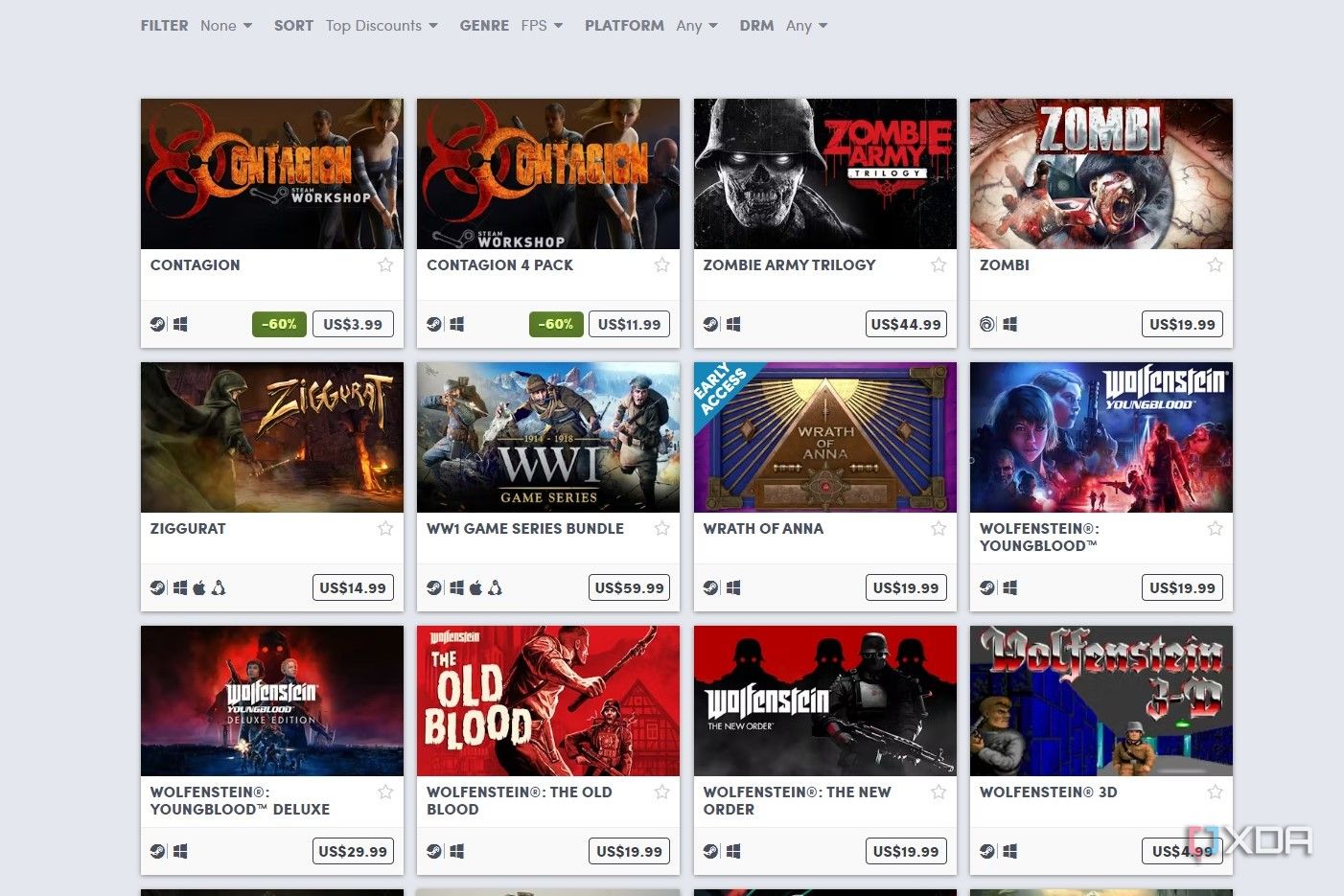
You've probably heard about Humble Bundle — the site where you can grab bundles of games for unbelievably great prices. For instance, the Spring Screams bundle containing Amnesia: The Bunker and Escape the Backrooms among 6 other titles is going for just $17. On Steam, the two games alone would cost you $31.
But, besides great bundle deals, you can also grab hundreds of games for under a dollar. While these aren't technically free, they might as well be. Humble Bundle stocks some fantastic VR titles as well, so if you own one of the best VR headsets on the market, you should definitely check the site out.
PC gaming doesn't need to be expensive
For all the bad press the industry receives over rising video game prices, PC gaming sure offers a lot for free. Whether you want to keep using Steam and Epic Games to get your fix of free titles, explore Humble Bundle and G2A for deep discounts, or go to Acid-Play and My Abandonware to discover lost favorites — there's plenty of choice.