
Summary
- E-ATX cases have a lot more space for all your drives and PCIe cards
- Dual-CPU systems need better airflow, and that's where huge E-ATX cabinets come in handy
- The awkwardly-sized server motherboards may not fit inside the average case
There are plenty of things to consider when assembling a PC from old server parts. If you’re going for a budget Xeon build, you’ll need to decide whether you want a single or dual CPU motherboard. Depending on your workload, you may also need to pick out plenty of ECC memory modules to avoid getting bottlenecked on the RAM front.
For the average gaming system, you’d pick any case that supports the motherboard’s form factor and call it a day. But for a server PC, a smaller case won’t make the cut, and you’d have a hard time if you go for anything other than a full-fledged E-ATX case.

Antec P20C ARGB review: A simple E-ATX chassis with solid features
Excellent compatibility for a budget-friendly price.
4 More mounting slots for drives
To put all your SATA ports to good use
Whether you’re planning to build a NAS or building a home lab that specializes in data archival workloads, server motherboards provide all the ports for you to plug in your drives. But if you’re planning to attach multiple drives to your server PC, you’ll need to properly secure them in place, or risk damaging them during read/write cycles.
Fortunately, E-ATX cabinets come with extra drive bays, which should be enough to mount all your storage drives. Heck, even if you do run out of the built-in drive bays, most E-ATX cases have enough space for you to slot in extra mounting brackets for all your drives.
3 Extra space for PCIe cards
Especially useful for rigs with multiple graphics cards
Similar to the SATA ports, server motherboards usually feature multiple PCIe slots for you to interface NICs, SATA/M.2 adapters, and USB expansion cards to boost the functionality of your home lab. While these small-sized PCIe cards might fit inside a regular ol’ chassis, things are vastly different if you’re running a multi-GPU setup for your powerful virtual machine hub or AI training workloads.
With the current-gen graphics cards being large enough to barely fit inside a mid-tower, you’ll need something as large as an E-ATX case to accommodate all the GPUs in your server.
2 Better airflow for dual-CPU setups
Gaming PCs aren't the only systems prone to thermal throttling
If you’re using your server system for video editing, deep learning, or other intensive workloads, you’ll need to find a way to dissipate the additional heat. Optimizing the airflow is one of the best ways to lower your system temps, though it’s easier than done if you’re using a dual-CPU server.
Extra-large E-ATX cases can solve your thermal woes by providing extra breathing room to all your components. Furthermore, they can be outfitted with a battalion of fans to keep the server parts nice and cool even during extensive workloads.
1 Can accommodate awkwardly-sized server motherboards
Without requiring you to spend hours modding the case
Unlike their mainstream counterparts, many server motherboards don’t have a proper form factor, especially if you’re reusing the boards from older workstations. In fact, you might need to pull out your dremels and drills to create adequate space for your dual-CPU system inside a normal-sized cabinet.
Luckily, E-ATX cases have enough space to fit even the most lanky and weirdly shaped server motherboards without requiring too many modifications to the chassis.
How do you house your server PC components?
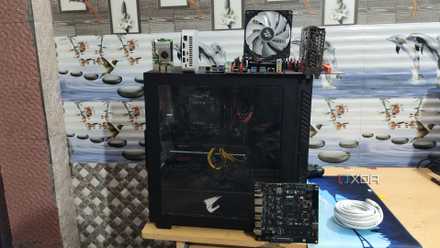
As someone who recently grabbed a dual Intel E5-2650 v4 system, I can confirm that finding a normal-sized cabinet for the server is a Herculean effort. If you have a similar system, I suggest saving yourself the hassle and going with the biggest E-ATX chassis you can find.
Of course, you simply use it without a proper case, though there are plenty of downsides you should be aware of before going with an open-air, cabinet-less setup. The cables dangling out from the motherboard and PSU will result in a disorganized and messy setup. Plus, your server PC will look like something Dr Frankenstein came up with once you connect all the PCIe devices and storage drives. And that’s before you include the extra dust build-up and the high possibility of accidentally short-circuiting the system.
From SBCs to server PCs, here are 4 different tiers of home lab setups
Despite their complexity, home servers can be largely categorized into 4 tiers. But which one's the best for you?