
Building a stable and reliable wireless network at home or in the office usually involves a single access point, the primary router. To improve connectivity in larger buildings or allow multiple clients to connect without a bottleneck, it's recommended to add an access point or two and create a mesh network. EnGenius specializes in such hardware and today we'll be looking at the EnGenius ECW526, a Wi-Fi 7 access point with PoE+, 10Gb bandwidth on the single network port, and one of the best cloud-based management solutions in the business.
The EnGenous ECW526 is a less capable version of the ECW536, and this AP is designed for those who don't require the advanced capabilities of the brand's flagship Wi-Fi 7 AP. It's still a powerful device, featuring a 2x2x2 stream setup. This thing will be able to project a stable wireless connection throughout a three-bedroom home or small to medium-sized office without an issue. It's not cheap, though considerably more affordable than the ECW536, but it's a fair price to pay for the level of performance available.
About this review: EnGenius provided XDA with a product sample but had no input to the contents of this review.

EnGenius ECW526
It's difficult to fault the EnGenius ECW526 because the AP does precisely what it's designed to do. The single 10Gb connection offers ample bandwidth for rapid wireless connectivity for portable hardware.
- Reliable wireless connectivity
- Excellent Wi-Fi 7 speeds
- Cloud-based management
- No power adapter included
- Requires EnGenius cloud
Price, specs, and availability
The EnGenius ECW526 costs $300 at MSRP but it can already be found for less. It's still a fair price to pay for an access point but this is one with Wi-Fi 7 standard support and a 10Gb PoE+ port for power and data. After analyzing the specifications, it's easy to see how this AP is designed for enthusiasts, power users, and busier offices. This isn't an entry-level AP by any stretch and is a fairly bulky unit to contain all the components. Supporting the Wi-Fi 7 standard, it's capable of operating on 6 GHz, 5 GHz, and 2.4 GHz frequency bands.
It can handle up to 5.8 Gbps, 2.9 Gbps, and 700 Mbps on the 6 GHz, 5 GHz, and 2.4 GHz bands, respectively. The single PoE+ 10Gb network port can deliver enough power to maintain stable speeds with the ECW526 drawing a maximum of 21W. An optional DC adapter can be used (though this is not included with the AP). so long as it has an output of 2A. The access point is powered by the CPU, which makes this a great upgrade to an existing network where a maximum of 512 clients can be connected.
|
ECW526 |
|
|---|---|
|
Standard |
Wi-Fi 7 (802.11be) |
|
Frequency |
6 GHz, 5 GHz, 2.4 GHz |
|
Data rates |
|
|
MU-MIMO |
2x2x2 |
|
SU-MIMO |
2x2x2 |
|
Antenna |
|
|
Ports |
|
|
Processor |
Qualcomm Networking Pro 1220 |
|
Power |
~21 W |
|
Management features |
Multiple BSSID, VLAN Tagging, QoS, SNMP, Fast Roaming |
|
Wireless security |
WPA2-PSK, WPA2-Enterprise, WPA3-PSK, WPA3-Enterprise |
|
Maximum clients |
512 |
|
Operating temperature |
0°C to 40°C |
|
Dimensions |
190 x 190 x 39.5 mm |
|
Weight |
720 g |
What I like
Being a Wi-Fi 7 access point, the EnGenius ECW526 is a large device that keeps everything contained within the plastic and metal chassis. It's easily mountable to a flat surface and EnGenius even includes a bracket and necessary screws to achieve this. The design resembles the ECW536 and other EnGenius wireless products. The top plastic half is white and the metal base aids heat dissipation and provides sturdiness for the access point. The EnGenius ECW526 looks clean with a small logo on the top.
A single 10Gb port is available underneath the AP, alongside an optional DC input. A Kensington lock can be used for physical security. That pretty much sums up the physical nature of the EnGenius ECW526. It's a simple device on the outside, but it's anything but when you take a peek inside. Connecting the uplink port to our EnGenius ECS1112FP, the AP came alive within moments. The firmware was updated from Engenius servers and the ECW526 could be added to the inventory by scanning the QR code through the official mobile app.
If this is the first time you've managed a switch or access point through a website, EnGenous Cloud is a powerful package. After creating an account and logging in, you can add all your EnGenius products and create a network. This lets you swap out devices, and activate, remove, and manage each network point from this UI. You can view connected clients, manage throughput, set limitations, alter channels, configure security, and more.
Even though the EnGenius ECW526 isn't as potent as the flagship ECW536, it's still capable of hitting speeds of up to 1.8 Gbps in our testing. I ran three tests (five times each for 30 seconds) using a smartphone, desktop PC, and laptop. On the 6 GHz band, I achieved 1.8 Gbps within a meter of the AP. That's about 1.5x the speed of a 1GbE wired connection. A reduction in performance was observed at a distance of 3 meters in an adjacent room to 1.5 Gbps, which is rapid on the 6 GHz band.
I achieved 1.8 Gbps within a meter of the AP. That's about 1.5x the speed of a 1GbE wired connection.
|
Frequency |
Speeds |
|---|---|
|
6 GHz |
|
|
5 GHz |
|
|
2.4 GHz |
|
A 2.5Gb connection to this AP is almost required, especially if you'll be using wireless hardware within five meters. Outside the premises and around 10 meters from the AP, speeds were just north of 1Gbps at 1.1 Gbps. Although this is a powerful AP with Wi-Fi that ensures you'll have a connection almost anywhere in the building, other EnGenius APs would complement this Wi-Fi 7 unit, especially when working with solid walls and other obstacles and over greater distances.
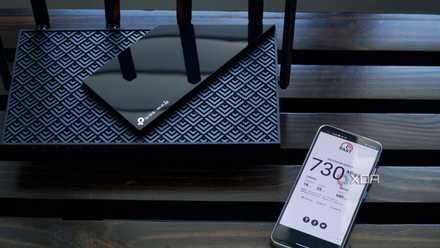
Best Wi-Fi routers in 2025
Upgrade your home Wi-Fi so your speeds are fast and consistent in every room of your house
What I don't like
EnGenius doesn't include a power adapter or any cabling with the ECW526. This isn't exclusive to this access point and is a similar story to other EnGenous products, but it's worth considering when creating a new network at home or in the office. Thankfully, the ECW526 can be powered with the single 10Gb PoE+ port, so long as your network switch has enough capacity to spare. I'd always recommend using the EnGenius cloud platform for managing branded hardware, but you may want to look elsewhere if you want to keep everything local.
Should you buy the EnGenius ECW526?
You should buy the EnGenius ECW526 if:
- You don't mind relying on a comprehensive cloud platform for managing the AP.
- You need bandwidth and speeds offered by Wi-Fi 7.
- You don't mind spending more than $270 on an access point.
You shouldn't buy the EnGenius ECW526 if:
- You need to keep management of the AP (and the LAN) local.
- You don't have the ability to provide power through Ethernet.
Whether or not you should buy the EnGenius ECW526 comes down to your networking requirements. If you have an available $300 to spare on a single AP, this is worth the cost. It's likely overkill for a home solution unless you're a power user and have the entire family online simultaneously, but for an office or enthusiasts, the ECW526 ticks numerous boxes. Designed for busier offices and power users who can make use of the available bandwidth, the ECW536 has everything you need to create a super-fast and reliable wireless network.
It's so good this AP is likely overkill for a home solution unless you're a power user and have the entire family online simultaneously.
The EnGenius cloud management software is easy to use and powerful for managing everything regarding this access point and the wider network. Add an EnGenius switch or other hardware and you can keep tabs on everything from the single web interface or mobile app. There will be a relatively steep learning curve for those who may be transitioning from local web admin GUIs to a managed cloud platform but once you're familiar with how everything works, it quickly becomes a powerful tool.
$300 may sound like a lot of money for an access point, but the EnGenius ECW526 is a great Wi-Fi 7 AP with some advanced features usually reserved for more expensive networking solutions.
EnGenius ECW526
The EnGeniu sECW526 is a capable Wi-Fi 7 access point with a rated top speed of 5.8 Gbps on a 6 GHz band. The single 10Gb PoE+ port is all you require to get this device online with yet another wireless entry point for the LAN.