
You no longer need to spend money on expensive smart devices. If you take your data’s privacy seriously and want your smart home to operate locally, it’s high time to pick up a couple of ESP32 boards. Working with ESP32 does involve some learning curve. However, ESPHome makes things a lot easier and gets you started quickly.
Building your own smart devices and sensors isn’t that hard if you're willing to spend an afternoon or a weekend. In fact, an ESP32 and a bunch of sensors can save you some serious money while giving you a smart home you can fully control. And if you’re willing to roll up your sleeves, there are certain projects that are actually worth building for your smart home. A few require a little more investment and time, but are totally worth it.

6 projects you can complete in a weekend with the $5 ESP32
The ESP32 is affordable and powerful, and there's a lot you can do with one.
Local-First Ring Doorbell alternative
Build before you buy a ready-made one
Modern doorbells from Ring and Nest are expensive, while Reolink and Eufy offer affordable, subscription-free options. Before jumping the gun, you can make your own local-first Ring doorbell alternative using an ESP32-S3-EYE (or ESP32-S3-CAM) board. Plug an OV2640 camera module and add a button input to act as a doorbell button. ESPHome is excellent for making it work without getting into complex C++ code. That will stream MJPEGs at 10 frames per second, which is good enough to tell if you really need one. Integrate it with Home Assistant to store event snapshots and even craft automations that take screenshots of events. This project will actually tell you whether you really need a fancy doorbell that stores your data locally.
Zigbee-based motion sensor
Track those movements
Setting up motion sensors can help track humans or pets. The inexpensive PIR motion sensor HC-SR501 has a range of up to 20m, which is good enough for a medium- or large-sized room. Looking for better human detection? Check out a 24GHz mmWave radar sensor (LD2410C) to detect moving humans as well as those who aren’t, and build a Zigbee-based motion sensor using an ESP32-C6 or ESP32-H2 board. For instance, it can detect if you are not moving or sleeping in a room. That level of presence detection can help with occupancy-based automation in Home Assistant. Alternatively, you can use a PIR sensor with an ultrasonic sensor to help open the garage door when your vehicle arrives and also help park it properly.
ePaper weather station with modern features
You don’t have to solder anything
You can use an ePaper display to build weather stations for two reasons: the data refreshes at specific intervals, and the screen doesn’t consume a lot of power. On a FireBeetle 2 ESP32-E microcontroller, plug a BME280 sensor to measure barometric pressure, temperature, and humidity. Connect DESPI-CO2, an ePaper HAT connection adapter board, to the ePaper display and ESP32 microcontroller. Next, grab an OpenWeather API key and use it in PlatformIO IDE inside VSCode to build the firmware for the weather station. While the ePaper does display data in black and white, it is an essential accessory for the work desk or living room to help keep track of the weather forecast.
A gardening sensor to monitor plants' health
Take care of the flora
Gardening is one of those therapeutic activities that also benefits in the long run. But caring for your indoor or outdoor plants helps to do so mindfully. With a smart gardening sensor, you can estimate how much water the indoor or outdoor plants need so that you don’t overwater them. Soil moisture and temperature sensors cost less than $2 to get you started. Once you’ve got the hang of the basics or want to build a better sensor, get DFRobot’s Gravity Capacitive sensor (SEN0308), which offers IP65-rated waterproof protection. The rest you can automate: watering those plants when the ESP32 nudges the relay module to power the solenoid valve and control water flow in automatic sprinkler or irrigation systems.
OpenThread Border Router
Futureproofing your smart home
Adopting the Matter protocol is easy with an OpenThread Border Router if you don’t have any smart hubs that support it. The low-power Thread network can use the OpenThread Border Router as a bridge to connect to the home network and the internet. To build an OpenThread Border Router, you’ll need a Raspberry Pi (3 or higher) and an ESP32-C6, ESP32-H2, or ESP32-H4 board to manage the Thread radio communications. This setup acts as a low-power Thread network to connect to IP-based networks such as Wi-Fi or Ethernet. Next, your phone, Google Home Hub, or Apple HomePod can act as a Matter controller to discover and pair Matter-over-Thread devices, and communicate over Wi-Fi or Ethernet via the Thread mesh network.
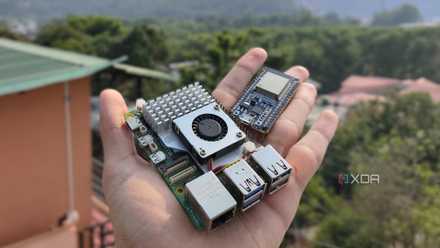
5 projects you can do for much cheaper with an ESP32 than a Raspberry Pi
Why spend extra on a Raspberry Pi when you can build these cool projects with an ESP32?
ESP32 is a low-cost bedrock for smart home
All the above projects offer you a low-cost flexibility to build smart devices that you have complete control over. While there are so many types of ESP32 boards available for cheap, some of these projects will make your smart home feel even smarter. That’s a good part, but the realistic part that many people are averse to is building and maintenance. You need to be willing to spend time learning how to set up these ESP32 projects and even maintain them.