
Self-hosting has many benefits, but you also have to prioritize which services you want to spend your time on. This is because self-hosting involves troubleshooting, unexpected downtime, and more maintenance than most consumer cloud services.
While mulling the realities of self-hosting, I asked myself if I had to choose just one service to self-host, which one would it be? And I decided that for me, it would be Paperless-ngx.

Self-hosting isn't the solution everyone thinks it is
There are limits when it comes to self-hosting as an alternative to Big Tech
Why Paperless-ngx?
It provides an essential service
If you had to ask the same question to all the self-hosting writers at XDA, I'm sure each one would give you a different answer. Self-hosting media servers is incredibly popular, while self-hosting software that saves you from subscriptions is another frequent avenue people explore.
But for me, I decided it would be a service that is essential to me that I can't find elsewhere from a company I trust. I already have very few subscriptions as it is and there is plenty of free software that you can readily access without the need to self-host it.
So what would benefit the most from being hosted on my own hardware, rather than a company's server? That would be my private document storage.
While I already have automatic backups of my PC's most important folders set up on my NAS, Paperless-ngx does more than store your documents. It also uses OCR to make them easily searchable, while also allowing you to sort them with specific tags. With the mobile app, you can also digitize physical documents and turn them into optimized PDFs without needing a scanner.
Generative AI means I trust cloud services with my documents even less
Paperless-ngx balances privacy and functionality
I already have a scantily organized system of documents on my PC, so this is where Paperless-ngx's AI features come in. On a good day, I barely manage to get all my tasks done, so my file management is chaotic. I've found less and less time over the years to organize this growing collection.
Furthermore, I've had to start keeping track of additional medical expenses for my taxes. Only the physical invoices I receive with this medication serve as proof of payment, so I need to digitize these in a reliable way. Random photos on my phone are not the way to go, and I don't have a scanner.
Many hosted services include text recognition for images of documents and more are introducing generative AI assistants to their platforms. As useful as this can be, it's exactly why I don't trust these platforms with my private documents. These AI models need to be trained on data and in the process, many companies have hoovered up user data for this purpose without giving us the option to opt out (or only introducing it after the fact).
Before, the main reason I didn't upload certain documents to the cloud was because I was worried about data breaches. However, now a big reason is due to how much customer data companies use to train their AI models.
But Paperless-ngx provides AI features that are useful, while also allowing me to keep my data private. I only use the service on my home network, limiting its exposure to risk.
With the mobile app, digitizing my documents is simple and effective. All-in-all, it provides the features I need, without the same privacy trade-off I would experience from some other services.
Paperless-ngx also avoids my self-hosting dealbreakers
It's something I can reliably self-host now
There are things that determine whether a service is not worth self-hosting for me and Paperless-ngx avoids these. For example, if downtime is going to impact me very negatively, I won't self-host a service since I'm not an IT or networking specialist.
I currently run Paperless-ngx on my main PC, since my NAS cannot handle the AI processing tasks. But this isn't too much of an inconvenience because I don't need 24/7 access to the service. I only use it when I'm uploading and organizing files.
Another important factor to consider when self-hosting services is backups. With Paperless-ngx, my automated backups on my NAS keep a copy of my database files. The app also includes copies of the original uploads in a folder. So if something happens to my PC, or my server, I will still be able to restore my files.
I also have copies of physical documents on my phone, just without all the OCR and tags. If disaster does strike and I lose my Paperless-ngx instance, I already have multiple copies of my files on different devices.
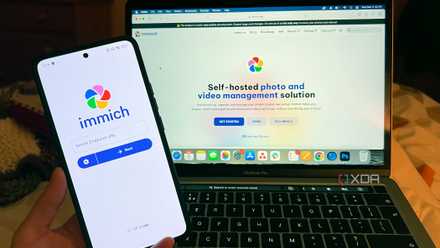
The need to ensure reliable backups was one of the things keeping me from fully switching over from Immich to Google Photos. I still plan to fully switch over in future, but I need to invest in additional hardware and backups to be able to do so, since photos and videos take up a lot more space than documents.
I replaced Google Photos, Drive, and Docs with these free self-hosted services — and they're better, too
If you want to de-Google your life, then these are some of the best services to get started.
Find out what your essential self-hosting service is
The self-hosting service that is essential for you will depend on your own needs, how much time you have, and the hardware you have at your disposal. Of course, you aren't limited to just one service — and I myself regularly use a number of different self-hosted services such as Home Assistant, Jotty Page, and Donetick.
But if you're having trouble deciding what to prioritize with limited time and hardware, determine what your dealbreakers are and what the most important goals and features are for you.