
Every Linux veteran has a war story about breaking their system mid-update and spending an afternoon nursing it back to health. It's become a rite of passage for anyone who's been on Linux for a few years or more. In 2026, this should no longer be an acceptable expectation. The way updates work on conventional Linux installs is that files are overwritten on your running system. Recently, I've learned there's a problem with that.
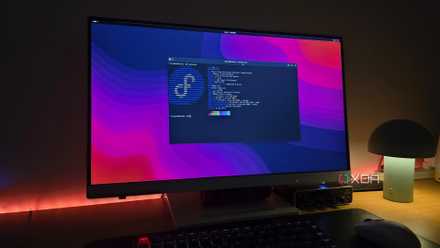
Fedora's Atomic desktops take a new approach to how updates work and how users configure their systems. At first, it felt like my system was locked down, and the child locks had been engaged. But after spending more time with Fedora's Silverblue and Kinoite Atomic spins, I now understand the stability and peace of mind they offer. It's becoming clear that this is the future of Linux, at least for everyday users that never want to babysit their system.
Immutable operating systems are a blessing and a curse
The double-edged sword of the Linux ecosystem
Atomic and immutable distros are here to stay
What does that even mean, anyway?
The words "atomic" and "immutable" get thrown around a lot, but here's what they actually mean in the context of Linux. The core idea behind Fedora Atomic is that the base OS is read-only. That's the "immutable" part. When updates are applied, the entire system image is swapped out in a single operation that takes effect on the next boot, rather than overwriting files while you're using the computer. That's the "atomic" part. If something goes wrong with the update, you select the previous boot image in GRUB, and your PC is back to normal with no downtime, with no changes to your apps or personal files.
Outside of hobbyists, users generally don't have an interest in spending any time at all thinking about OS stability. They just need it to work. That's why, for the majority of people, Atomic distros are becoming an ideal choice. On a traditional Linux desktop, the system and application layer are entangled in ways that commonly lead to problems. On Fedora Atomic, the two layers have a clean separation. The base system, managed by libostree (OSTree), is versioned and immutable. The apps are delivered as Flatpaks, which are containerized applications that bundle their own dependencies and run in isolation from the host and from each other.
Flatpaks aren't able to access parts of the system that they shouldn't be touching. This way, a bad app stays contained and can't do any damage to the system. You can uninstall the app or roll back versions without affecting anything else. I've had Flatpaks break before, but that breakage was confined to a single app. On a mutable system, there are plenty of scenarios where one bad app can easily take down others, or even the whole system itself.
As for updates, OSTree transfers only the new data between the new image and your current one, so the updates are fast and there are no package conflict warnings. I didn't realize how complacent I was about resolving software conflicts and unresolved dependencies until watching Fedora Atomic update a few times without ever running into issues. I miss that reassurance when using mutable distros now.
But rpm-ostree isn't exactly a joy to use
This isn't a good answer for command-line tinkerers
Once you're used to opening a terminal and installing a system-level package immediately, the rpm-ostree workflow will slow you down. Layered packages (those that can modify the OS) are staged for the next boot rather than instantly available, which means you can't use what you just installed without a reboot. The only way around this is to use a toolbox container instead. But for users who install a lot of tools this way, it can be an instant deal-breaker.
That said, the workflow of creating toolboxes isn't impossible to get used to. Running the toolbox create command spins up a mutable Fedora container that shares your home directory, with full DNF access and no restrictions. I keep one container for development tools and one for miscellaneous utilities I don't want touching the base system. Neither can affect the other, or the host itself.
For most everyday users, that issue will likely never arise anyway. Common apps like Firefox, LibreOffice, Thunderbird, Obsidian, and Slack all have well-maintained Flatpaks on Flathub. Most users will simply open the software manager and select what they want to install, the same way they would from the app store on their phone. Those that live in the command line and install their packages that way may find the new approach annoying, but everyday users will appreciate the simplicity.
No more being punished for updating your system
All updates come with an undo button
There's also an unspoken psychological advantage to the Atomic model. On mutable distros, I'm holding my breath through major system upgrades, and I'm happy if all but one or two packages make it to the other side without breaking. That fear causes some users to put off updating, especially if they can't afford the downtime and hassle of fixing a broken system.
Having that undo button when something goes wrong is a big relief. For users that just want a stable and low-maintenance operating system, Fedora Atomic is probably the easiest recommendation I can make right now. It's definitely true that you're trading away some level of configurability for predictability, but that's not a major concern for everyone. Most users would consider it a decent trade.
Fedora Atomic is the Linux desktop for people who just want to use their computer
The immutable core, atomic updates, and sandboxed app layer together form a strong desktop that's extremely difficult to break compared to traditional, mutable distros. Once you've spent a few hours trying to bring a broken Linux system back to life, the value of Fedora Atomic becomes pretty clear.