
Audio on your PC is a very personal experience, and what I like may not be to everyone's tastes. Audiophiles and PC enthusiasts collectively agree that different setups can make the same track sound totally different, but acquiring new headphones, a dedicated DAC, an amplifier, a clean power source, and filters can quickly burn a deep hole in your pocket. Moreover, headphone reviews are also invariably colored by the tester's personal experience with other gear.
Thankfully, software-based equalization has come a long way, while retaining the fundamental concept found in powered speakers. I have rotated through a sizable selection of headphones and tried pro-tier studio gear firsthand to determine that I can achieve at least 80 percent of the sound signature I prefer using equalizer software. I didn't even bother investing in a sound card because motherboard manufacturers have succeeded in isolating audio circuitry from electrical noise and interference from other components. My hunt for simple yet feature-rich software that's free to download and use led me down a road that led to FXSound. Here's how I discovered it and what I love about using it.
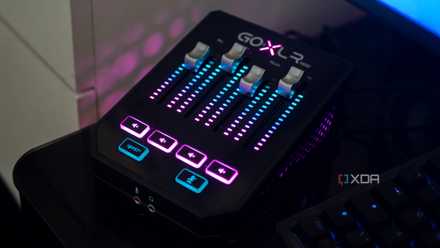
5 reasons an audio interface is the best upgrade I made to my PC
I upgraded my PC's audio with an audio interface, and it's the best upgrade I could have made.
Where I'm coming from and what I sought
A simple setup with simple needs
I have a very simple audio setup on my PC — custom open-back headphones with 40mm drivers, a USB-C DAC, and a couple of true-wireless earbuds for when I need mobility during meetings or keyboard builds. For wireless audio, I use the Fairphone Fairbuds when there's ambient noise, and I have KZ Audio AZ-15 ear hooks connected to some nice Chi-fi IEMs when output quality takes precedence over the need for a mic input.
With this setup, I've found that the audio often lacks depth and spatial separation. The soundstage is so narrow that I can rarely enjoy it as much as I do with bookshelf speakers. That said, my usage does not justify the added cost of a dedicated sound card, and I'm more than satisfied with what the motherboard's output delivers. Unfortunately, in my experience, Microsoft's audio enhancement settings baked into Windows 11 are just as awful as its HDR implementation. Once I'd determined that I wanted a software-based solution without breaking the bank, I turned to the vast reserves of free, open-source software (FOSS).
I was craving the experience I loved on Android, delivered through powerful apps like PowerAmp and Wavelet. The former has long been a mainstay of the community, which still downloads music instead of streaming it. Poweramp still handles my FLAC library because it offers simple graphic controls like a 12-band EQ, a preamp setting, and on-screen knobs for bass and treble boost, just like you'd find on speakers with a powered amplifier. Wavelet, on the other hand, offers dedicated community-curated EQ profiles that accentuate the manufacturer's sound signature or completely counteract it, offering the flat tuning that audiophiles appreciate in headphones like the Audio-Technica ATH-M50X. I wanted an amalgam of these features on Windows.
Windows Sonic for Headphones and Audio enhancement settings were out of contention because they either didn't have a noticeable effect on the output, or didn't offer granular controls like PowerAmp. I found software called EqualizerAPO, and while it delivered promising results, it was a rather involved experience. It requires an add-on called Peace GUI to bring back the semblance of familiarity, but it still packs way too many options for a novice user. I planned to revisit my equalizer frequently, and a non-intimidating interface was high up on the list of priorities.
Discovering FXSound
The perfect solution
FXSound fits the bill perfectly—it is free to download and use, packs plenty of presets, and retains the simplicity I loved in Wavelet. Sure, it didn't have headphone-specific settings, but I could work with that. After installing it from the Microsoft Store or downloading the installer from the dedicated website, the deceptively basic UI might suggest this software can't do much, but look closely and you'll find interesting details. For instance, the nine-band equalizer features small knobs underneath each slider, allowing you to select the target frequency for each band. I'm yet to find such a simple representation of this complex setting outside PowerAmp for Android, and running it through an emulator just for audio processing was too much work.
The FXSound interface also has five other independent sliders for Clarity, Ambience, Surround Sound, Dynamic Boost, and Bass Boost. These settings make a small but noticeable improvement to my sound input when used judiciously. On top of the interface, you'll see a simple power switch and two drop-down fields for selecting the preset and the target audio output device. I recommend heading into the program settings and changing the general setting to target the least connected audio device if you hop between multiple output devices.
As for presets that form the crux of why this app is so easy to use, you get 13 basic modes. You can play around with the sliders and create custom presets for your various audio devices if you're looking for a flat sound profile resembling studio monitors, like I could set up in Wavelet on Android. However, if you're like me and just looking to play around to see what's possible, the FXSound settings have an option to download 12 bonus presets. I scoured through the program's support documentation and found another active user offering another EQ preset pack featuring an additional 47 options.
Fixing latency and other issues
Teething troubles
Starting to use FXSound was not a one-step affair, unfortunately. What I gained in convenience from the UI design, I traded for operational hiccups. During its maiden run soon after installation, I noticed that the audio stream lagged behind the video by approximately one second, which was noticeably too much. I could remedy the issue using audio sync compensation for my local media player, but streaming anything from YouTube, for instance, was insufferable.
The solution was surprisingly simple. Audio EQ apps adding latency to the stream is a well-documented issue, and I found support threads from FXSound users about this problem instantly. I first started by switching to wired headphones to negate transmission losses, and then quantified my problem using a lightweight tool for pros and sound engineers, called LatencyMon by Resplendence. The program measures audio latency in microseconds and gives you a value. The human mind can easily compensate for a steady delay of a few hundred microseconds, but anything above 500 is a sign you might need to revisit your settings.
To reduce the latency, I followed the documented advice, such as running FXSound with Administrator permissions and disabling the playback devices I don't use in Windows settings, including the hidden ones. However, the biggest difference came from setting the FXSound playback device as the Default and Default Communications Device in Windows' Sound settings, followed by unchecking every option under Headphone Properties -> Advanced -> Exclusive Mode for playback devices other than FXSound.
A great user experience makes this a must-try
Makes an audible difference
With setup and the annoying latency out of the way, I was surprised to discover that FXSound makes the tinny little speakers on my old laptop sound significantly better. This software also single-handedly made meeting transcription and dialogue enhancement a cakewalk with its Transcribe preset. Without isolating the dialogue frequencies in the source, it's amazing that the software made the speech so much louder and clearer. FXSound is an excellent software equalizer solution because it offers a powerful, system-wide audio upgrade with remarkable simplicity. Instead of being limited to a specific media player, FXSound processes all audio output from my PC, instantly improving everything from streaming music and YouTube videos to video games and online calls.
At its core, FXSound addressed my core problem, providing a richer, more immersive listening experience across all applications without requiring the purchase of expensive new audio equipment or headphones. Beyond its core functions, FXSound excels in user-friendly customization and efficiency. Best of all, FXSound is designed to be lightweight, ensuring it enhances your audio without consuming significant system resources, making it a perfect, non-intrusive upgrade for any setup.