
I firmly believe that a display upgrade can be more impactful than a new graphics card, especially when you already have a decent GPU. The monitor is one of the most important parts of any gaming setup — it's responsible for delivering your gaming experience to your eyes. Many gamers are obsessed with blazing-fast refresh rates when buying a new monitor, but I think it doesn't matter much once you cross a certain threshold. Even 165–180Hz displays can feel phenomenal if you nail the other aspects that determine gaming immersion. From the size of the screen and the type of panel to the HDR capabilities and motion clarity, a lot of things matter more than the raw refresh rate of your monitor. Before you drop big money on a monitor upgrade, make sure you're buying something that will actually feel like a big upgrade.

5 ways your monitor is the biggest bottleneck in your gaming setup
Upgrade your old monitor before investing in a new GPU
Form factor and resolution
The big-ticket items
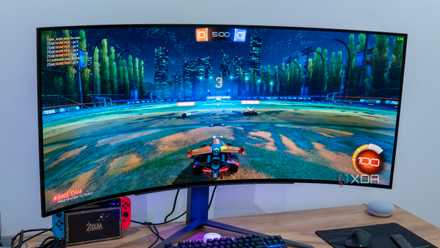
The first thing you notice about a display is the size and shape. No matter the other specs, a 24" monitor can only feel so immersive. Today, most gaming monitors come in 27" or 32" sizes, either of which is more than enough for enjoying high-end gaming. Besides flat displays, you also have the option to go with a curved ultrawide panel for enhanced immersion. These monitors are meant to cover your field of view, making you feel part of the game. The degree to which they're able to do that depends on the screen size and curve aggressiveness, but overall, curved monitors are a step-up on the immersion ladder. You can choose from ultrawide or super ultrawide displays, but you also need to be prepared for the atypical aspect ratios. Unlike the 16:9 aspect ratio of flat displays, ultrawide and super ultrawide monitors have 21:9 and 32:9 aspect ratios, respectively. Most games support wide aspect ratios, but you could still be forced to see some content with pillarboxing (black bars).
The resolution is deeply tied to the screen size, since both need to increase together if you wish to maintain a sharp image. This is why 1080p displays are only ideal for screens up to 24" in size. 27" monitors look good at 1440p or 4K, and 32" monitors should ideally be used in 4K only. Ultrawide and super ultrawide monitors have different resolutions based on the form factor. If you want a balance between image clarity and GPU performance, 1440p (QHD), WQHD, or UWQHD are decent picks. For the sharpest image, go with a 4K display, but be prepared to spend a premium if you also want a high refresh rate and a high-end panel.
The screen size and resolution together are more important than the refresh rate of your display. Without a large and sharp enough screen, your high-refresh-rate display will not deliver a satisfying gaming experience. A smooth framerate is essential, but once your display is capable of 144–165Hz, going higher won't be as impactful as increasing the screen size and resolution.
Buying a gaming monitor? — Stop making these 7 mistakes
Make sure you're buying the right display for your gaming setup
Real-world brightness
Let there be light
Almost every monitor on the market gets slapped with an HDR certification, but it means very little in real life. Even if you have an IPS or VA display with a decent contrast ratio, the brightness is where most models fail to deliver. Without sufficient real-world (full-screen, not peak) brightness, you can't expect to get a satisfying HDR experience. The brightness needed to display highlights at sufficient contrast with the darker areas of the screen is just not possible on most budget and even mid-range displays. Brightness levels have been increasing across the board, but we still have a long way to go before the average gaming monitor is truly HDR-ready.
You can find out the real-world brightness of the monitor you're considering from reputable third-party reviews — I prefer Hardware Unboxed and RTINGS. You need at least an HDR600 certification for entry-level HDR, and HDR1000 for true HDR. At the end of the day, real-world testing matters more than the certification, and your monitor's full-screen brightness is a better indicator of HDR quality than the peak brightness numbers. Without an impactful HDR experience in gaming or movies, your monitor won't "feel" high-end, no matter the refresh rate.

We need to talk about the sorry state of HDR on mainstream monitors
Unless you have a fancy OLED monitor, you're probably not experiencing any "HDR" on your PC
Motion clarity
You don't want a messy blur on-screen
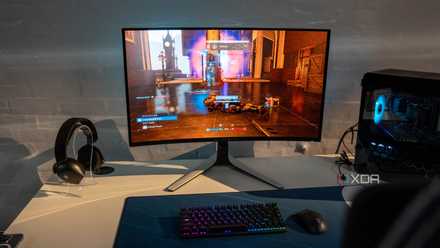
Your monitor's refresh rate alone doesn't determine a responsive gaming experience. Sure, a higher refresh rate will contribute to smoother motion, but you also need a low response time and proper panel tuning. Many monitors will claim a 1ms response time, but only deliver it under extreme conditions riddled with ghosting and other artifacts. Third-party reviews will often uncover such anomalies present on subpar displays, especially in darker scenes. The panel type plays a crucial role in how low the response time can be — OLED displays are famous for their 0.03ms response times.
Then, there are features like backlight strobing and black frame insertion to look for. These are techniques that increase the motion clarity by turning the backlight off or inserting a black frame, respectively, between each refresh to reduce the perceived motion blur. These are essentially tricks to fool your brain into perceiving higher motion clarity. These techniques have downsides, particularly flickering and the inability to use them alongside adaptive sync. However, with the right tuning, they can positively impact your display's motion clarity.
3 monitor specs that affect motion clarity more than refresh rate
Even a 240Hz monitor can have poor motion clarity
Panel type
HDR matters
Finally, the type of panel on your monitor is probably the biggest contributor to your gaming experience. Ever since OLED panels arrived on gaming monitors, the level of immersion and responsiveness possible on gaming displays has gotten a huge upgrade. IPS and VA displays are still great, especially when significantly cheaper than OLEDs, but the self-emitting pixels of OLED panels make them superior to every other panel technology. They aren't perfect in every regard, since burn-in concerns and inferior text clarity issues still exist. However, they have mostly superseded IPS and VA displays in every other department. Even the inferior brightness problem has been solved with 4th-gen tandem OLED displays. And newer subpixel layouts have improved text clarity a lot over the years.
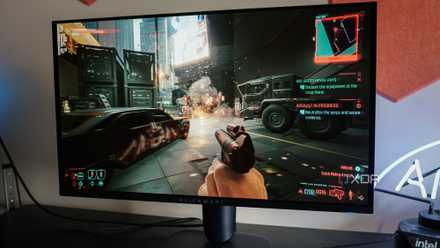
The HDR experience on an OLED display is simply unbeatable. Thanks to the lack of a massive backlight, OLEDs can turn off completely where the screen needs to be dark, offering true blacks. Combined with high brightness levels, this allows OLEDs to deliver strong HDR content in both games and movies. The self-emitting pixels are also way faster than those on other display types, offering response times in the 0.01–0.03m s range. Whether it's the contrast ratio, HDR quality, or motion clarity, it's hard to beat OLED monitors. With 2026 dropping minimum OLED pricing to the $350-$400 range, these monitors are more affordable than ever.
AOC Q27GAZD
3 signs OLED monitors will finally be affordable in 2026
The OLED monitor market is about to get exciting
Refresh rate is important, but it doesn't matter much after a point
Your monitor's refresh rate is a key determinant of its motion responsiveness, but once you've breached the 144–165Hz range, going higher matters less than upgrades in other areas. The panel type is a huge contributor to the image clarity and HDR quality. The form factor and resolution also decide how immersive your monitor will actually feel. And without low response times and high brightness levels, you can't expect the motion clarity or HDR experience to be enjoyable.