
Local LLMs have turned into useful tools now and can easily handle tasks that you wouldn't have thought of even a year ago. The latest from Google is Gemma 4, and while there are four models in the family, each is tweaked for different tasks.
That makes them interesting to use: you can choose the one that fits your hardware needs, and they are all released under the Apache 2.0 license, making them safe to build on top of. The smaller models run on laptops or mobile phones, while the two larger ones are designed for getting the best quality of results on more capable hardware.

Google's Gemma 4 isn't the smartest local LLM I've run, but it's the one I reach for most
Google's newest Gemma 4 models are both powerful and useful.
Gemma 4 comes with varying capabilities
Chances are, your device can run at least one of these
Most of the time, when four different model weights are released, they're the same model, just quantized to smaller sizes. That makes them behave similarly, but with reduced accuracy as the models shrink.
Gemma 4 does something differently. The four models are all multimodal, but they're designed for different use cases suited to the hardware they can run on.
|
Model |
Q4 (4-bit) VRAM |
8-bit VRAM |
FP16 VRAM |
Best For |
|---|---|---|---|---|
|
E2B (2B) |
~3 GB |
~5 GB |
~5 GB |
Lightweight chat, embedded |
|
E4B (4B) |
5 GB |
7.5 GB |
15 GB |
General chat, summarization |
|
26B MoE (A4B) |
~16 GB |
25 GB |
48 GB |
RAG, coding assistance |
|
31B Dense |
24 GB |
34 GB |
62–80 GB |
High-quality generation |
The 31B Dense model is the flagship and comfortably scores well on the AI benchmarks used industry-wide. So well that they can beat models with 10x the parameter count, which is impressive, but that's not the model that most people will be using. It still needs hardware that's out of reach of many, but that's where the other models come in.
The 26B MoE model is even lighter on system resources and will happily serve as your coding assistant. But the E2B and E4B models are more interesting. These can run on smartphones or relatively low-powered laptops to enable summaries for PDFs, chat to make sense of local storage, or other lightweight tasks that you would have reached for cloud LLMs not that long ago.
Downloadable and usable with your choice of LLM server
You can run Gemma 4 on your phone via the Google AI Edge Gallery app, or on PCs with Ollama, vLLM, llama.cpp, LM Studio, or any other LLM server of your choice. That means you can easily choose the LLM model that fits your device, while giving you enough resources for a decent context window, and other important settings.
LM Studio
Gemma 4 is the perfect local fit for old hardware
You might have what you need already
Gemma 4 doesn't need hefty prosumer GPUs that cost five figures. You can run it on those, sure, but they're not strictly necessary unless you want to run the 31B model at FP16 accuracy.
The 26B MoE model, with a bit of quantization, works great on the RTX 5090 or RX 7900 XTX; with CPU offloading, you can run it on 16GB of VRAM. That's because only a few billion parameters are in use at any given time, so offloading doesn't cause a huge performance hit as it does with other types of models.
Apple Silicon can run E4B on 8GB of RAM, or 26B MoE on 16GB (though more comfortable at 32GB), and 64GB of RAM will happily run the 31B Dense model. It won't run as fast as a dedicated GPU, but this does underscore the benefits of unified memory architectures like Apple Silicon, AMD's Strix Halo, and Nvidia's DGX Spark.
The only thing to remember is that you'll need enough system RAM as well, because your token generation speed requires more than just VRAM. 24GB is a good start if you have it, and anything more is a bonus.
You don't even need to stress your hardware
If you're using Gemma 4 31B through Google's AI Studio, the API for Gemma 4 gives you 1,500 free requests per day, as long as you stay below 15 requests per minute. That's with no limit on the number of tokens you can use, so you can go wild with whatever you want to build with Gemma 4's model.
We don't know how long that will hold out, as every other Google AI API has switched to per-token billing, but it's worth using while you can. That's the full-fat model, which would normally need a $10,000 GPU to run on locally.
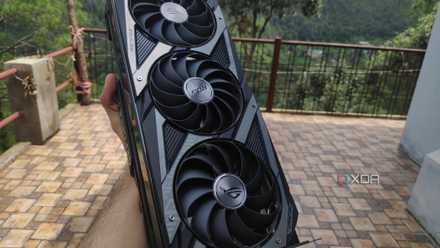
Your old GPU can still run big LLMs – you just need the right tweaks
There's a lot you can do with these models
Even the smaller models can boost productivity
Once you stop treating them as a chatbot
Gemma's smallest model, E2B, was designed for laptop or mobile phone use. It's tiny, using around 5GB of RAM in total, and can happily run on your CPU instead of a GPU. That gives you a 128K context window, and it still has functional tool calling, thinking modes, and system prompt support to make your LLM feel like your own.
That's a good size for use on Home Assistant, for creating automations, troubleshooting, and other general tasks. It's probably enough to run as your local voice assistant as well, and that means you're not sending data back to Google, Amazon, or Apple in the process.
We've tested E2B before, and while it did the job, it has a few quirks. Some of those might be due to running it through LM Studio, so YMMV, but it sometimes ignores prompts telling it not to show the thinking or to interchange temperature symbols. Still, these are minor issues when it still does what it's asked, and from a 2B model at that.
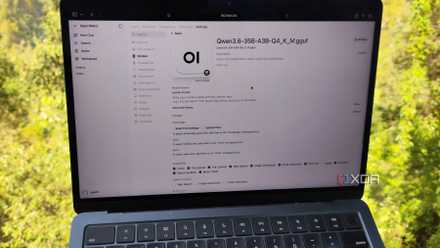
My self-hosted LLMs are a lot more than just a chat replacement – here's how they boost my productivity
My local LLMs are enough to replace cloud platforms for my productivity tasks
You don't need powerful hardware to run local LLMs like Gemma 4
With the release of Gemma 4, Google has made it possible to run capable LLMs with very modest hardware requirements. That's a big jump forward, as while the four models are designed for different uses, they all share the same training data and underlying traits. It also means you can run AI tasks privately, with no data transferred off your device, and with more modest power requirements, since they only run when you ask.