
I've been using Home Assistant for quite a while now, and these days, the first thing I ask myself when I get a new device is "How can I integrate this with Home Assistant?" The Govee Table Lamp 2 Pro has been no different, and after my last foray with Govee, I was up for another challenge. This one packs a Bluetooth speaker inside, developed by JBL, and it has an internal battery so that it can be charged up and moved around, all while playing music on the go. It uses Bluetooth for audio streaming and can connect to a Matter network.
Since getting it, I've had a lot more success with it in Home Assistant than I did with getting the Govee H615B strip lights to work. Yet, it's still not perfect. Controlling it from Home Assistant is possible both through Matter and through the Govee2MQTT add-on, but while the speaker sounds fantastic, I've hit a number of roadblocks. I've managed to figure out a solution of sorts to that, though, which I'll overview in this article and cover in its own article in the future.
As a product, the Govee Table Lamp 2 Pro is great, though it has numerous quirks. It looks really pretty, the speaker sounds great (and gets really loud), and the smart home controls are pretty good too. Unfortunately, it's more of a smart light than it is a smart speaker, given that the audio half of this device, in a technology stack sense, feels like it was designed a decade before the rest of the product. With some engineering, we can get around that, but most people shouldn't have to, especially when smart speakers with rudimentary DLNA are everywhere.
About this article: Govee sent us the Govee Table Lamp 2 Pro for the purposes of this article. The company did not have any input into its contents.

Govee Table Lamp 2 Pro x Sound by JBL
- Dimensions
- 7.28-inches D x 7.28-inches W x 13.38-inches H
- Integrations
- Google Home, Alexa, Matter
- Connectivity
- Wi-Fi, Bluetooth
The Govee Table Lamp 2 Pro is a smart speaker from Govee, with Bluetooth speaker capabilities powered by JBL. Its light exposes all of its controls through the official Govee app, and colors can be set using Matter.
- Great sound
- Nice and bright
- Easy to use with Home Assistant, Google Home, and Alexa
- Strange mix of technologies

6 Home Assistant integrations I use to make my smart home smarter
If you have a smart home and want to make it even smarter, these Home Assistant integrations will do the trick.
Govee Table Lamp 2 Pro: Pricing and availability
The Govee Table Lamp 2 Pro comes in at $179.99, a rather steep price on the surface. However, it has great sound, gets quite bright at 600 lumens, and can integrate into an existing smart home system. It is currently available in the United States, with a wider launch in other countries such as the United Kingdom expected in the future.
A speaker and a lamp?
Admittedly, not the first time
The combination of a speaker and a lamp makes total sense, which is also why it's been done a few times in the past. IKEA's own Symfonisk line of lamp-speaker hybrids is beloved in the smart home community, and Govee has even done something similar with the Govee Floor Lamp Pro, which has a Bluetooth speaker built into it. To be quite honest, I'm kind of surprised I haven't seen more companies that make smart home products attempt this similar kind of style, given how the places you'd use a lamp are also probably places that would benefit from a speaker, too. The top three-quarters of the lamp and the bottom quarter are separately illuminated, and the 5,200 mAh battery can go for a bit over an hour when music is playing and the lights are on. With the light switched off, you'll get a few hours of battery life.
Thankfully, Govee has also been embracing the Matter standard with its latest products, and the Table Lamp 2 Pro is one of those products. Matter aims to standardize communication and compatibility between smart home devices, and prevent the need for smart home enthusiasts and smart home device manufacturers to put in work trying to understand all of the proprietary communication protocols and mechanisms that every company seems to have adopted its own version of. Even when I first plugged in this speaker, I had an immediate pop-up on my phone asking me if I wanted to set it up. I selected yes, scanned the QR code underneath the lamp, and the setup process started. I could point it to the Home Assistant app (in which I installed the Matter add-on), and it just worked seamlessly. It's actually my first experience with Matter, and I was really impressed.
The only "downside" of Matter is that it does require an IPv6 home network (but not an IPv6 outbound connection), which not everyone may have. This speaker still works without it, and for those who don't have a router capable of hosting a DHCPv6 server, I'd wager it's only a small minority of those people who would be interested in the first place. Plus, Matter is its own controversy of sorts. Thread is a separate protocol that can be used to enable communication between Matter devices (alongside others, including regular old Wi-Fi) with roots in Zigbee. In fact, some Zigbee devices can even be updated to use Thread instead. Matter will be important in the future, and I'm glad that Govee is welcoming it with open arms, but it's actually part of what makes this device feel so... odd.
You see, Matter is fairly "futuristic" in terms of smart home tech. I don't mean that in the sense of being something special, but in the sense that it's not a requirement today and is being built for the future. Yet, this speaker requires a 2.4 GHz Wi-Fi connection to work, deployed alongside a standard that requires IPv6. It feels like a step forward followed immediately by a step back, then followed up by another step forward. It's just... weird, and not the only strange aspect of the entire package.
Aside from the technical aspects, this lamp has a ton of customization options. It has a lot of different color and scene options, music synchronization, timers, effects, and more. It has a full RGB color palette, and some of the predefined scenes in the Govee app are genuinely really cool. For example, in the above photo, I'm using the "Earth" scene, and it's probably pretty clear why that's the case. The green and the blue swirl around, and similar presets can be found across a range of categories. It looks great, and I'm genuinely impressed by what Govee has done with this lamp. Then again, it's a company that makes a million different kinds of lights, so I guess I'm not too surprised.
What I am surprised by, though, is the Bluetooth speaker... in both a good and a bad sense. On the one hand, it sounds fantastic. I find it pretty well-balanced, and for a single top-facing output, it sounds great. It's a pretty limiting form factor if you think about it, and JBL has pulled off a marvel with it. It's a great combo that works really well, and to be quite honest, I'm glad that Govee decided to partner with a company known for making great audio products for this, especially given the Floor Lamp with its Bluetooth speaker and Govee's own audio chops allegedly didn't sound all too great. I haven't heard that device in person, though, so take my interpretations of it with a grain of salt, as I'm basing that assertion solely on the reviews others have written about it.
The bad surprise about the speaker is what I've already alluded to in the opening of this article. As a Bluetooth speaker, it's great! I love it. Yet, it feels like the very premise of it contradicts what the rest of this device is trying to be, and "contradictions" somewhat define this lamp in its totality. On the one hand, it's a lamp ready for the future, advertising Matter support and incorporating IPv6. Yet on the other, it only supports 2.4 GHz Wi-Fi, and the speaker half of the device only works over Bluetooth. Even devices like the Huawei Sound host a basic DLNA server onboard for streaming music over Wi-Fi, as do many others. It just feels like a major oversight not to have any way to use this speaker over Wi-Fi. I could forgive it somewhat if anything media-related was exposed over Matter, but you can't even pause or change the volume.
All in all, I'm on the fence in this regard. I'm sure for most people it's a fantastic device, yet these obvious downsides feel incredibly strange to me. Even the controls in general over Matter are lacking, as are the LAN API controls discovered by Govee2MQTT. The hardware is wonderful, but the software, outside of the official Govee app, simply feels half-baked.
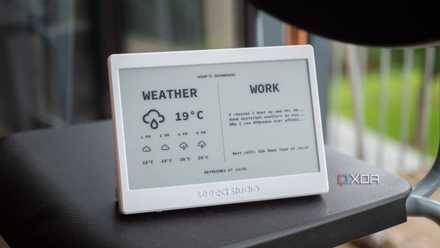
I bought this cheap ePaper display, and it massively improved my smart home and desk
It's been a big improvement, and I absolutely love it.
Integrating the Govee Table Lamp 2 Pro into my smart home
Home Assistant's setup was pretty easy
Deploying this lamp under Home Assistant was surprisingly easy, and the Matter support worked as you'd expect it should. My phone set it up, pointed the lamp to my Home Assistant Matter server, and everything worked. The lamp shows up... though, as a coffee machine. I think. At least, that's what I assume based on the fact that it surfaced an entity that allows me to choose a coffee type.
Changing the coffee type doesn't do anything, but it does change to "Unknown" when the scene preset is changed. I suspect that this field identifies the scene selected, and changing it to a preset represented by an ID that doesn't match the expected data from a Matter-enabled coffee machine is what causes it to change to an unknown state. For what it's worth, Google Home, which also has access to my Matter network, can see the light but does not see any other weird fields. Enabling a preset scene simply doesn't change anything in the Google Home app at all, and it just thinks the last selected color is still the current color.
Thankfully, I don't really mind too much that I can't access the scenes from Matter, but it's still a mark against the lamp. It, again, feels like an oversight not to even have some preset options available here. You can't enable music synchronization mode either, so it's all just a bit strange, to be honest. I love what Govee has done with the hardware, but the software feels massively more comprehensive in some parts than others. The Govee app still offers the best experience, which kind of takes away from the entire idea behind Matter in the first place. I'll likely try to implement some of these switches locally as I did with the H615B, but I don't get why these limitations are here in the first place.
The same goes for the Govee2MQTT add-on. In fact, it sees even less than Matter does. It can control the brightness and color of the light, but it can't do anything more than that. If you wanted to integrate this lamp with Home Assistant out of the box (or any smart home system, to be honest), you're still going to need to go back to the Govee app for a lot of it.
For the Bluetooth side of things, though, I had an idea. I have plenty of random microcontrollers and boards available to me, so what if I could capture an input stream of audio on something via the internet and then re-transmit that audio stream over Bluetooth to the speaker? That way, the speaker becomes available on the network, and it works around one of its biggest limitations. I don't mind the lack of advanced light controls, but the speaker is a big deal to me. I first looked into setting up Squeezelite on an ESP32, but none of my ESP32 boards have enough PSRAM for it to work. But then it hit me, what if I just used the Milk-V Duo S as I had with the H615B lights? To cut a long story short, it kind of worked.
While I had to use an unofficial Debian image on the Milk-V Duo S, I was able to build my own BlueALSA for RISC-V with SBC codec support, and I could pair it with the lamp to expose an A2DP sink. From there, I could launch Squeezelite, with the output set to the BlueALSA pipe, re-transmitting from the board to the speaker over Bluetooth. It worked but was immensely choppy.
I then found another, more updated Debian build on GitHub, and while it connects, I don't have audio at all anymore. I'm planning on looking at the commit history to see what's different in relation to Bluetooth and audio between the two, so hopefully that gets me somewhere. For the few who may be looking to use their own Milk-V SBC for a similar project, I had to run the following two commands to get Bluetooth working in the first place:
sudo systemctl stop bluetooth hciattach
sudo hciattach -s 1500000 /dev/ttyS4 any 1500000 flow nosleep &
With a more "normal" SBC, this solution would work perfectly, and if you have an ESP32 with 8MB of PSRAM or a spare Raspberry Pi that can communicate over Bluetooth, it should work for any Bluetooth speaker. All you need is the Logitech Media Server on Home Assistant, and then Music Assistant can pick it up as a native media player like any other network-based device. It's a lot of work for a single Bluetooth speaker, but it at least overcomes my biggest frustration. Worst comes to worst, you can even run Squeezelite on an old phone and achieve the same thing, so I have a few options if it's truly necessary.

6 smart home devices anyone can build with a cheap ESP32 and an even cheaper sensor
These are some great DIY projects that you can do for cheap.
Should you buy the Govee Table Lamp 2 Pro?
It depends on what you care about
I'll be honest and say that the hoops I've been jumping through to overcome this device's limitations are not something most people would care to do, given the presence of other devices on the market that can do those things. Having said that, I also know that most people simply won't care about media streaming over the network or how well a device integrates with Home Assistant. For those people, this is a fantastic offering that's worth buying. It's a really pretty light with great sound, and I'd wager that's all most people care about.
However, for the more advanced smart home enthusiast who wants more than the basics, there are questions you need to ask yourself first. Do you want to access more than basic light controls through Home Assistant? Do you want this device to be a central part of your smart home's audio? Because right now, there are no advanced light controls, and without a lot of extra work, you're not going to be streaming audio to this device over a network. And that's a real shame, because it's these little omissions and quirks that make it hard to recommend this to a smart home enthusiast who just wants things to work and integrate nicely with their existing setup.
I really like this speaker, and being able to tinker with it and figure out ways to get around some of its limitations has been a lot of fun, but I also know that's not exactly the definition of "fun" to a lot of people. I have zero problem recommending this product to someone who just wants a nice light with a good speaker, and it fulfills that role excellently. I've been listening to music on it as I work for nearly a week straight at this point, and it also provides a nice ambient light as it gets darker. Plus, its light controls are still pretty good over Matter, so I can automate that through Home Assistant. It's just presets, music synchronization, and a few other more "advanced" features that can't be modified.
You should buy the Govee Table Lamp 2 Pro if:
- You want a pretty lamp paired with a good speaker
- You care about speaker portability
- You're happy to roll your own solution for network streaming
You shouldn't buy the Govee Table Lamp 2 Pro if:
- You want a device with network streaming
- You don't have a 2.4 GHz Wi-Fi network
- You don't have an IPv6 network