
I've reviewed many docking stations over the past few years, but when the HiDock H1 came up on my inbox, it immediately seemed like something special. This isn't just your standard collection of extra ports. It's a dock with built-in speakers and a microphone for your calls. But there's even more under the hood, because the HiDock H1 can also transcribe and summarize your meetings using AI, powered by the GPT-4o model.
The HiDock H1 is a really interesting novelty, and the built-in speaker is actually pretty good, at least better than what's built into my monitor, and those are already pretty good too. I can also see how the recording and AI transcription feature can be useful, though it's far from perfect based on my experience. Ultimately, though, I think it's not a great docking station. I've had some trouble using the ports on it, making it a bit harder to recommend.
About this review: HiDock sent us the HiDock H1 for the purposes of this review. The company had no input in its content.
HiDock H1
Connect, record, and summarize
- Ports
- 2x USB-C, 2x USB Type-A, 2x HDMI, 1x 2.5Gbps Ethernet, 1x microSD card reader, 1x SD card reader
- USB Power Delivery
- Yes, up to 100W
- Power supply included
- Yes (150W)
The HiDock H1 is an interesting docking station that doubvles as a speakerphone with recording and transcription capabilities, and it even includes an earpiece with seamless switching. It can also use AI to summarize your meetings, making it a very useful tool. However, as a docking station, some problems hold it back from greatness.
- Speaker gets pretty loud while remaining clear
- AI features make it easier to catch up on meetings
- Easy switching between the speaker and earpiece
- USB ports aren't as fast as advertised, and they can be unreliable
- The earpiece is a bit uncomfortable and hard to put on
- Voice transcription is finicky
Pricing and availability
The HiDock H1 is currently available directly from the company's website, and that seems to be the only place you can buy it. HiDock does ahve a presence on Amazon, but the H1 isn't available there just yet.
The price on HiDock's website is currently $279, with no indication of a discount. However, you'll need to pay extra for some features in the HiNotes software, which is responsible for transcribing and summarizing meetings. This costs $12.99 for 1200 minutes, or $119.99 for 12000 minutes.
HiDock H1
- Ports
- 2x USB-C, 2x USB Type-A, 2x HDMI, 1x 2.5Gbps Ethernet, 1x microSD card reader, 1x SD card reader
- USB Power Delivery
- Yes, up to 100W
- Power supply included
- Yes (150W)
- Max display res.
- Up to dual 4K 60Hz
- Price
- $279
- Dimensions
- 2.9x7.0x3.7 inches (72.4x178x93.5mm)
Design and ports
It looks pretty good
Starting right away with the design, the HiDock H1 is pretty nice. The shell is made of plastic, so it doesn't feel particularly premium, but it does look good. My review unit comes in the Slate Grey colorway, though there's also a lighter Platinum Gray version that seems to look pretty good. the design overall is pretty functional, with a speaker grill facing the user, a set of buttons for controlling calls (including starting a recording), a noise reduction slider, and a volume knob. Volume knobs can be a bit hot or miss in terms of feel and quality, but credit to HiDock, this one feels really good to use. However, I can't spin it too fast, since it messes up how the audio is adjusted. You need to slow down a bit and make more subtle adjustments, which might be frustrating in some cases.
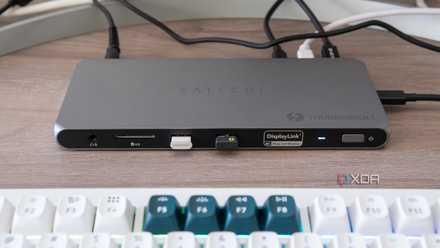
Satechi Thunderbolt 4 Multi-Display Docking Station review: A sleek docking station with all the ports you need
This is another great contender if you need a new dock
The main component of the HiDock can also be supplemented by the earpiece charging cradle. This part (called the HiDock E1) attaches magnetically to the right side of the dock, and thanks to some connector pins, it keeps the earpiece charged. At any point, you can pick up the earpiece to switch from the speaker to it, and then put it back to charge it back up. It's a clever and very functional design.
The underside of the dock includes rubber feet that do a great job of keeping the dock in place. They're very grippy, which is something I can't say about every dock I've reviewed.
A good supply of ports, with some issues
As a docking station, on paper, the HiDock H1 looks fairly solid. It uses a standard USB-C connection, so you're not going to get crazy fast speeds out of it, but it's still quite good. Aside from the hos connection, the back has a USB-C port with 10Gbps speeds, two USB Type-A ports (one at 10Gbps and one at 5Gbps), two HDMI ports, both capable of supporting up to a 4K 60Hz monitor, and a 2.5Gbps Ethernet port.
There are some more ports on the left side, including another USB-C 10Gbps connection and card readers for both full-size SD cards and microSD cards. There's also a Bluetooth button here, because yes, you can use the speakerphone and recording features of the dock over Bluetooth with your phone. That's pretty cool.
I quickly found that my mouse stuttered to the point of being unusable
The problem is these ports aren't as fast as you'd expect them to be, and they can have serious issues. I plugged in my mouse and keyboard into the dock, and I quickly found that my mouse stuttered to the point of being unusable while plugged into this dock. This didn't happen with the mouse plugged directly into the computer, and it generally doesn't happen with other docks, either. This wasn't a constant, and sometimes it worked totally fine, but it shouldn't happen in the first place. I also tested the read speeds over USB-C, and even with nothing else plugged into the other ports, the speeds I got were closer to 400MB/s, not the 1000MB/s you'd expect of a 10Gbps USB-C port. In fact, my portable Dockcase SSD, which indicates the speed of the USB connection, clearly says that it only goes up to 5Gbps speeds, contrary to HiDock's claims.
The HDMI ports are also not perfect. They do support displays up to 4K, yes, but when I plugged it into my super-ultrawide monitor, my laptops could only output 1080p in a 16:9 aspect ratio, rather than the expected 32:9. One laptop I tried did work in 32:9, but it had a permanent glitch with a black vertical bar along the screen. Oh, and the external displays also don't work if your host PC is connected over USB Type-A, because USB Type-A ports don't carry display signals.
Audio
It's a good speaker
Of course, the second big thing that the HiDock H1 can do is be a speakerphone, which is what HiDock specializes in. And for that, this one is pretty good. Audio quality out of the HiDock H1 is pretty good. The speaker is both loud and clear, so I can easily understand what's being said in meetings. Music sounds great through this speaker, too.
The earpiece is pretty solid, too. Audio quality is still very clean and it's great for meetings. It's not a very comfortable piece of hardware, though, and I find it pretty hard to put on, even though you can use it with either ear. I also don't like how the speaker just sits right outside my ear rather than going into it, though this is a matter of preference.
The speaker is both loud and clear
The microphone also does the job. I used it for a few meetings and no one ever mentioned me sounding strange or less clear than usual. The dock has built-in background noise reduction that works pretty well. I tried playing some rain sounds in the background and the dock managed to completely filter them out. You can tell something is off, though, because my voice sounds more distorted if there is noise to filter out compared to being in a quiet room. Still, it does an admirable job. The only time where it got really hard to understand what I said was when I had the volume on the background noise all the way up, and that's a very loud environment for anyone to be in during a call. The earpiece also appears to pick up sound fairly well, despite the somewhat awkward placement of the microphone behind the ear. It's not as good as the dock itself, since it's a bit quieter and I sound more distant, but it works.
The AI features
Record, transcribe, and summarize
The big selling point of the HiDock H1 is its AI integration through the HiNotes software. This is a web-based app, and it requires a USB connection to read the files on the dock, which has 32GB of storage to save your recordings. When you connect te dock to your PC via USB, you can access your recordings and download them to your PC, or upload them to have them transcribed and summarized. The language model powering all this is GPT-4o, which is the latest and greatest from OpenAI, and it seems to work fairly well.
HiNotes does a pretty good job generating key points from a meeting
I've tried recording a couple of meetings this way, and the biggest problem I have is that it often misunderstands what's being said. That's bound to happen when a lot of meetings involve saying some weird product names, but even some regular words can be lost due to someone's accent or pronunciation. What's worse, it will sometimes miss entire sentences, so it becomes a big mess. If you pay up for the premium features, HiNotes can also identify each speaker, giving you the ability to name them, so you know what's going on. The free version labels everyone as an unknown speaker, so it can be easy to get lost in regards to who said what. However, it doesn't really matter when the actual speech recognition is so faulty.
The summarizing feature is actually pretty good, though. HiNotes does a pretty good job generating key points from a meeting, writing a summary, and providing action items. It looks very organized and easy to read, and makes it easy to know what to look for. It's not perfect, though. In a large meeting that's a bit more informal, a lot of side things can be mentioned by multiple people, so it won't pick up everything that might be important, but that's to be expected.
Once a summary and transcript are generated, you have the option to export them as a file so you can go over it later without having to use the software. The premium upgrade lets you do things like exporting directly to Google Docs or Notion, and it also includes more summary templates that may work better in certain scenarios.
Should you buy the HiDock H1?
It's easy to see how useful a device like the HiDock H1 can be. It's a docking station and speakerphone that can summarize your meetings, and it's hard not to see the appeal in that. It works pretty well as a speakerphone, too, with good audio quality and noise cancellation that makes sure others can hear you clearly without background noise.
As a docking station, though, the ports don't really deliver a very reliable experience, and in some cases, they're simply not as fast as what HiDock advertises. That's obviously a big problem, and it makes this hard to recommend to anyone who really wants a docking station. Plus, the transcription feature is a bit hit or miss, with a lot of words and phrases not being recognized properly if the audio quality isn't great.
If you just want a speakerphone, the HiDock H1 is pretty good, but the features around it may not me as useful as you'd hope them to be. It's hard to justify such a high price tag for it, though I can see a lot of potential in this idea.
You should buy the HiDock H1 if:
- You want a good speakerphone and microphone for your PC
- You want to easily switch between a speaker and earpiece on the fly
You shouldn't buy the HiDock H1 if:
- You want a great docking station
- You don't need the audio or AI features\
- You're expecting the transcription to be very reliable.
HiDock H1
- Ports
- 2x USB-C, 2x USB Type-A, 2x HDMI, 1x 2.5Gbps Ethernet, 1x microSD card reader, 1x SD card reader
- USB Power Delivery
- Yes, up to 100W
- Power supply included
- Yes (150W)
- Max display res.
- Up to dual 4K 60Hz
As a docking station, the HiDock H1 falls a little short due to lackluster port speeds and reliability. But its audio capabilities and AI features help carry it, making this a solid speakerphone that can also give you some extra ports in a pinch.