
Motherboards can cost as little as $100 but you can easily spend up to $1,000, if not more. Depending on the motherboard, the more you spend the more features and functionality you can expect to have available. When shopping around for a new motherboard for your PC, should you spend a small fortune on one of the more premium options or are the budget-friendly boards just as good? Here are some reasons you should consider more affordable motherboards for your next PC build.
3 Modern budget motherboards are excellent
Unlike the old days
Years ago, I would avoid more affordable motherboards because they weren't great. The same cannot be said for modern boards with a lower price tag. They're often excellent and some can even rock the best chipset on offer from AMD and Intel. Other motherboards push mid-range chipsets harder to get as much out of the platform as possible without bumping the price to match the competition. You can easily find hidden gems in the mid to low end of the motherboard market. The only thing you're missing out on with lower specification chipsets are PCI lanes and connectivity.
The Gigabyte B650 Aorus Elite AX Ice is a great example of getting the best bang for your buck. This B650 motherboard has some impressive features for its price, including support for up to DDR5-8000 RAM, an 8+2 phase VRM design, and PCIe 5.0 for one of three M.2 SSD slots. The primary x16 PCI slot is locked to PCIe 4.0 but that's good enough for even the mighty Nvidia GeForce RTX 4090.

Best motherboards in 2025
Motherboards are the central component of building a new PC, so here are the best options you can find for your rig.
2 You likely don't need all the advanced features
How many PCIe 5.0 M.2 SSDs do you need?!
Do you have a PCIe 5.0 SSD? No? Then why purchase a motherboard with more PCIe 5.0 slots than you have storage drives? The same goes for connectivity and other advanced features. A range-topping motherboard with an overkill VRM setup may not be best suited for an AMD Ryzen 5 processor, which won't draw more than 100W at full load. The same goes for water flow measurement headers, RGB lighting and headers, Thunderbolt 4, and high-end on-board audio. these are things that would be nice to have but you can certainly make do without.
Pay attention to the important parts, including VRM and power delivery, RAM support, I/O, and other headers required by your PC case or other components.

Asus ROG Crosshair X670E Hero review: You shouldn't buy this fantastic motherboard
Why this Asus motherboard is great for an AM5-powered PC
1 Spend more on other PC parts
Fund a better CPU or GPU
Saving money on your motherboard can unluck an additional budget for the rest of your PC. An extra $100 can upgrade the CPU or GPU to the next level, offering far more performance than a premium motherboard. Choosing a slightly more affordable motherboard could mean the difference between going with an AMD Ryzen 7 or an AMD Ryzen 9 CPU, unlocking additional cores, threads, and higher speeds. And so long as this board remains mid-tier, you shouldn't have any trouble running better components on it.
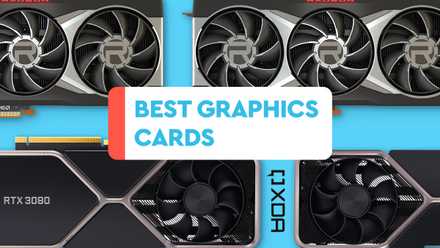
Best GPUs in 2025: Our top graphics card picks
Picking the right graphics card can be difficult given the sheer number of options on the market. Here are the best graphics cards to consider.
Save money, but not too much, on motherboards
Saving money on components can have some negative effects. For instance, saving too much on your PSU could risk damage to the rest of the system. An affordable CPU may not be powerful enough for advanced tasks, and a cheap motherboard might not be able to handle a PCIe 5.0 SSD. You should save as much as you can on the motherboard, but not so much that it affects how you use your PC. Read through the specifications of the motherboard you're considering to check if it can handle the rest of your PC parts, namely RAM, CPU, and storage.