
When I started using Home Assistant, I ran way too many automations for the silliest of things. Over time, I pulled back and kept only those automations that felt genuinely useful without making any visually noticeable impact. That helped me avoid flashy but unwanted dashboards and notifications.
Among those, there’s one automation that continues to run every day without my family noticing it. After a brief surprise early on, the automation faded into the background and now works quietly. I get no notifications, prompts, or choices to pick from. That helps with a small yet consistent reduction in the electricity bill over months.
It solved something I struggled to get right: reliable presence detection without a dedicated app or cloud services. I’m proud of it because it runs locally, reliably, and completely out of sight.
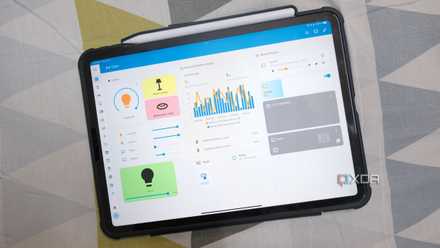
5 useful Home Assistant automations I wish I had in my life sooner
From energy tracking to turning off devices when not in use, Home Assistant helps improve my life by automating my smart home.
The Home Assistant automation goes unnoticed in my house
How I turn off idle devices in my bedroom
My bedroom has several devices, though I don't use them all at once. So I’ve been on the receiving end of the “Who left the TV or the lights on?” inquiry more times than I’d like to admit. Past mistakes aside, I didn’t want devices silently drawing power when they’re not in use or after someone has finished using them.
My primary logic was straightforward: turn off things that had been idle for a specific time. But getting that done cleanly required connecting those devices to Home Assistant first, using integrations or a smart plug. The idea was to stop relying on manufacturers’ apps and cloud services to build an automation that runs locally within Home Assistant.
Besides, the built-in power-off timers in devices like TVs or ACs have never helped with my family’s unpredictable usage patterns. That’s why automation is the right choice.

The history of Home Assistant
Trivia challenge
From a weekend project to a smart home powerhouse — how well do you know the story of Home Assistant?
In what year was Home Assistant first released to the public?
Who is the original creator of Home Assistant?
What programming language is Home Assistant primarily written in?
What is the name of the dedicated hardware device released to make running Home Assistant easier for non-technical users?
What is the name of the company founded to provide commercial support and cloud services for Home Assistant?
Which installation method, introduced to replace Hass.io, became the officially recommended way to run Home Assistant?
What open standard, co-developed with Apple, Google, and others, did Home Assistant add support for to improve smart home device interoperability?
What major UI overhaul, introduced around 2019, replaced the previous States UI as the default Home Assistant frontend?
Your Score
Thanks for playing!
I built the automation to test small appliances, such as coffee machines and chargers, using power consumption data generated by the smart plugs. So when a device’s power draw drops to idle levels for more than ten minutes, the automation shuts it off. That worked reliably from the start.
The harder part was to figure out presence detection to effectively carry out the automation before it becomes a nuisance. So I needed to confirm if no one was present in the room. That’s where Bluetooth proxies helped out big time. When I combined a device’s power draw with the Bluetooth proxy's presence detection data, I confidently configured two conditional triggers. The first one checks the power consumption, and the other reports no one nearby. The devices go off only after both conditions are met.
Nobody in my family has questioned how it happened. That assumed someone had manually switched things off and moved on.
-
THIRDREALITY ZigBee Smart Plug 4 Pack
- Dimensions
- 2.7 x 1.3 x 1.13 inches
- Rated Voltage
- 120 Volts
-
Fine-tuning the automation logic to turn off things
When a single automation wasn’t enough
One of my biggest concerns was preventing the devices from going off randomly mid-use. I wanted to avoid those complaints when crafting the automation. So it was important to detect anyone’s physical presence in the area or room. The Bluetooth proxy confirms that no one is nearby, and the smart plug confirms that the device is idle.
The single automation worked fine when I dealt with a couple of devices. The smart plug data pointed out that my TV draws around 5W when idle and no one is in the room. The coffee machine draws less than 2W when turned on, but no one is using it. So it was manageable to automate them.
The problem grew when I wanted to automate turning off more devices. That’s because each had a different idle wattage draw. I couldn’t apply the same threshold for all of them.
The automation began to turn into a complex chain of conditions that must be met before an action actually occurs. Slowly, I dreaded adding more devices because I didn’t want to risk editing automation and hoped nothing breaks in the process.
That’s when Blueprints came in. I defined the logic just once to check for the power sensor, detect presence, and turn off the device only if both conditions are met. That logic needs to be applied to each device separately to define the wattage threshold and idle duration. Adding a new device means filling in a few values and not editing the automation from scratch.

6 "just-enough" Home Assistant automations that keep my smart home ticking
It's smarter to keep things simple.
The automation that keeps growing with my smart home
My next step is extending the logic to Bluetooth-supported devices using ESP32-C3-based proxies. Bluetooth Low Energy devices like bulbs, LED strips, SwitchBot buttons, and select Govee lights that support active Bluetooth connections are on that list.
The part I keep coming back to is the automation nobody ever asks about. It’s been running for the past few months, and no one has noticed it. That’s exactly what I aimed for when I started automating my smart home.
Home Assistant
- OS
- Windows, macOS, Linux
- iOS compatible
- Yes
- Android compatible
- Yes
Home Assistant is the best way to connect your smart home systems together.