
Self-hosting your own services can seem intimidating, especially if you’ve never dabbled in containers or virtual machines before. But most of the popular FOSS tools are easy to deploy and ship with sleek interfaces that you can get accustomed to in no time. Home Assistant is one such utility that, despite being packed to the brim with handy features, is easy to work with even when you’re a complete beginner.

5 reasons Home Assistant is all you need for your smart home
Home Assistant is just that good!
Home Assistant works with most smart devices
And you can control them from customizable dashboards
If you’ve got smart devices from different manufacturers, you probably have to cycle between multiple applications to control them. This may not be a big deal with a couple of products, but trying to sync all your IoT paraphernalia can get tedious once you arm your living space with dozens of smart devices. Home Assistant solves this conundrum by acting as a centralized interface for your smart home management needs – one that can connect with the offerings from most IoT manufacturers.
Better yet, HASS can automatically detect devices on the same LAN connection, and you can pull them into your dashboards with the built-in integrations. Configuring integrations takes less than a few minutes, and once you’ve completed this process for all your smart devices, you’re free to control them from dashboards via toggles, buttons, and widgets. By default, HASS only includes a single dashboard, which you can customize with templates, cards, entities, and other GUI elements instead of typing multiple lines of YAML code. Better yet, Home Assistant lets you create specialized dashboards for all your paraphernalia, so you can use different interfaces to organize your collection of smart devices, IoT products, self-hosted services, and every other tool you can pair with HASS. And that brings us to the neat ways you can bring third-party utilities and unsupported devices to your Home Assistant hub…
Add-ons and HACS integrations can extend its functionality
Ever wanted to control your home lab from Home Assistant?
Assuming you’ve got Home Assistant deployed as an OS on a VM/bare-metal setup, you’re bound to encounter the Add-ons tab at some point. What it does is let you deploy a collection of smart home-centric utilities directly on your HASS server. Let’s say you want granular control over your surveillance cameras. You can deploy Frigate on top of your HASS instance and pull the streams from your cameras into a dashboard using integrations. Likewise, if you’ve got a bunch of MQTT devices in your arsenal, you can use the Mosquitto broker to use them with Home Assistant. Heck, you can even add third-party repos for tools like NetAlertX to manage your network stack from Home Assistant!
And I haven’t even mentioned the Home Assistant Community Store yet. If you haven’t heard of it, HACS includes thousands of use cases for different scenarios. Got a Roomba from a lesser-known brand that doesn’t include native support for Home Assistant? One quick search through HACS, and you’ll find an integration that lets you pair it with the smart home platform (and that’s low-key how I automated my Dreame Roomba). Want extra cards for your HASS dashboards? Well, HACS includes Bubble Card, Ultra Card, Mushroom Card, and a bunch of other options to add some aesthetic flair to your dashboard collection.
Then there are integrations designed specifically for server tools and self-hosting applications, and these are a game-changer when you’re as deep into the home lab rabbit hole as I am. HACS includes integrations for everything from the note-taker Vikunja and container manager Portainer to something as wacky as TrueNAS servers and Proxmox nodes. The best part? HACS integrations are so simple to set up that you can configure them without ever needing to touch YAML configs.
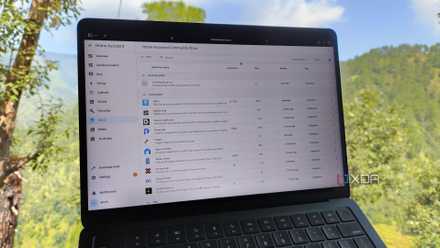
6 of the coolest HACS integrations for Home Assistant users
Level up your Home Assistant game with these neat HACS integrations
Its trigger-action automations are easy to set up
Community-created blueprints are just viable for your automation needs
Being able to create automation chains for your smart home paraphernalia is one of HASS’ biggest advantages. Home Assistant gives you the option to switch between YAML configs and a menu-based interface, and the latter’s trigger-action event-based workflow is extremely simple to master, even if you’ve never used an automation utility in the past. All you have to do is select the entities involved in the chain, their trigger conditions, their actions, and voila – you’ve got a fully-functional automation chain.
If you want to simplify this process even further, you can grab a handful of blueprints from HACS – and these include even more toggles and options to help you fine-tune your automations. Once you get into complex automations involving multiple devices and services, you can look into the Node-RED add-on.
Once you get familiar with HASS, you're free to look into complex projects
The beauty of Home Assistant lies in the fact that you’ve got a lot of freedom in how you go about doing things. When you’re a newcomer to smart homes, you can use it to manage your IoT devices from sleek dashboards, set up useful add-ons, and create simple event-driven trigger-action workflows. After you’ve grown accustomed to its quirks, you can use Home Assistant’s handy tools to deploy node-based automations, set up microcontroller projects, and control your home lab services.