
I love Google Photos, but I recognize that what it offers isn't for everyone. It's handing your data over to a third party that many people aren't comfortable with, and it's unknown just how much of your data is being used by Google to train their own AI models. Because of that, you may want to host your own Google Photos alternative, and if you have a NAS, you can do exactly that.
All you need is a NAS with Docker support, and you'll be able to pair up Nextcloud with PhotoPrism. PhotoPrism is an AI-powered photos app, capable of tagging photos and using AI to recognize their contents. It all runs on-device, meaning you don't need to worry about where your data is going or what companies might be doing with it. Just like Google Photos, it can recognize faces and show you photos of all the same people, and it can also recognize and tag objects in photos for later retrieval.
If you want to start migrating all of your photo backups to a local storage solution, I highly recommend PhotoPrism. It's by far the best solution out there, and pairing it up with an automatic backup system like Nextcloud means your photos will always be saved as soon as you connect to your home network.
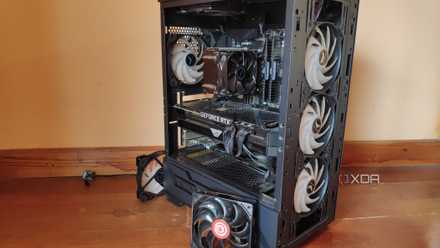
How to turn an old PC into a NAS
If you have an old PC still lying around, you could turn it into a NAS.
How to use PhotoPrism and Nextcloud
It shouldn't take you long at all
Depending on the NAS that you use, you'll need to configure a shared storage so that both services can access them. Given that most implementations of this will use Docker (though if you're using something like TrueNAS Core, you might be using Jails), the concept should be the same across most software configurations. I built this on TrueNAS Scale, and I'm in the process of building it on Ugreen's UGOS.
Essentially, a high-level overview of what you'll need to do is the following:
- Create a Nextcloud instance, with access to its own storage, and a shared folder where photos will go
- Create a PhotoPrism instance, with access to the shared folder that you gave to Nextcloud
- Mount the shared folder in Nextcloud as a local external storage
- Install the Nextcloud app on your smartphone, and automatically backup photos from your camera roll to the local external storage
- In PhotoPrism, scan your library and let it import all your photos
In the Nextcloud app on Android, you can then go to Settings, tap Auto upload, and turn on automatic uploading for your camera roll. Configure it, and make sure you're uploading automatically to the right folder. My mount point for the shared storage between Nextcloud and PhotoPrism is at /Prism/ in my Nextcloud container, and that's where all of my photos in Nextcloud are uploaded. You can do the same for videos as well.
Once you've configured it, that's it! You'll have your own Google Photos alternative that you entirely control, though we recommend making your own backups just in case. If you want to set up something like WireGuard as well, it will allow you to access your PhotoPrism and Nextcloud instances from outside of your home. Assuming you only upload over a local address (I do), you will get errors when you take photos out and about, as your phone will no longer be able to connect to your NAS. A VPN like WireGuard or reverse proxy through a service like Tailscale will do the trick, but I just let everything upload once I get home.
