
When you come across an image on the web that needs some editing in Windows 11, macOS, and Linux, you don't need to download it or use a program like Adobe Photoshop for simple tweaks. If you use the Microsoft Edge browser, you can edit the image with just a simple right-click, and then save your edits for sharing. It's a pretty nifty feature that makes Edge more than just a regular web browser, just like how you can use Bing chat in Microsoft Edge. Here's how to use it.
This isn't a full-blown photo editor like Photoshop. This is a way to make quick edits to a photo, such as cropping, marking it up, applying a filter, and more, similar to how you can edit photos in the Windows 11 Photos app.
How to edit images in Microsoft Edge👁 Edge Image Editor
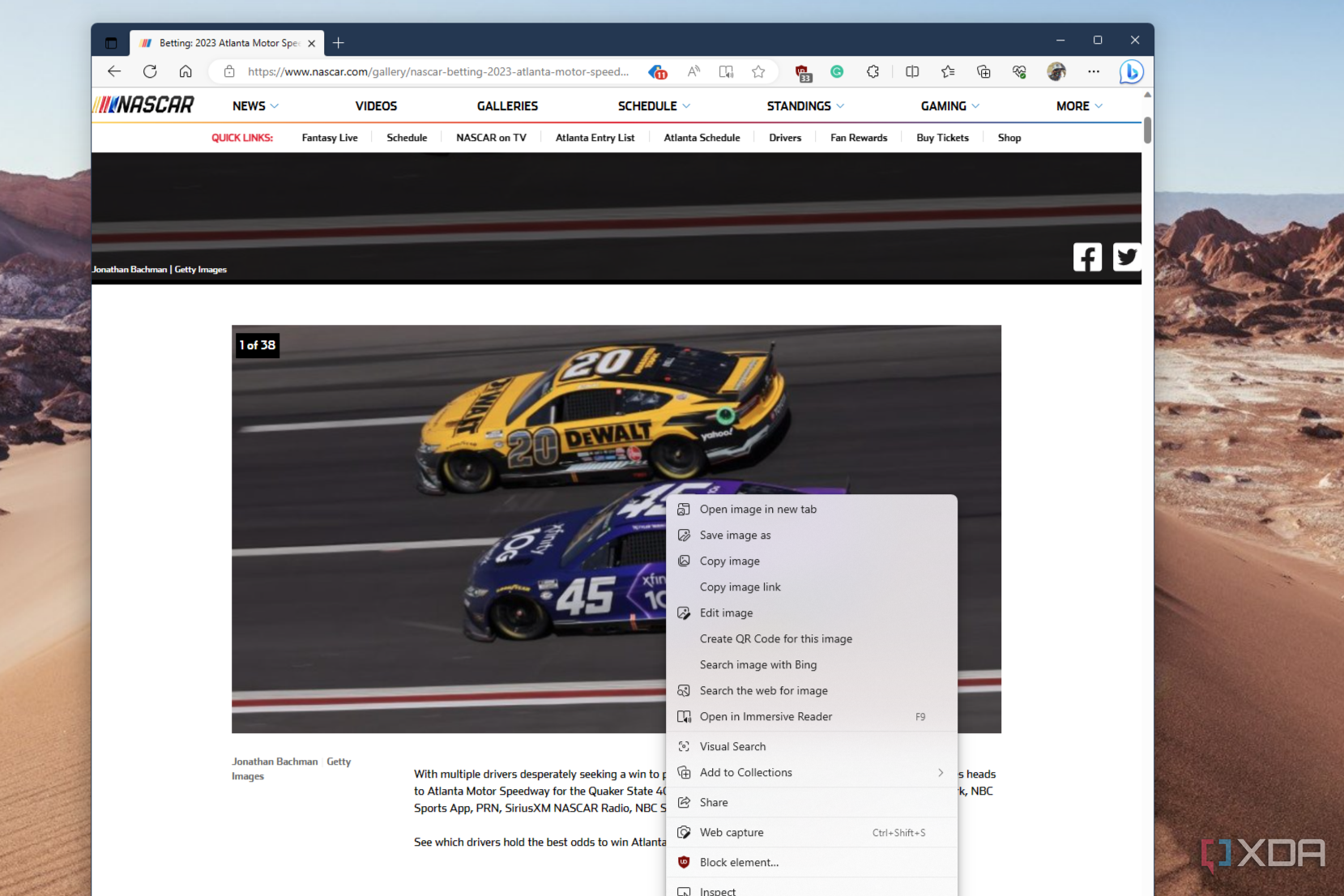
To edit images in Microsoft Edge, you first need to find the image on the web that you'd like to edit. It could be something from Google, Instagram, Facebook, or anywhere else, as long as it's a JPG, PNG, or other image type that's recognized by Edge. Then, follow the steps below.
- Right-click on the image and choose Edit image.
- You'll be thrown into the crop tab. Now you can start editing.
- To tilt the image, flip it, mirror it, or rotate it, use the controls at the bottom of the screen.
- For adjustments, choose Adjustment to change brightness, exposure, contrast, highlights, shadows, color, and more.
- Choose Filter to add various filters.
- Choose Markup to markup the image and add annotations or inking marks.
Once you finish editing your image, you can save it by clicking the blue Save button at the top right of the open image to immediately download it. If you want to copy the image to your clipboard, choose the Copy to clipboard option. It's really that simple.
This is just another way that Microsoft Edge continues to evolve. You not only can use it to edit images but also enjoy features like Collections to help organize bookmarks and ideas or use shopping features to save money when looking for deals. You even can change the default search engine if you want.