
Home Assistant can pull in data from all kinds of devices and sensors, whether through APIs or other standards like Matter, Zigbee, or Z-Wave. That makes it my preferred way to control my smart home, and I love it when I find new things I can add. As I write this, it's peak grilling season, and I started wondering if I could add my pellet grill to HA.
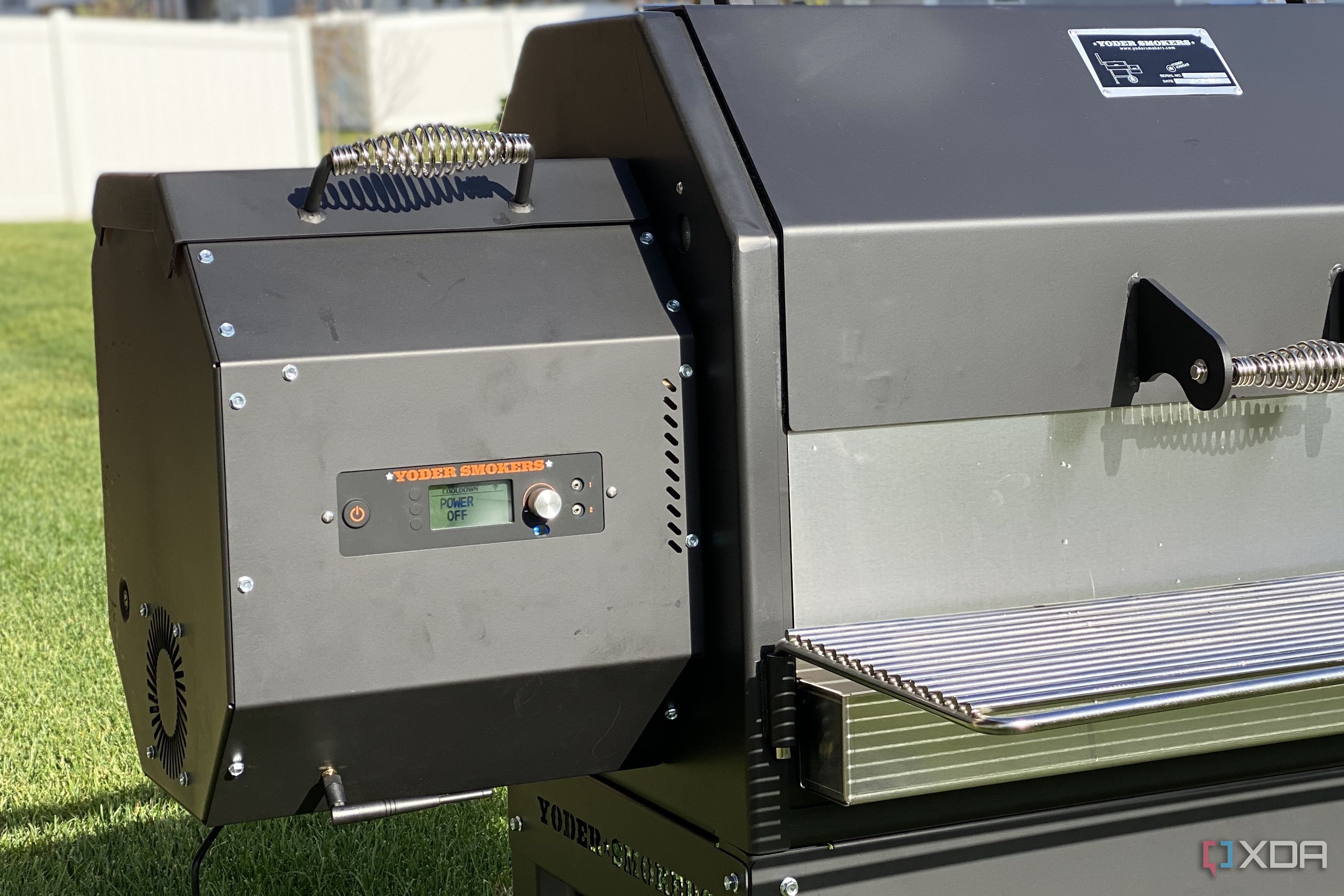
See, my pellet grill has an onboard controller made by FireBoard, that controls temperatures from three thermocouples, one in the pit, and two on flexible probes to stick into your meats. It connects via Wi-Fi and sends data to the FireBoard cloud, and enables remote control from the FireBoard app. Everything except turning the grill on in the first place, because you wouldn't want to butt-dial your pellet grill while miles away.
And wouldn't you know it, I found a Home Assistant add-on that takes data from the FireBoard cloud API, integrates it to MQTT, and adds information to the HA dashboard. This doesn't just show me important data, but enables me to set automations to do stuff like flash the lights when I need to wrap the brisket, or whatever other conditions I set based on the cook I'm doing. Plus, I can see info at a glance on the HA displays around the house, without having to dig out my phone for the FireBoard app, which is fantastic.

10 of the best add-ons for Home Assistant
Boost the capabilities of your smart home with these amazing Home Assistant plugins
Yes, I connected fire to the Internet (and it was totally awesome)
Being able to monitor slow cooks from anywhere is the thing your BBQ is missing
Ask any self-respecting system administrator or cybersecurity pro, and they'll tell you to never connect fire to the Internet. Which is fair, mostly, because you never know who might find the IP address of your flame-maker, and decide it needs to go on when you don't want it on. That said, it's nice to be able to monitor my pellet grill from anywhere, and be able to set temperature controls, breakpoints, and other cooking niceties that mean I don't have to be physically stuck to the grill all day.
And that's exactly why I ended up with a Yoder YS640S YFi. Not only was it solidly built (with 10-gauge steel), so it kept temperature even at low and slow cooks, but it has an integrated control system via Wi-Fi or Bluetooth, so that I could set and forget the cook program for that particular weight and cut of meat. Not to mention that it'll quite happily burst into flame-charring mode for steak sears, at over 700f.
Normally, I control cooks via the FireBoard app, which is the companion app for the ACS system that Yoder uses, which works well. But I don't like having to pull it out of my pocket to check the cook process, especially if my hands are mucky from the grill or making sides. I already have Home Assistant screens set up around the house, so I wanted to see if I could connect the two, for the easiest way of monitoring my next cookout.
-
Yoder YS640S Pellet Grill
-
Home Assistant
- OS
- Windows, macOS, Linux
- iOS compatible
- Yes
- Android compatible
- Yes
But adding Home Assistant to the mix was the final ingredient
I love being able to see cooking data on my HA dashboard
It didn't take a long search to ind a Reddit post that pointed me to Fireboard2mqtt, and I had to check it out. It taps into the Message Queuing Telemetry Transport broker that many HA users already have set up for a lightweight TCP/IP messaging system that many IoT devices favor, and is perfect for this use case. This add-on pulls the data from the FireBoard Cloud API that's always measuring multiple temperatures, times, and other data from my grill, and pulls the results onto the HA dashboard.
The only slight annoyance is that if FireBoard Drive is enabled, it only queries every 40 seconds, as the API has a hard cap of 200 requests per hour. The FireBoard app updates more regularly, but 40 seconds isn't going to be enough to wreck your smoked meats. What this chain of events means in practice is that I can see the Pit and Probe temperatures graphed on my HA dashboards, as well as the current temperature of each, and the drive speed, so I can roughly estimate pellet use. I'd love it if there was a sensor for estimating pellet capacity (like this project I might get around to making one day), because that's the only thing missing that I can't monitor right now.
Being able to see the cook time remaining, stage of cook, and other data on my HA dashboards isn't just a help for me while putting together sides or other BBQ necessities, but it's also a quick view for the family to glance at, so I don't get asked constantly when food will be done. Plus, I don't have to worry about where my phone is, or even touch it with grubby hands, as the dashboards are all in places that are easy to see. The next steps are to add some automations, so that lights flash when cooking stages are reached, or when I need to baste or flip meats, so that I get a visceral reminder to go and do them before it's too late.
Fireboard2mqtt
I think I need an E-Ink display now for my BBQ
The only issue with my current HA dashboards is that they're all on IPS-based tablets, which aren't the easiest thing to see when it's sunny. But you know what works well with Home Assistant and brightly lit spaces? My beloved E-Ink, and I'm honestly surprised I don't have a dozen of these screens around the house already. That's going to change though, because I like having the BBQ readouts around the place, along with calendar reminders and everything else that I'd forget if I didn't write it down and have it displayed prominently.

5 ways Home Assistant made me more productive for working from home
Here's how Home Assistant improved my workflow.
I keep finding new ways to use Home Assistant to work smarter
👁 yoder ys640s firebox
I'm still learning my way around Home Assistant, but I've noticed that, so far, I've not had to dig deep or learn any coding to link the devices I have at home to my dashboard. It's enabled me to make the smart home setup I've been dreaming of for years, and I can keep tweaking things to my liking. I've got some touchup work to do on my basic dashboard so it looks nicer, and maybe upgrading the displays to E-Ink, but that's part of the fun too, the search for improvements.