
Self-hosting services from home is one way to save a considerable sum of money each month. We're paying out more for services than ever before, even after cutting the cord with cable, and yet there are still ways we can get around these costs through a network-attached storage (NAS) device or home lab. Do you rely on Spotify for your music streaming? How about Microsoft 365 for productivity apps? You can save a lot by bringing these into the fold, and it's easier than you may think.
Replacing Microsoft 365 with Nextcloud
Your office suite, your way
|
Service cut |
Savings /mo |
|---|---|
|
Microsoft 365 |
$12.99 |
Microsoft 365 is brilliant, and so too is Google Docs. They offer convenient access to powerful online or offline apps with all the features you'd require to create documents, edit spreadsheets, and stun the world with a flashy presentation. The only drawback is that you need to pay for the privilege. Microsoft requires you to pay a monthly fee to access all its Office apps, and Google will simply harvest the data you store on its servers. The answer? Nextcloud. This open-source office suite is perfect for those with powerful enough hardware.
The major selling point of Nextcloud over Microsoft 365 is data control and ownership.
The major selling point of Nextcloud over Microsoft 365 is data control and ownership. You have the choice of where to install Nextcloud, be it on a full-blown server, virtual private server (VPS), Raspberry Pi, or even a NAS device. There's ample documentation from Nextcloud on how to achieve this. Being free and open-source means you won't have to spend a penny, and everything is fully vetted by the general public. It still offers all the collaborative features you know and love from Microsoft and Google solutions.
Mail, Contacts, Calendar, Tasks, and Deck are also included, creating quite a well-rounded and robust platform. There's even the Nextcloud App Store for installing a wide range of apps to expand its capabilities. Nextcloud is a must-have for professionals living at home or in a bustling office looking to cut costs.
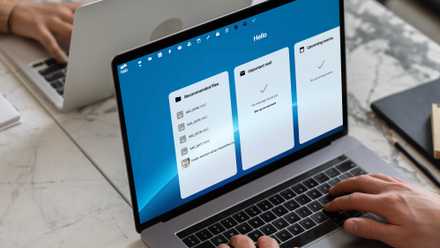
6 ways Nextcloud beats Microsoft 365 entirely for free
Nextcloud is the ultimate free Microsoft 365 alternative
Switching to Immich for photos and videos
Backing up all your media
|
Service cut |
Savings /mo |
|---|---|
|
Apple iCloud (6 TB) |
$9.99 |
|
Google Drive (2 TB) |
$10 |
Apple iCloud and Google Drive (and Photos) are great solutions for backing up phones, storing photos and videos, and allowing you to showcase them to others with integrated apps. But they're often limited when it comes to cross-platform support, and you'll have to pay for additional storage should you happen to take a few thousand photos and record some footage. That's where Immich comes in, and not only to showcase a clever play on words. Immich is your one-stop shop for backing up media from all devices.
Immich is your one-stop shop for backing up media from all devices.
It's also free, and you're only limited by the storage capacity of the device it's running on. If you have a NAS, you're set so long as you keep on top of expansion efforts when usage fills up the available storage pools. Then, like our office replacement, there's the issue with data security and privacy. Hacking and scamming are frequent in today's digitalized world, and our online media vaults are at risk of being cracked. We've seen how much damage this can cause with prominent figures having their social accounts compromised.
By self-hosting Immich, you're in control of where your data is stored. This has the caveat of being in charge of security policy, but this shouldn't be too challenging so long as you know what you're doing (or perform some research ahead of time).
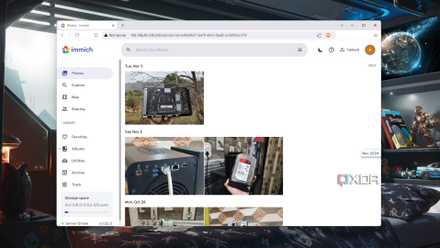
How I made my own photo hosting platform with Immich
Ditch Google Photos, iCloud, and OneDrive for this incredible (free!) backup solution.
Streaming movies and shows with Jellyfin
Cutting the cord ... for the second time
|
Service cut |
Savings /mo |
|---|---|
|
Netflix |
$7.99 |
|
Apple TV+ |
$9.99 |
|
Spotify |
$11.99 |
|
Paramount+ |
$7.99 |
We had Netflix, Apple TV+, Spotify, and Paramount+ active ... and that's without including Amazon Prime. That's a total of five different streaming services, which transformed our big screen entertainment back into a cable-style experience where we'd endlessly scroll through interfaces to find something to watch, only to find out that some things were exclusively available on specific platforms. This isn't an issue per se as these companies spend a lot of money on creating shows and movies, but it does mean we ended up paying big each month.
We can still enjoy all the loaded content even if we don't buy anything for a month or two.
That's where Jellyfin came to the rescue. Since we only watched a handful of shows and movies on various services, we cut the subscriptions of three instead of wasting money, leaving just Netflix and Amazon Prime Video — we're also likely to kill Netflix and Amazon Prime soon. Jellyfin is like your own Spotify and Netflix, but instead of streaming from external sources, the app will only show and load up media you own and catalog. It's great for those who enjoy paying one-time for products, including shows and movies.
Have huge DVD and Blu-ray collections? Rip them all for safe storage on a NAS and run Jellyfin so you can enjoy your content from anywhere. This approach does mean we miss out on the latest shows and movies if they're exclusive to platforms with no single purchase or physical release, but we're saving considerably even with the purchase of media over monthly subscriptions. It also means we can still enjoy all the loaded content even if we don't buy anything for a month or two.

5 reasons why I'm switching to Jellyfin after 7 years using Plex on my home NAS
As a Lifetime Plex Pass holder, it's finally time to jump ship.
Enjoying some downtime with Minecraft
Getting creative at home and away
|
Service cut |
Savings /mo |
|---|---|
|
Microsoft Realms |
$7.99 |
Minecraft is incredibly popular, and so is its online multiplayer, which is where around $8 per month can be saved by closing down Microsoft Realms and opting to launch and host your own Minecraft server instance. It's easy to do, allows you to run servers for all versions of Minecraft, and provides full control over what content is available, who can access your servers, and backup management. It's also free! The same goes for other online games where servers can be self-hosted using hardware at home.
If you're looking to self-host Minecraft from home, I'd recommend MineOS.

How to host a Minecraft server on a NAS
If you have a NAS lying around not doing anything, you might be able to turn it into a Minecraft server.
Total saved each month: $78.93
That's just shy of $950 each year. That could pay for a holiday for two or be injected into savings. It should be noted that self-hosting anything at home requires hardware. You'll need a custom firewall, preferably running OPNsense, if you plan to open up external access to these services, unless your ISP-provided router has all the necessary features. Then there's where you will be running everything. A NAS would suffice, but this incurs upfront costs in the form of the unit itself and accompanying drives.
It's a one-time fee, however. Once up and running, you'll need to pay for electricity, which should be minimal in the grand scheme of things compared to multiple cloud subscriptions. Factoring in our electricity costs, we're still looking to save around $900 each year.