
Network Attached Storage (NAS) devices are indispensable for data management, but they can be surprisingly power hungry. It's crucial to strike a balance between storage capacity, processing power, and energy efficiency, otherwise you'll notice a sharp increase in the annual cost of running a NAS home server. Thankfully, there are plenty of ways to optimize your NAS for power efficiency, and you can implement many of them very easily for your NAS to reduce its overall power consumption.
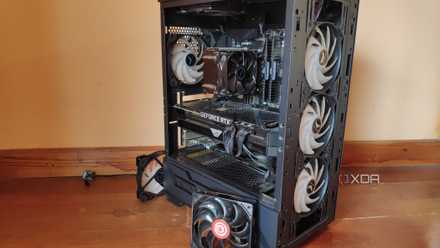
How to turn an old PC into a NAS
If you have an old PC still lying around, you could turn it into a NAS.
Why optimize your NAS for power efficiency?
It isn't just about saving a few bucks
Optimizing your NAS for power efficiency is a responsible choice that can have far-reaching benefits. Here's why it's a good idea to optimize your NAS:
Save on operating costs: There are plenty of advantages to running a NAS, but it's only fun and games until you see how much it typically costs to run a home server 24/7. That's right, running a NAS continuously may accumulate a lot of operating costs over time, so it's crucial to implement some power-saving measures to reduce your annual electricity bill. The cost of running a 50W server versus, say, a 150W server will differ based on your region, but it will be pretty significant, and is bound to burn a huge hole in your wallet in the long run.
Improve its longevity: One of the benefits of optimizing your NAS for power efficiency is improved longevity. This one extends far beyond the financial aspect, as an efficiently running NAS with proper hardware and software optimizations can reduce wear and tear on components. A power-efficient server will also stay cool and quiet, which is great for those who live in regions with a hot climate and for those who're not particularly a fan of system noise.
Leave less carbon footprint: An optimized NAS that consumes less power while constantly running all the time translates to a smaller carbon footprint. Being more environmentally friendly may not have a direct impact on your NAS usage, but it goes without saying that it's important to contribute to a more sustainable digital ecosystem.
Hardware optimizations for NAS
Hardware optimization is arguably the best strategy for NAS power management, as there's only so much you can do to lower the operating cost of your home server using the software.
Choosing the right hardware components
Optimizing your server for power efficiency starts with selecting power efficient components, and this is arguably the best thing you can do to reduce power consumption. From picking a power-efficient CPU that can enter idle C-states to sip less power to choosing an efficient miniITX motherboard for a compact build, everything plays a huge role in optimization. Below are some key points to consider while picking hardware for your NAS:
- Pick CPUs that not only support idle power consumption states, but also the ones that incorporates power-saving features. It is also recommended that you stick with either a dual-core or a quad-core CPU that offers a good balance between performance and power efficiency.
- Stick to low-power motherboards that consume less overall power, and also the ones that support key power management features like voltage regulation.
- Look for efficient cooling components that make less noise and consume less power while cooling your system.
- The overall power efficiency of your Power Supply Unit (PSU) also affects the power draw, so consider picking the right PSU with a good 80 Plus power ratings. Notably, you should also avoid picking up power supply units with a higher wattage than necessary. You can also ditch conventional power supplies and go with a picoPSU if you're not dealing with particularly big NAS servers, which is essentially a small DC-DC power supply, designed for use with small form factor motherboards.
Consolidate the storage
A surprisingly simple power management tip is consolidating the NAS storage drives with large capacities. It's a smart way to optimize power efficiency, and it'll help you save quite a bit on energy consumption. All you really need to do is use large capacity drives instead of multiple smaller ones, reducing the number of physical drives that's required to manage all your storage. Swapping out smaller drives in your NAS with ones with larger capacity will not only help you save power, but it'll also free up some physical space in your server setup.

How to replace a drive in a NAS
If your NAS is running out of space or has a dead drive, here's how you can install a new one
Use SSDs for caching
Building a lean and efficient system with optimized storage solutions is crucial to reducing the overall power consumption. You can build an SSD NAS to maximize energy efficiency and reduce power consumption, but that might be counter-intuitive to how we're trying to save money on our home server overall. So strategically using SSDs for tiered caching is the next best to spending an arm-and-a-leg trying to build an SSD NAS for quick access to your files.

Tiered caching, in case you don't know, is the process of combining both fast and slow drives in a RAID to speed up operations and data access. Plenty of NAS utilities out there will let you execute automated caching, and all you really have to do is set some initial parameters to move data back and forth between the fast and the slow drives.
Clean and maintain your components
The importance of cleaning and maintaining your computing devices can't be understated, and the same is true for your NAS and other home servers. This is crucial for optimizing power consumption, as dust particles and debris can accumulate in your system over time, causing various problems including reduced airflow and increased heat. Cleaning your home server setup is fairly simple and largely similarly to how you'd clean your PC tower.
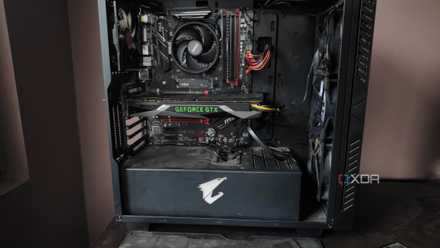
How to clean the dust out of your PC tower
Dust buildup is bad for your system, so you should regularly clean your PC tower to keep it free of dirt and grime
Prevent your NAS from overheating
Regardless of how you clean and maintain your NAS regularly, it's not going to perform well if it's not placed in a good spot. I recommend placing your NAS in a cool, well-ventilated area to prevent it from overheating and therefore consuming more power. This also goes hand-in-hand with picking the right components for your NAS, because you can't have your NAS sitting next to your main PC setup if it's making too much noise or is producing too much heat.
Software optimizations for NAS
Complimenting your hardware optimizations with software tricks can prove to be even more beneficial for power efficiency. Here are some common ways to save power using software optimizations.
Enabling spin down on unused drives
Enabling spin down on unused drives is a surprisingly overlooked strategy for an energy-efficient NAS server. While this may not be ideal for NAS that you may want instant access to, it's a tried-and-tested method to save power for less frequently used drives in, say, a backup NAS. This is also great for storage servers that may have multiple drives. I recommend spinning the drive down after 30 minutes of inactivity to ensure it saves power.
Frequently starting and stopping relatively older hard drives may cause wear and tear than leaving it spinning continuously. This, however, isn't known to be an issue among newer hard drives on the market.
Running up-to-date software
Your NAS, just like any other computer, also has its own operating system, for which the manufacturers regularly release firmware and software updates. On top of introducing new and improved features, these updates often address various performance issues, too. It's crucial to ensure that you're running an updated version of your NAS operating system, so your NAS is perfectly optimized and has no issues.
Use Wake On LAN (WOL)
Wake On LAN (WOL) is also a great way to reduce power consumption in NAS devices, as it allows you to let your NAS sleep when not in use, and then remotely wake it up only when needed. It is true that NAS with WOL enabled will still consume a small amount of standby power to listen for a wake-up call, but it's typically much lower than the power used during operation. Using WOL is a great way to save power, especially for NAS that are being used for media servers, but keep in mind that it requires network configuration, and you'll need to enable WOL on both your NAS and your router.
Every little step counts
And that brings us to this guide in which I've highlighted some tried-and-tested ways to optimize your NAS for power efficiency. It's worth noting that every little step counts when you are trying to reduce energy consumption, and you should leave no stones unturned, be it implementing hardware upgrades, adjusting software settings, or simply being more conscious of your usage patterns. Remember that a NAS system that's optimized for power efficiency will not only reduce your energy bills that add up over time, but it'll run optimally for an extended period of time without any issues.