
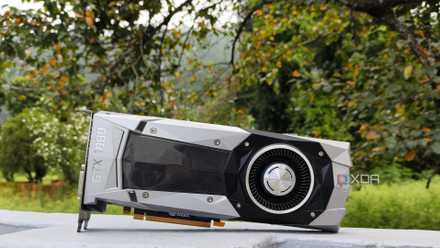
Back in December 2025, I figured I could stop my Pascal-era GTX 1080 from gathering dust by using it to host LLMs on Ollama. Despite some snags with the drivers, this experiment turned out pretty well, and its utility skyrocketed when I began pairing it with my self-hosted FOSS stack. But having spent the last couple of weeks tinkering with different providers and LLMs, I realized that 8B models weren’t the only ones I could run on my aged gaming companion. With a little bit of elbow grease, I managed to build a fully Linux-based LLM pipeline using repurposed hardware that not only frees me from the API limits on cloud models, but also ensures my private files don’t leave my local network.
Nvidia stopped supporting my GPU, so I started self-hosting LLMs with it
I self-support my gpu now because Nvidia won't
I went with the Vulkan variant of llama.cpp for this project
Getting GPU passthrough working was the easy part
Let me make this clear: Ollama is a fantastic local LLM provider, and it’s a rock-solid entry point for newcomers to the self-hosted AI ecosystem. However, it lacks many of the essential settings for hardcore LLM tasks, takes a while before adding support for newer models, and is somewhat underwhelming on the performance front. So, I went with llama.cpp instead, an inference engine that’s far more customizable and efficient than its beginner-friendly counterpart.
For reference, I’ve been using the underlying system (Ryzen 5 1600 + 32GB of DDR4 memory) for simple Proxmox workloads, so I wanted to run my llama.cpp container as a virtual guest instead of opting for a bare-metal setup. Since a virtual machine would cause more bottlenecks due to additional abstraction layers, I quickly spun up an LXC with ample storage and system resources. Or at least, that’s what I thought at the time. But more on this later.
With Nvidia dropping support for my Pascal era card back in December, I installed a slightly older version of the official drivers. I’d already done this for my host machine with the following commands, so all I had to do was pass them to the freshly-configured LXC.
wget https://us.download.nvidia.com/XFree86/Linux-x86_64/580.119.02/NVIDIA-Linux-x86_64-580.119.02.run
chmod +x NVIDIA-Linux-x86_64-580.119.02.run
./NVIDIA-Linux-x86_64-580.119.02.run
Fortunately, the process was as simple as opening the /etc/pve/lxc/100.conf (100 is the LXC ID) file via the nano editor on my Proxmox node’s Shell and pasting this huge array of parameters:
lxc.cgroup2.devices.allow: c 195:* rwm
lxc.cgroup2.devices.allow: c 235:* rwm
lxc.cgroup2.devices.allow: c 237:* rwm
lxc.mount.entry: /dev/nvidia0 dev/nvidia0 none bind,optional,create=file
lxc.mount.entry: /dev/nvidiactl dev/nvidiactl none bind,optional,create=file
lxc.mount.entry: /dev/nvidia-uvm dev/nvidia-uvm none bind,optional,create=file
lxc.mount.entry: /dev/nvidia-uvm-tools dev/nvidia-uvm-tools none bind,optional,create=file
lxc.mount.entry: /dev/nvidia-modeset dev/nvidia-modeset none bind,optional,create=file
If you’re following along, you might want to run ls -l /dev/nvidia* and replace 195, 235, and 237 with the device IDs associated with your graphics card.
Then, I logged into the freshly-baked LXC, executed apt update to force it to check for new packages, and ran the same set of commands as earlier to install the drivers inside the container. The only difference is that I had to append the --no-kernel-modules flag at the end of ./NVIDIA-Linux-x86_64-580.119.02.run. Otherwise, the installation process would've failed partway.
I replaced ChatGPT and Claude with this powerful local LLM and saved over $20 a month while gaining full control
Qwen3.6 runs on my old GPU and does what ChatGPT does for free
Compiling llama.cpp was a job and a half
Unlike the simple installation process for Ollama, I had to spend a couple of hours configuring llama.cpp to detect the right drivers for my GPU. Initially, I went with the CUDA instance of the tool, as it’s supposedly the best option for GPU accelerated tasks on Team Green cards. Unfortunately, attempting to install the CUDA toolkit turned out to be a royal pain. Even when I’d painstakingly managed to get it running, llama.cpp refused to detect it, and I had to reload to an earlier snapshot of the LXC to avoid troubleshooting what had essentially become a spaghetti of incompatible packages.
With everything reset to a point just after I’d installed the Nvidia drivers, I decided to pivot to the Vulkan side of things, which seemed a lot easier to set up (and troubleshoot). So, I installed the Vulkan drivers and Cmake tools with apt install glslc glslang-tools libvulkan1 vulkan-tools libvulkan-dev spirv-tools build-essential git cmake curl. Then, I ran mkdir -p /usr/share/vulkan/icd.d/ and nano /usr/share/vulkan/icd.d/nvidia_icd.json to enter the nvidia_icd.json config file, where I pasted the following code (with the same indentation as the screenshot) to ensure Vulkan detects my Pascal card:
{
"file_format_version" : "1.0.0",
"ICD": {
"library_path": "libGLX_nvidia.so.0",
"api_version" : "1.3"
}
}
With Vulkan and other preliminary packages installed, I ran git clone https://github.com/ggerganov/llama.cpp to download the llama.cpp repo and headed to its directory with cd llama.cpp. Finally, I executed cmake -B build -DGGML_VULKAN=ON and cmake --build build --config Release -j$(nproc) to build the tool, which took around 4–5 minutes.
Gemma-4-26B-A4B works surprisingly well, even on my decade-old card
But I had to tweak a bunch of parameters
Remember how I said I wanted to run massive models on my weak Pascal card? That’s because I'd recently encountered Mixture of Experts models when experimenting with LLMs, and they were an absolute game-changer. Rather than offloading entire layers from my GPU and causing the token generation rate to crawl at a snail’s pace, MoE models let me move the less-frequently used experts onto the RAM, with the attention mechanisms remaining on the graphics card. This way, I can access the superior knowledge base of a massive LLM and get decent token generation speeds during my AI tasks.
I went with Gemma-4-26B-A4B for my first experiment, partly because I’ve heard great things about it, and also because I wanted to try out something other than Qwen3.6.-35B-A3B. So, I ran the
So, I ran the model with ./llama-server -m "/root/models/gemma-4-26B-A4B-it-Q4_K_M.gguf" -c 65536 -ngl 999 --n-cpu-moe 40 -t 6 -b 2048 -ub 2048 --no-mmap --host 0.0.0.0 --port 8082, with the --n-cpu-moe 40 flag being the game-changer that let me run this model on my weak hardware. Within a few seconds, my llama.cpp server was active, and I launched its web UI to run some prompts.
However, the token generation speeds remained at 2.5–3 t/s, which was far lower than what I’d expected. After some troubleshooting, I realized I’d made a fatal mistake while setting up the LXC – I’d only assigned 8GB of memory to it, which wasn’t enough to load this model in the slightest. With my GPU’s VRAM and system memory already full, the LLM began reading from the storage, causing a massive decrease in the speeds. After increasing the RAM size to 24GB and restarting the llama.cpp server, Gemma 4 managed to hit a whopping 15 t/s!
That’s a massive improvement from the DeepSeek R1 7B I used to run on Ollama, and it’s especially impressive once you consider that I’m running everything on a GPU that’s 10 years old in 2026. I spent the next hour hooking it up to Blinko, Paperless-GPT (and AI), Karakeep, VS Code, Claude Code, Open WebUI, and other FOSS applications in my arsenal. I plan to test this setup with Qwen3.6-35B-A3B over the weekend, as I’m pretty sure it will work with a couple of tweaks.
My local LLM pipeline essentially runs for free (even after you factor in the energy bills)
Besides preventing large companies from gaining access to my prompts and personal documents, the real benefit of this setup is that I don’t need to pay for cloud platforms anymore. Since I bought this dinosaur machine ages ago, I didn’t have to spend a dime on new hardware.
What’s more, my local LLMs barely contribute anything to my energy bills. My LLM tasks cause my GTX 1080 to spin up in bursts, not sustained workloads. In most cases, these tasks are wrapped up within a few seconds, and my server remains idle most of the time. If anything, the only thing I need to worry about is the idle wattage of the underlying system, which isn't very high to begin with, as I’ve already optimized its scaling governor and other power-hogging settings.
llama.cpp
Llama.cpp is an open-source framework that runs large language models locally on your computer.