
There’s a special kind of confidence you get after your first few months with Proxmox. The web UI starts to feel more familiar, your storage is humming along just fine, your VMs all boot reliably, and that hard part is mostly over. Then you open the Updates panel and realize you’ve built a tiny tower of customizations that’s balanced on top of the package manager. Suddenly, that routine update doesn’t feel like maintenance, but a risk that can topple everything over like a bad move in Jenga.
If you’ve ever hesitated before clicking “Upgrade,” you’re not alone. Proxmox is stable when you keep it close to stock, but the whole reason most of us run it is for the option to make modifications. We make it faster, prettier, quieter, more capable, and more “ours.” The problem is that the exact tweaks that make a home lab feel polished can often be the same ones that turn update day into an overwhelming management task.

The UI is a large customization "trap"
You can easily make a ton of changes that silently breaks other functionality
Most people start customizing Proxmox the same way they customize anything else: by making the interface nicer to live in. You want fewer nags, fewer distractions, and a UI that has less friction overall. Making edits to files that are from Proxmox's own packages is usually how people go about doing this, and in my case, the changes I've made probably aren't going to do a crazy amount of damage with an update, but they're not really practical if I were running mission-critical services.
Themes are a great example, and while they've added a native dark mode, some users want a little more control over the look of the UI. There are a bunch of ways people approach it, but the common thread is that you end up touching web UI assets that live under package-managed paths like /usr/share/pve-manager/ or the Proxmox widget toolkit. Even if the change is small, it’s living in a place that updates assume they fully control. It’s the same story with removing the “no subscription” banner or pop-up with older versions, where the common approach is to patch a JavaScript file in the UI toolkit so the message never triggers.
The type of breakage that happens if these files are changed in an update is extremely unlikely to be catastrophic, and your hypervisor underneath the UI is likely totally unaffected, but it might make things a lot more difficult to interface with, resulting in you needing to plug in to the bare metal to patch things up.

I love Proxmox community scripts, but a single command executes 8 remote scripts as root
Do you know what your Proxmox server is actually running?
Kernel and driver tweaks are asking for trouble
I try to avoid it when I can, but sometimes it's necessary
I've only dabbled in kernel tweaks a little for fear of truly breaking something, but driver stuff is something I've poked around with a lot, especially surrounding the use of GPU passthrough for local AI and transcoding. It could be SR-IOV, a quirky NIC, or an HBA that doesn’t behave the way you want out of the box, and those things all require a bit of tweaking that could cause issues with updates. Kernel updates have been known to cause PCIe passthrough issues, with SR-IOV and DKMS acting up if the wrong move is made. That's the thing, though: you don't really know what's going to kick up a fuss until it happens. Big changes like a completely custom kernel are, of course, going to land you in trouble, but it's the small stuff that scares me more.

I use this tool to help manage my Proxmox server, and I can never go back
ProxMenux is hands-down the best companion for my Proxmox workstation
Chances are, someone has gone through something similar
It's unlikely you're the first person to have a unique issue when upgrading
There’s a good chance that whatever you’re staring at after an update, whether it's a broken web UI, passthrough suddenly failing, a “kept back” package mess, or a network config that no longer behaves, probably isn’t unique. Proxmox is popular, and the customization rabbit hole is well-worn, which means a lot of people have already tripped over the same edge cases. Forum posts are a goldmine for fixes, as many other users will probably report a similar issue that you're having, and give you some clues as to how to fix it. Even when the thread doesn’t end in a perfect solution, it often reveals the right logs to check, packages to verify, or changes that updates tend to overwrite.
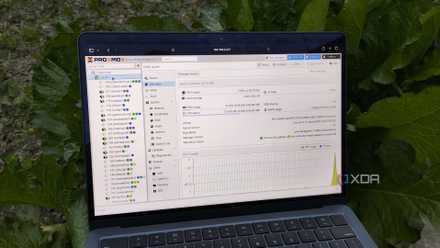
These 4 Proxmox mods made my PVE web UI so much better
They're pretty handy for monitoring Proxmox statistics from the web interface
Proxmox is a beautiful mess at the worst of times
At its best, Proxmox feels like the perfect home lab platform. It's flexible enough to let you do almost anything, but solid enough that you can forget it’s there for weeks at a time. That flexibility that makes it so appealing is what turns update day into a stress test when you’ve customized heavily. The answer isn't to stop customizing, but to document everything, keep changes reproducible, and do a little research about the potential upgrade problems that could arise from a tweak before you touch that "Upgrade" button.