
The conventional power-user wisdom of waiting to install the latest Windows updates is still very relevant, even in 2026. You could argue it's more applicable now than it has ever been, with each passing update seemingly breaking something core to the operating system experience. This isn't a new problem, but the consistency with which it's happening this year is striking, and despite Microsoft's recent written commitment to Windows quality, I'm still delaying Windows 11 updates for as long as possible, or at least until I know they're safe.

Windows 11 24H2 is finally available for all, but here’s why your PC may still not get it
It's not all good news
The year didn't start well
January 2026 was not a good month for Windows 11
January's Patch Tuesday update, KB5074109, was supposed to be a routine security release that had vulnerability fixes and some minor improvements, but it ended up being one of the more messy update cycles of the entire year.
On the productivity side, Microsoft confirmed that Remote Desktop connections were failing, Outlook had issues opening, and on top of all of that, systems with System Guard Secure Launch enabled wouldn't complete a normal shutdown, which accounted for a pretty large chunk of Windows machines.
For gamers specifically, the update was very grim. Owners of Nvidia GPUs specifically reported significant performance regressions after installing the update, with significant average framerate drops along with visual artifacts, shadow glitching, screen flickering and black screens. Users initially thought that drivers were to blame, and after Nvidia's RTX 50-series launch drivers were proven to be a mess, who could blame them? Two driver updates shipped around this time, and an Nvidia forum admin confirmed the company was investigating, and pointed squarely at the KB5074109 update as the root cause, suggesting the only reliable fix was uninstalling the update itself.
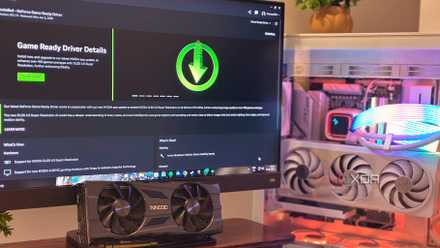
Nvidia confirms that the Windows 11 January update causes frame drops and artifacting
There are even more problems with the Windows 11 January update.
App sign-ins broke across Windows
Microsoft insists on locking apps behind sign-ins, and then they broke them
Two months later, March's Patch Tuesday update introduced a bug that managed to lock users out of a significant chunk of Microsoft's own software ecosystem. After installing KB5079473, devices running Windows 11 24H2 and 25H2 began failing to authenticate Microsoft accounts, displaying an error message telling users they weren't connected to the internet.
This, of course, affected everything in the Microsoft 365 ecosystem, but beyond that, it also locked users out of using things like the Xbox app and Microsoft Store.
Microsoft confirmed the issue about nine days after the update shipped, attributing it to a specific network connectivity state the update triggered. The recommended workaround was to restart the device while connected to the internet, which could temporarily resolve the faulty state, but it wasn't until later in the month that a true fix landed for the issue.

Microsoft keeps promising WSL will finally feel native, and I'm tired of waiting
WSL works, until your homelab doesn't.
Optional previews and enterprise features weren't safe from broken updates
Everybody gets the bad update smoke
In a bit of particularly bad timing, a second March update also had to be pulled. KB5079391 was an optional non-security preview release carrying around 29 changes, including some accessibility improvements and AI-adjacent features, but shortly after it went out, reports emerged that it was failing to install entirely. Update files were corrupted or missing entirely, and Microsoft halted the rollout on the 31st of March to replace the update entirely. The enterprise front wasn't even safe from these update failures, with Windows domain controllers running PAMs being forced into an endless boot loop caused by a bad update.
I say "particularly bad timing" because these issues arose right after Microsoft put out their "Our commitment to Windows quality" blog post in which they detailed their plans to fix some of the biggest pain-points of Windows 11.

More headaches for IT admins as Windows 11 rolls out to ineligible PCs
Windows 11 is knocking on the door of PCs which aren't supposed to receive it.
Microsoft's quality pledge is great on paper
Now it's time to start seeing it bear fruit
The list of improvements contained in the blog post covered real issues people wanted addressed: faster and more dependable File Explorer, reduced resource usage to free up performance for user applications, improved memory efficiency, and the ability to move the taskbar, something that had been requested from the inception of Windows 11.
Reading the blog post definitely leaves you with a sense that they finally have a handle on what users actually want out of their OS, and addressing complaints directly is a breath of fresh air, but it's time we start seeing some of this apparent care in their updates. Putting out a broken update that refuses to install at all right after you put out your "commitment to quality" isn't a great sign that quality updates are in the pipeline. Actions do speak louder than words, and I'm hopeful that we will start seeing stability in updates that come in the second half of 2026.

Microsoft confirms that a stack of bad Windows updates is causing boot issues
It's not just January's one.
The strategy for updates hasn't changed yet
For now, my update strategy hasn't changed. I don't opt in to the insider builds, and when a major update drops, I always wait at least a week before I install. If Microsoft's quality initiative delivers on its promises, that habit should feel unnecessary by the end of the year, but I'll believe it when I see it.