
Although the Turing series brought the gift of tensor cores to consumer GPUs, I consider the Pascal lineup Nvidia’s best offering to date. After all, the graphics cards from the 10x family (besides Titan) featured solid improvements over their predecessors, were reasonably priced, and lacked deal-breaking issues like the 12VHPWR connector. With a reasonably high-end Pascal card, you could even run modern titles at 1080p (and even 1440p) without dialling down the graphical settings.
Or at least, that used to be the case, until Nvidia stopped providing drivers for the aged series, meaning newer games won’t be optimized for the beloved lineup. And that’s pretty much what led me down the LLM-hosting rabbit hole, as I couldn’t figure out a better use case for my GTX 1080. Now that it has been a few months since I brought my nearly 10-year-old card to life as the heart of an Ollama LXC, I must admit that’s a solid addition to my home lab for a supposedly “dead” GPU.
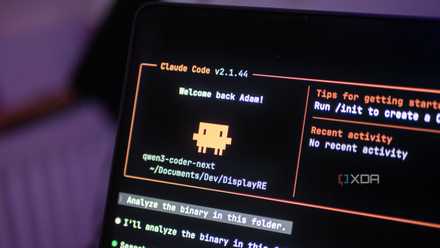
I finally found a local LLM I actually want to use for coding
Qwen3-Coder-Next is a great model, and it's even better with Claude Code as a harness.
Ollama benchmarks aren't too bad when I opt for 8B (and lower parameter) models
In fact, my LLM-hosting setup is far from optimized
Truth be told, I’d previously used the GTX 1080 for AI experiments a handful of times inside my Debian-powered PC. But it wasn’t until the drivers’ discontinuation that I turned it into an LLM-hosting workstation. I won’t go into the details on the setup process, as I’ve already documented that in the past. Instead, I’ll use this article to go over the benchmarks and performance (issues) of common LLMs.
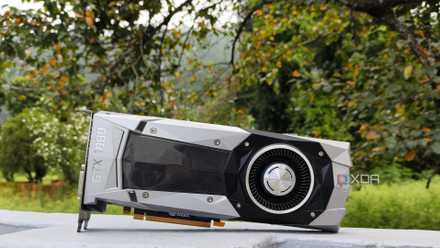
Nvidia stopped supporting my GPU, so I started self-hosting LLMs with it
I self-support my gpu now because Nvidia won't
For starters, my GTX 1080 has an 8GB VRAM and zero tensor cores, which severely restricts its AI-hosting prowess compared to newer cards. I also use Ollama with its default 4096 context length to power my LLMs, and the local AI provider runs inside a Proxmox LXC featuring GPU passthrough. Before you come at me with pitchforks and torches, let me add that I’m well aware of Ollama’s inefficient nature. In fact, I’ll probably migrate to Llama.cpp in a couple of months as I start to sink my teeth into the world of LLMs. But for now, I’ve connected this massively unoptimized (yet extremely beginner-friendly) setup to the rest of my home lab services.
|
Models |
Qwen3 (8B) |
Llama3.1 (8B) |
DeepSeek-R1 (8B) |
Qwen3.5 (9B) |
GPT-OSS (20B) |
|---|---|---|---|---|---|
|
Total duration |
48.324560926s |
19.022877087s |
39.39214553s |
4m48.642907446s |
18m49.697061639s |
|
Load duration |
148.584591ms |
179.614867ms |
149.248335ms |
275.819628ms |
314.80141ms |
|
Prompt eval count |
18 token(s) |
18 token(s) |
10 token(s) |
18 token(s) |
75 token(s) |
|
Prompt eval duration |
78.120984ms |
60.071066ms |
67.867375ms |
189.852424ms |
248.598573ms |
|
Prompt eval rate |
230.41 tokens/s |
299.65 tokens/s |
147.35 tokens/s |
94.81 tokens/s |
301.69 tokens/s |
|
Eval count |
1445 token(s) |
643 token(s) |
1192 token(s) |
2241 token(s) |
3903 token(s) |
|
Eval duration |
45.529436549s |
18.564212084s |
37.034823882s |
4m41.651466543s |
18m39.823415721s |
|
Eval rate |
31.74 tokens/s |
34.64 tokens/s |
32.19 tokens/s |
7.96 tokens/s |
3.49 tokens/s |
As for the benchmarks, I simply used the ollama run LLM_name --verbose command and used the prompt “Tell me about XDA-Developers” to get some performance numbers. Initially, I added 8GB of RAM to the LXC, but since the formidable GPT-OSS (20B) maxed out the GPU’s VRAM and LXC memory, it refused to run. So, I allocated another 7GB of RAM to ensure it works, and as you’d expect, the performance was absolutely abysmal. Qwen3.5 (9B) had a similar situation, except, it only siphoned a little bit of the LXC’s RAM while taking one-fourth of the time to come up with a response.
In contrast, LLMs with 8B parameters worked pretty well, with their average evaluation rate being 32.85667 tokens/second. On paper, it may not seem all that impressive, but for my document-processing, log analysis, and OCR tasks, they were absolutely amazing.
The GTX 1080 pulls its own weight when I pair it with my application stack
It can even handle my (non-vibe coding) VS Code tasks
If we’re comparing my local LLMs with the likes of Claude Code, the LXC will probably take at least a few hours just to create a somewhat functioning website, app, or backend code via GPT-OSS (20B). But for automating tedious everyday tasks, the GTX 1080 can power 4B, 7B, and 8B chat LLMs, as well as their lightweight embedding and vision models. Take Karakeep’s AI facilities, for example. Once I add a PDF, blog post, image, or video link, the bookmark manager uses my Llama 3.1 (8B) and MiniCPM-V models to tag them within a handful of seconds – and even create summaries for the appropriate bookmark type.
The same holds true for my Paperless-GPT and Paperless AI instances, and they’ve made my document processing tasks even more painless. Then there’s Home Assistant, Blinko, and a bunch of other self-hosted apps that, despite being fairly useful on their own, can leverage my GTX 1080-powered LLMs to add some neat QoL services.
I’ve even started using VS Code with the Continue extension, and although I rely on the RTX 3080 Ti inside my main PC, the GTX 1080 is pretty decent at helping me troubleshoot faulty code blocks and make sense out of broken container logs when I pair it with Qwen 3 (8B) or DeepSeek-R1 (8B).
But there's only so much I can do with a nearly 10-year-old GPU
Image generation and bulky models are not its forte
As much as I adore my Pascal card, I can’t just say it works well with everything I throw at it. When I tried generating images with it on Open WebUI, the graphics card would buckle under the pressure, and would take several minutes just to come up with a terrible, low-resolution image. Attempting to upscale proper, non-AI-generated photos was slightly better when I tried using it with certain ComfyUI workflows, but I wouldn’t call it passable by any means.
You’ve already seen the results of running GPT-OSS (20B) and Qwen3.5 (9B), so even if I were into vibe-coding (which I’m not, and I can write entire paragraphs about why I despise it), I’d have to wait for a long time just for a simple snippet. I’ve also noticed a couple of inconsistencies when feeding firmware logs with a bunch of errors that snowball into each other.
Honestly, that’s fine by me. I’m not planning to use the dinosaur card for demanding loads. I just wanted to give the ol’ reliable GPU some extra life by keeping it at the center of my productivity stack, where it automates bogus tasks in my stead.
Ollama
Ollama is a platform to download and run various open-source large language models (LLM) on your local computer.