
Dual-booting has its perks, especially when you’re running Windows and Linux side by side. If you're used to Windows, Linux might feel a bit limited at first, mainly because some apps just aren't available. But on the flip side, Linux has a ton of free software made specifically for open-source desktops, and the ecosystem’s only getting better.
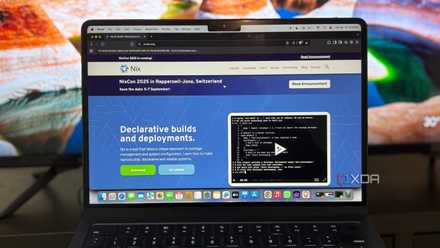
I dual-boot NixOS with Windows. If you haven’t heard of it, NixOS is a Linux distro that runs on the Nix package manager. Unlike most Linux systems, where packages are dumped into a shared folder, NixOS keeps things clean and functional. Every package lives in its own unique, unchangeable path, which means dependencies don’t clash. It also has a bunch of other cool features that have made dual-booting way more fun for me.
Why I chose NixOS
It's feature-packed and secure
I didn’t switch to NixOS on a whim. What caught my attention was how different it seemed from other Linux distros. Managing the whole system through a single config file sounded intimidating, but also interesting. What really made the difference was the level of control. With atomic changes and simple rollbacks, I didn’t have to worry about breaking things. That kind of safety net mattered to me, especially since I still rely on Windows for certain tasks.
Another reason was the chance to escape the usual dependency mess. On other distros, I’ve had apps break because of conflicting libraries. NixOS avoids that by keeping each package in its own environment so that nothing clashes. It even lets you install multiple versions of the same program without issues. That makes experimenting a lot easier and less stressful.
What I love about NixOS
And what I hate about Windows
For a long time, I dual-booted both Windows and Ubuntu to maintain access to the tools and environments required for my work. It was a practical setup that allowed me to stay familiar with both ecosystems. However, after switching to NixOS, that balance shifted significantly. Booting into Windows 11 now feels less like a necessary detour and more like an unavoidable compromise.
The experience begins to deteriorate from the moment I select Windows in the boot menu. The login screen is cluttered with advertisements and trivia, neither of which adds value to my workflow. Once logged in, I am immediately met with prompts to renew a Microsoft 365 subscription I have never used, along with a barrage of notifications from pre-installed manufacturer software I have no interest in. Although there are ways to make Windows less annoying, some aspects simply can't be changed.
Beyond the user interface, the system often feels slow and unresponsive, particularly during startup. Background processes seem to consume resources from the outset, and infrequent use only exacerbates the problem. The less time I spend in Windows, the more updates accumulate, leading to an even more sluggish and disruptive experience the next time I log in.
In contrast, NixOS offers a level of simplicity and control. It starts up cleanly, loading only the applications I have configured, and it never initiates updates without my permission. Everything feels intentional and efficient, with no unnecessary components competing for my attention or system resources.
Day-to-day with NixOS
It's fun to use
After an initial learning curve, using NixOS daily is quite straightforward. I log into KDE Plasma with all my usual applications, such as Firefox, LibreOffice, and Steam, ready to go, and they run just as they would on any other distribution.
The real enjoyment begins when I decide to tinker. For me, tinkering means customizing the look and feel, trying out new applications, or experimenting with settings. NixOS turns these tasks into small, contained adventures. For example, I wanted to try a new file manager and a lightweight window manager.
On a traditional system, I might hesitate out of concern for breaking something. With NixOS, I simply added them to my configuration and rebuilt the system. When I decided they weren’t for me, I removed the relevant lines and rolled back without any trouble. This ability to experiment freely, without lasting consequences, has encouraged me to be more creative and confident in how I use my machine.
Of course, I still use Windows when needed, particularly for Adobe applications or specific games. But more often than not, I find myself booting into NixOS because it is such a joy to use. Windows provides broad software compatibility for work and entertainment, while NixOS offers a stable and highly personalized environment for everything else.
Linux is fun
Linux is fun and easily accessible if you're willing to dual-boot. If not, you can still use it alongside Windows by using virtual machines. In fact, VMs might be a better option for those with a single-disk PC. That said, there are some drawbacks you should consider before dual-booting Linux and Windows.
5 reasons NixOS is the most exciting Linux distro in years
But there's a steep learning curve