
DLSS upscaling is, without a doubt, one of the most impressive features of Nvidia's RTX GPUs. Yes, AMD offers FSR too, but it doesn't match the image quality of DLSS 4.5 from what I've seen. Either way, upscaling has allowed many of us to push 4K gaming even on mid-range GPUs. Native 4K is pretty demanding even on a flagship GPU like my RTX 4090, but DLSS has saved me from settling for sub-60 FPS in the latest AAA titles, especially with ray tracing enabled.
That said, I'm not always gaming on my 4K monitor. I also have a 1440p/360Hz OLED that I use for first-person shooters because frame rates matter more to me in those titles. Naturally, I expected DLSS to help there as well whenever my FPS wasn't where I wanted it, but while I was playing Battlefield 6 recently, I noticed how it barely improved the numbers. That's when I opened MSI Afterburner to see my GPU usage hovering around 80%, which immediately made everything clear.
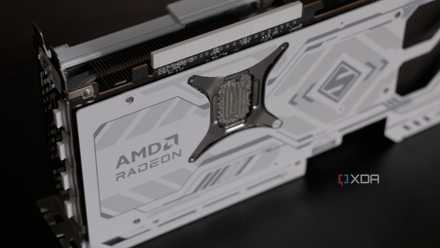
GPU usage isn't the performance metric people think it is
GPU usage only tells part of the story
DLSS only helps when your GPU is the bottleneck
But if GPU usage is nowhere near 95%, DLSS won't do much
DLSS works so well at 4K because, at that resolution, your graphics card is doing almost all the heavy lifting. If you check MSI Afterburner, you’ll usually see GPU usage sitting above 90%, unless you're playing esports titles. Since DLSS lowers the internal render resolution, it reduces the workload on your GPU, which is why you see better frame rates. At 1440p, though, the GPU isn't being pushed nearly as hard. Yes, this resolution can still max out most mid-range GPUs, but my RTX 4090 isn't pinned at 95–99% unless I'm playing open-world AAA titles like Assassin's Creed: Shadows or Black Myth: Wukong.
That’s exactly what happened when I was playing Battlefield 6. My GPU usage was hovering around 85% before I even enabled DLSS. That was a clear indicator that my RTX 4090 had the headroom to push frame rates higher, but something else was holding it back. And in most cases, the culprit is the CPU because it can’t prepare frames fast enough to keep the GPU fully utilized. Enabling DLSS when my GPU already had headroom only shifted the bottleneck further toward the CPU, which is why the FPS barely moved.
At lower resolutions, your CPU matters more
On a 1440p monitor, DLSS renders the game below 1080p
When I game on a 4K monitor and enable DLSS Quality, the game is internally rendering at 1440p, which is still a fairly demanding resolution for modern AAA games. Even with a 4090, I don't get 100+ FPS in newer open-world single-player titles like Assassin's Creed: Shadows and Black Myth: Wukong, especially with ray tracing enabled. That's a big reason why DLSS almost always boosts my FPS at 4K, unless I'm playing less demanding competitive titles like Rainbow Six Siege or Fortnite that already run at very high frame rates.
On a 1440p monitor, though, using DLSS Quality sets the base internal resolution to 960p, which isn't even 1080p, which reviewers use to benchmark CPUs. That alone should tell you how little work your GPU is actually doing compared to native 1440p. In my case, my RTX 4090 wasn't struggling at 1440p to begin with, so dropping the render resolution further doesn't really improve performance when my CPU is already a bottleneck. If I had a 9800X3D instead of the 5900X, DLSS would've done a better job, but it simply can't save me from a CPU bottleneck.
Turns out, DLSS Frame Generation was what I needed
Unlike DLSS upscaling, frame generation can get around CPU bottlenecks
DLSS isn't completely useless when your GPU usage is low because of a CPU bottleneck. Upscaling is, sure, but frame generation is a different story altogether. Unlike upscaling, frame generation doesn't lower the rendering resolution to reduce your GPU's load and improve frame rates. Instead, it inserts AI-generated frames between rendered frames by simply predicting what the next frame should look like. And since all of that happens on the GPU, it works better for me when my GPU already has some headroom at 1440p.
However, frame generation has its downsides. For starters, it's more of a motion smoother than a true FPS boost, because your responsiveness is still tied to your base frame rate. So, inputs tend to feel slightly off, almost as if you're playing at a lower frame rate. Now, this isn't a huge deal in slower single-player games, but in fast-paced shooters like Battlefield 6 and Call of Duty: Warzone, it can throw off your aim. And let's not forget the latency it adds and the artifacts you have to occasionally deal with, which is why I don't even bother using it in any online multiplayer titles.
I'd rather use DLAA when my GPU usage is low
When you're not able to push higher frame rates despite having GPU headroom, leaning on upscaling will only make the bottleneck more obvious. In fact, you could lower your graphics settings and barely see any difference in performance because your GPU wasn't the problem in the first place. Obviously, a faster CPU addresses these issues, but in the meantime, your best bet is to crank up your graphics settings so your GPU has more work to do. As much as I love DLSS at 4K, DLAA makes more sense at 1440p on my RTX 4090, since the image actually looks slightly sharper than native resolution with TAA.
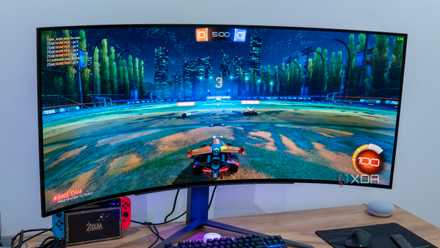
DLAA is what I keep recommending over DLSS, but almost nobody uses it
It's an underrated feature that deserves more attention