
When it comes to running containerized apps, Proxmox gives you plenty of options to match your server’s capabilities. There’s native LXC support that, when paired with TurnKey templates and the ultra-useful Proxmox VE Helper-Scripts repo, can help you reliably host dozens of useful self-hosted services. It’s technically possible to deploy containers within LXCs, but between the extra network complexity and security issues of this setup, it’s hard to recommend it.
Otherwise, you can also deploy typical Docker and Podman containers inside virtual machines – and that’s precisely how I’d been running many underrated container images until now. But with Proxmox adding support for OCI images in version 9.1, you’ve got yet another method to self-host cool services on your home lab. Well, since it’s still in early development, there are a few quirks with the OCI image support on Proxmox. But after spending the weekend deploying typical DockerHub images as LXC templates, I’m really excited about this feature.
I'm addicted to installing Proxmox on old devices
Proxmox has become my favorite virtualization platform for revitalizing outdated systems
Proxmox’s OCI support is interesting, to say the least
No, it doesn't run Docker containers natively on Proxmox
If the OCI name doesn’t ring a bell, here’s a quick explainer: Images that fall under the Open Container Initiative are meant to be universally compatible with different containerization runtimes, including Docker, Containerd, and Podman. Up until now, Proxmox has only supported LXC templates, and what this update does is add support for converting OCI images into their LXC equivalents on the fly.
So, you shouldn’t expect Proxmox to natively run Docker containers or even support typical Docker terminal commands. However, the fact that you can pull practically any OCI image and expect it to work as a normal LXC is a pretty huge development. Modern mini-PCs or even cheap x86 SBCs may be able to run a single ultralight virtual machine for Docker containers, but with this update, you don’t have to rely on VMs just to deploy niche self-hosted apps.
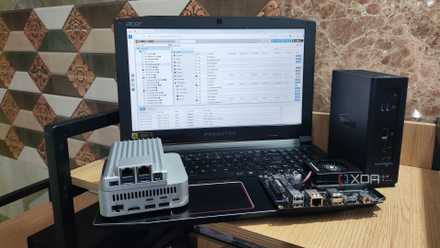
For example, my decade-old laptop couldn’t even handle Debian, but it’s pretty good at running a couple of LXCs. Throwing a virtual machine just to run obscure containers would not only consume extra resources, but also require me to install – and more importantly, maintain – all the packages required for my container runtime to function.
It lets me deploy (and manage) OCI images from the PVE web UI
I adore the Proxmox VE Helper-Scripts repository to bits, but it doesn’t have all the services I want to run inside LXCs. Stuff like the Shiori bookmark manager isn't available in the repo, while app templates such as Habitica are broken and don’t really work. The other option involves manually converting Docker images to LXCs, but that’s quite a difficult undertaking.
That’s the real advantage of Proxmox 9.1’s major feature: rather than pulling a specific template for a container, I can experiment with any repository, including private ones. DockerHub alone has multiple variants of popular apps, but PVE 9.1 also lets me bring images from other OCI hubs and private repositories and watch them get converted into LXCs before my eyes. Better yet, I can even manage them from the Proxmox web interface like other virtual guests, instead of relying on Portainer or Komodo like I do for my VM-based Docker containers.
Deploying a Proxmox OCI container is pretty simple
It’s the same as creating an LXC
When I first heard about this feature, I was a bit worried I’d have to use FTP servers to transfer OCI images and run terminal commands to convert them. But my fears were unfounded, as Proxmox abstracts pretty much all the LXC template generation operations.
Once I’d updated my workstation to PVE 9.1, the local storage pool housing the VM ISOs and Container templates had another button called Pull From OCI Registry within the CT Templates section. Clicking on it allowed me to add links to my favorite image repositories, kind of like the arguments I’d use with docker pull and podman pull commands. I wanted to test the Shiori bookmark manager, so I entered radhifadlillah/shiori into the Reference box and used the Query Tags button to scan the available image versions before downloading the latest release.
After that, I used the Create CT wizard to spin up the OCI image as a container, and the procedure was the same as deploying a typical LXC. Interestingly enough, the Shiori container already had pre-configured env variables within the Environment section of the Options tab. But after launching the container, I noticed that the Console tab was empty, even though the Shiori web UI was accessible once I added the port number 8080 after the IP address I’d assigned the container at the time of its creation.
LXCs deployed from OCI images have a few issues
You can’t update them the conventional way
Although I’m really happy we’ve got OCI image support in Proxmox, this article wouldn’t be complete if I didn’t address the issues with the new feature. First, the Console tab is borderline useless for certain services, while others, like Nginx and Postgres, only output the container logs without accepting any input. Well, it’s possible to log into the terminal interface for the OCI image-based LXC using the pct enter Container_ID command from the Shell tab of the main node, but it makes troubleshooting pretty cumbersome.
Likewise, tools like Docker Compose remain unsupported, meaning I’ll have to learn some programming wizardry to convert YAML configs into LXC templates. Advanced Docker network stacks are also not possible in this setup, though my biggest gripe is the extra hurdle in updating containers. Updating containers using the latest OCI images isn’t as simple as swapping the fresh image, and instead involves the extra headache of remapping the volumes for a new LXC. Heck, I've even run into OCI images like Apprise that keep throwing errors when I try to run them as LXCs without modifying certain config files.
Nevertheless, the fact that OCI images are now supported on Proxmox is something I really appreciate. Even in its early development state, being able to deploy OCI images without manually converting the code is quite impressive, and since I can manage them from the PVE web UI, I plan to tinker with them on my low-end machines. Given the virtualization platform’s track record, I’m sure the minor issues will be sorted out pretty soon.
I tried using a Proxmox-based Windows 11 VM as my daily driver - here's how it went
All it took was a little bit of tinkering and a whole lot of patience