
Ever since I got my first 4K monitor back in 2020, I've always chased native 4K gaming.
Back then, I had the RTX 3090, and even though Nvidia marketed it as an "8K gaming GPU" at launch, it was still a stretch to run demanding titles at native 4K without making compromises. Most AAA games would force me to rely on DLSS to get playable frame rates, but since I wasn't particularly happy with the softer look of the upscaled image, I chose to dial down in-game graphics settings instead.
Fast-forward to 2026, and I now have an RTX 4090, which is much more powerful, but still struggles to handle native 4K more often than not, especially with ray tracing enabled. But what's different this time around is that DLSS has significantly improved to the point that I just can't ignore it anymore. Every time I enable DLSS in a game, I compare how it looks to native 4K almost out of habit. And ever since DLSS 4 came out, I've been struggling to tell the difference in most situations. DLSS 4.5, though, takes it a step further.
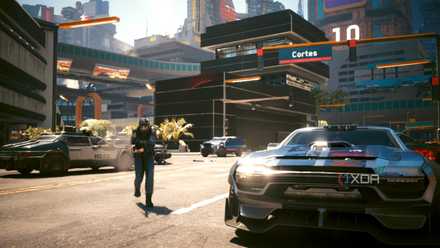
I tried gaming in 360p with DLSS 4.5, and the results left me shocked
Night City at 360p is remarkable, to say the least
Native 4K doesn't look much sharper anymore
DLSS 4.5 has further narrowed the gap between upscaled and native footage
I always kept going back to native 4K after enabling DLSS because it just looked sharper to me, at least at first glance. That subtle softness in the upscaled image was hard for me to ignore, especially since I sit pretty close to my monitor while gaming. Sure, that difference doesn't matter when I'm cruising through the story, but when I'm staring at the visuals, it used to stand out enough to bother me. That changed when Nvidia introduced DLSS 4 last year, ditching CNN in favor of a transformer model.
Of course, if I looked closely enough or compared stills, native 4K would still come out ahead in some areas. But the gap was already small enough that it wasn't worth worrying about. DLSS 4.5's second-gen transformer model further narrows that gap. And the best part? I don't have to stick to the Quality mode. Preset L, even though Nvidia recommends it for Ultra Performance mode, does a much better job at reconstructing detail than Preset M in Performance and Balanced modes without giving the image an oversharpened look. Yes, it's more demanding on the GPU, but I'm trying to get as close to native 4K as possible without sacrificing too many FPS, and that's where it shines.
Near-identical visuals with an FPS boost is a win-win
When native 4K is too much for even flagship GPUs, DLSS just makes more sense
Upscaling technologies like DLSS, FSR, and XeSS wouldn't be as popular as they are today if native 4K rendering were easy to run across the board. Even with a high-end GPU like the RTX 4090, my FPS takes a significant hit once I enable ray tracing or max out all the graphics settings. Sure, I can brute-force native 4K in some titles, but it often comes at the cost of lower FPS or inconsistent frame times, which can affect how smooth the game actually feels. That’s the part that matters more to me now, especially since I game on a 160Hz monitor.
DLSS 4.5's image quality changes that equation completely. When you're getting near-identical visuals while also gaining a noticeable boost in FPS, it stops feeling like a trade-off. And if I'm still not satisfied with my frame rates, I can switch to DLSS 4's Preset K or use frame generation to push performance even further without completely tanking image quality. That flexibility is what makes DLSS feel so much more practical now. I can quickly switch between various presets depending on the results I need.
DLSS 4.5's image quality comes at a cost
But the downsides aren't significant enough on my GPU to even matter
The only real issue with DLSS 4.5 is that it's more demanding than DLSS 4, especially on older RTX 30-series and 20-series cards. In some cases, you'll get better performance running the game at native 4K because those GPUs don't have native FP8 support to accelerate it. From the benchmarks I've seen online, DLSS 4.5 can be around 20% slower than DLSS 4 on those GPUs, depending on the game and settings. That’s a significant hit, especially if you were relying on DLSS to push higher frame rates in the first place.
Fortunately, the performance hit isn't nearly as significant on newer RTX 40-series and 50-series GPUs. On my RTX 4090, DLSS 4.5 is roughly 5-7% slower than DLSS 4, and I'm still getting noticeably higher frame rates than when running the game at native 4K. Honestly, I don't mind sacrificing a bit more FPS if that means the image looks almost as good as native rendering. So for me, the performance tax feels like a trade-off I'm willing to make rather than a reason to avoid using DLSS 4.5 altogether.
Native 4K just isn't worth chasing anymore for that last bit of detail
After going back and forth between native rendering and DLSS 4.5, I can confidently say that those extra frames matter more to me while gaming than the subtle improvements native 4K still offers in some edge cases. Once you're actually moving around in the game, that slight edge in terms of sharpness or motion stability just fades into the background. At this point, even if I upgrade to the RTX 5090, I don't think I'd go back to native rendering because I don't feel like I'm giving up anything that I can actually notice once I'm in the game.
Found an error? Send it info@www.xda-developers.com so it can be corrected.
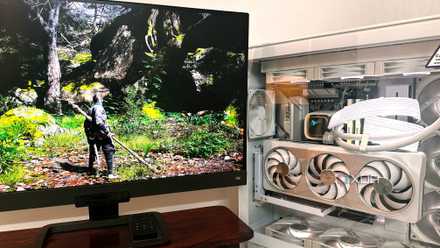
DLSS 4.5 is expensive, but it’s the best thing to happen to my aging RTX PC
The upside is remarkable, but the cost isn't equal for all.