
Living in India, there are a few things that you take for granted. For one, lane discipline is more of a suggestion than a rule, and pedestrians can appear from anywhere, while a fender bender can quickly escalate into a roadside argument. If that's a situation you've ever found yourself in, you would know that having proof is more important than making your point.
I've been putting off buying a dedicated dash cam for a very long time, mostly because I didn't see the point of it and didn't want a piece of hardware mounted on my windshield. Recently, when I found myself in a situation similar to the one I just described, I realized it was finally time to get myself one.
However, while researching the best dash cams on the market, I realized I already had a perfectly capable one right on my desk. Turns out my Android phone can work perfectly as a dash cam and can even do the same job, but better than a dedicated dash cam. All I needed to do was install a simple Android app.
Why an old Android phone can outperform a dashboard
All the same features, better hardware to boot
Part of the reason I didn't buy a dash cam was that even affordable models tend to have hardware that's significantly worse than what you can get on a smartphone. Budget dash cams tend to record at mediocre quality, come with tiny screens, and lack reliable GPS integration. A lot of that can be ignored, but GPS and the poor image quality can't. After all, if you need to read a license plate, especially in low light or at night, a low-quality sensor won't help. However, an old Android phone, even a mid-range device, most likely has a better camera sensor, a bigger display, and a rock-solid GPS chip. My app of choice, DroidDashCam, unlocks all of that and turns it into a proper dashcam-style recording setup.
The core functionality is deceptively simple. The app records in a continuous loop, which is basically how a real dashcam works. You can set a cap on how much storage it can use, and once that limit is reached, it will automatically start overwriting the oldest clips. You don't actually have to think about clearing out space for a real dashcam. The clips are also divided into chunks. I have mine set to 5-minute segments. If something untoward does happen, you're not actually scrolling through hours of footage. You can just head on over to the time-stamped chunk and scroll through a 5-minute segment. That's a very smart approach.
Elsewhere, Droid Dashcam offers a highly effective dashcam-style overlay system. Every video it records has hard-coded subtitles burnt into the footage, including the timestamp, GPS coordinates, and your current speed, pulled from GPS data. You can even have your location and vehicle's registration number on it if you want. Depending on where you are in the world, this can further help with insurance purposes or even a police complaint. All that is to say that if you find yourself in a bad situation, a clip with everything from GPS data to your location and your speed can be exactly the proof that you need to prove that you were not speeding in a school zone. And no, that's not something that I have ever done.
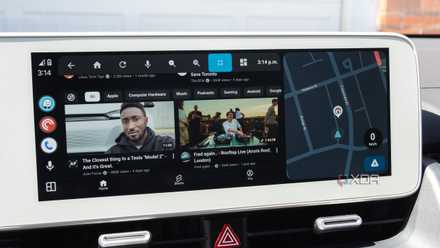
3 useful sideloaded Android Auto apps I use almost every day
The open nature of Android Auto is one of its key advantages over CarPlay
Droid Dashcam works remarkably well as a dashcam
Auto-start triggers, background recording, and ample customization
There are plenty of dashcam-style apps on the Google Play Store, but a few features in Droid Dashcam elevate it from a good app to my go-to option. One of these is the auto-start trigger system. You can configure the app to begin recording the moment your phone connects to your car's Bluetooth, when you plug in the charger, when an audio cable connects, or even when you just tap the App Launch button. In my case, I've set it to trigger whenever it connects to my car's Bluetooth. I don't have to tap anything. I just open the app, and it starts recording.
Elsewhere, you get nice-to-have features like background recording or even the option to overlay the app on top of other apps. If you are using Google Maps on your phone, you can continue recording using the dashcam feature. As for the setup, it's deceptively simple. All you really need is just a windshield mount, which you can attach to your car's windscreen or to the top of your dashboard. Install the app, and I recommend connecting the phone to a charger while using it, as it does drain a bit of battery. Similarly, you can set a storage cap at maybe 32GB, which can give you many days of continuous recording before it starts looping over old clips.
I've set the day-or-night mode switches to automatic so it can handle exposure on its own. However, if you find the automatic correction to be less than perfect, you can make these adjustments manually as well. Interestingly, the app will also let you switch between all the cameras on your phone, so if you want to use the telephoto camera as a dash cam, you can do that. Realistically, it's the ultra-wide that comes in handy, and if you want to record your journey with friends or family, you can also switch to the front camera. Though, of course, that's not the most important feature here.
Why I stopped looking for a dedicated dashcam
Of course, an app like this is not without its trade-offs. Running your phone at full tilt, recording for hours on end, certainly makes it warm and can affect battery longevity. For those reasons, I would generally recommend using an older phone for the task. All that aside, the app is free unless you want to get rid of a few ads, and the hardware is something that you already own. Moreover, footage quality is almost certainly better than anything that you can get out of an affordable or mid-range dashcam.
If you've been on the market for a dashcam for your car, and you have an old Android phone going unused, there is genuinely no reason not to try this solution out first before you make the investment. As for me, I have basically switched over and feel no need to get myself a new dashcam.
Droid Dashcam
The Droid Dashcam app lets you turn any Android phone into a full-fledged dashcam.