
You might've never written a line of code yourself, but you've surely seen an AI spit out line after line of it. It hurts my heart as someone who is currently majoring in this very field, but I'll save that existential crisis for another article. Point is, you've probably heard of tools like Claude Code by now. If you have a paid Claude plan, you've surely attempted to set it up and given it a spin at least once.
You've then either fallen in love with it and can't stop building random tools and automations, or you've tried it once, felt overwhelmed, and quietly closed the terminal. Either way, there's a good chance you're only using a fraction of what it can actually do. One of Claude Code's most underrated features is subagents, and it's a feature I spent far too long ignoring.
Subagents are agents within the agent
Agents all the way down
In the simplest terms, an AI agent is a system that takes a specific goal, breaks it down into steps, and then executes those steps on its own. Instead of responding to you right away and giving you a one-shot answer, it figures out what needs to happen, decides what tools to use, and works through the problem step by step. So, essentially, you're not babysitting it every step of the way, and that's what makes it genuinely useful. When you look at the bigger picture, Claude Code itself is an agent too. You give it a task, and it reads your codebase, figures out what needs to be done, runs relevant commands and tests, makes edits, and if something breaks, it automatically begins debugging.
A subagent is basically an agent that the main agent can spin up to handle a specific piece of the work. The subagent is assigned a specific task, does its work in its own isolated context, and returns only the result. This helps keep the main conversation clean and focused. Subagents can run in parallel too, so instead of the main agent doing everything sequentially, it can spin up multiple subagents at the same time to handle different pieces of work simultaneously. Anthropic explains in its Claude Code support documentation that each subagent runs in its own context window with a custom system prompt, specific tool access, and independent permissions.

I set up Claude Code the way its creator does, and the difference is night and day
Who better to learn from than the person who made it?
As soon as Claude comes across a task that fits a subagent's specialty, it hands it off and lets the subagent do its thing independently. This also helps you control costs, since you can route simpler tasks to cheaper, faster models like Haiku instead of burning through Opus tokens on something that just needs to search a few files.
Claude Code has a few built-in subagents you already use
Working behind the scenes this whole time
Claude Code has two types of subagents: built-in ones, and custom ones you create yourself. Built-in subagents are agents that Anthropic has baked into Claude Code from the start, and they handle common tasks behind the scenes. You don't need to do anything at all to set them up or configure them, and Claude pulls them up automatically whenever it sees fit. There are five of them: Explore, Plan, General-purpose, statusline-setup, and Claude Code Guide.
Explore is a fast, read-only agent built for searching and understanding your codebase. When Claude needs to find files, grep for symbols, or locate definitions without making any changes, it delegates to Explore. It runs on Haiku by default, so it's quick and cheap.
Plan is a research agent within Plan mode (which you can pull up by typing the /plan command in Claude Code). When Claude needs to understand your codebase before laying out a strategy, it spins up this subagent to do the digging like reading files, exploring code, and identifying critical pieces. The Plan agent inherits the model from the main conversation, and only has read-only tools (which means it can't actually make any changes to your code). It's just there to look around and report back to you.
General-purpose is the default subagent that Claude reaches for when a task needs more than just reading. If something requires both exploration and modification, like researching how a module works and then refactoring it, this is the one that gets spun up.
Claude Code Guide is a built-in help agent. If you ask something like how do I set up MCP servers? or what does this flag do?, Claude delegates to this subagent instead of searching the web. It knows its way around the Claude Code CLI, Agent SDK, and Claude API docs. Finally, statusline-setup is a small helper agent that handles terminal status line configuration. You'll probably never interact with it directly, and honestly, you don't need to think about it.
Creating a new subagent is as easy as describing what you want
Your team just got bigger
All the built-in agents above are automatically invoked by Claude when it determines they're needed. You don't have to call them explicitly or do anything special. But what if you keep doing the same type of task over and over and want a dedicated agent for it? That's where custom subagents come in. Now, similar to Skills, custom subagents are just Markdown files. At the top of the file, you have a small block of metadata called YAML frontmatter where you define things like the agent's name, description, which tools it can access, and what model it should run on. Below that, you write the system prompt that tells the agent how to behave.
You have two options here: you either create these files manually, or just run the /agents command in Claude Code and let Claude generate one for you. When you run /agents, it opens a dialog where you can choose to create a new agent, pick whether it's project-level or personal, give it a name and description, and define its tools and prompt.
Tools define what the subagent is allowed to do. When you're setting one up, you get a checklist of tool categories like Read-only tools, Edit tools, Execution tools, MCP tools, and more. A code reviewer might only need Read-only tools, so it can look through your code but can't touch anything. A more hands-on agent might get Edit and Execution tools too, so it can make changes and run commands. If you dig into the advanced options, you can get even more specific and toggle individual tools on or off, down to things like Bash, Write, WebSearch, or even specific MCP server tools like Slack, Gmail, or Notion. The idea is to give each subagent only the permissions it actually needs.
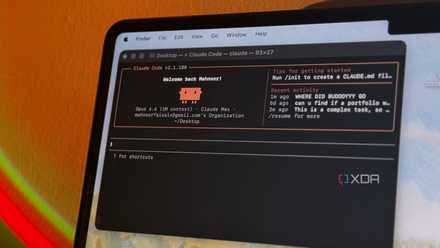
I gave Claude Code control of my desktop for a week, and it automated things I didn't think were possible
I was seriously stunned.
When it comes to the model, you get four options: Sonnet, which is the recommended default for most agents; Opus, for anything that needs complex reasoning; Haiku, which is fast and cheap for simple tasks; or Inherit from parent, which just uses whatever model your main conversation is running on. You'll then be asked to pick a background color for the subagent, and then configure its memory!
You can create subagents for literally anything
While you'll mostly see people using Claude Code strictly for coding purposes and talking about agents in that context, there's nothing stopping you from creating subagents for research, writing, planning, or anything else Claude Code's tools can handle. If you can describe the task, you can build an agent for it.