
Valve's upcoming Steam Machine has made some promises. You can enjoy your games on the big screen, have the versatility of PC gaming in a compact form factor, and keep the freedom to install your own apps. Now, if any of that sounds familiar, that's because it is. Valve has already built all of that, and it fits right in your hands.
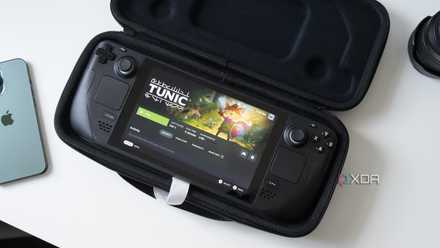
The Steam Deck has been delivering every single one of those headline features since 2022, and some of us haven't come close to scratching the surface of what it's capable of when plugged into a TV. Here's how I'm using my Steam Deck as a handheld and a living-room console, and a portable PC at once.
How to use your Steam Deck as a living room console
You don't always need a dock
The Steam Deck already fulfills the core promise of the Steam Machine as a powerful, compact PC that can slide under your TV. What some users may not know, though, is that it can do so without asking you to buy into new proprietary hardware. My setup relies on using a standard multi-port USB-C hub (the same kind you'd throw in a laptop bag) to bridge the Deck to my TV over HDMI. It mirrors the interface to the big screen instantly, and the experience is almost indistinguishable from a purpose-built living room console, just like the Nintendo Switch without the dock.
Although you can technically skip the hub and run a direct USB-C to HDMI cable, I wouldn't recommend it. Without power passthrough, the Deck's battery takes a serious hit trying to simultaneously drive the APU and push a high-res signal, which is a trade off that a hub will solve rather cheaply.
For couch play, I pair my Xbox One Elite Controller via Bluetooth, but it's possible for you to pair virtually any other controller that you have lying around the house. Because the Deck supports FSR, it can output sharp, upscaled images on 4K displays, but it's better suited for what the handheld can support at this resolution, like video playback or game streaming via GeForce Now, if you're a subscriber like I am.
The Steam Deck needs more than generous pricing to beat what it's against
How well will the Steam Deck hold up in 2026?
How to use the Steam Deck as a portable PC
And why you probably should
It is well-understood by Valve's marketing that the Steam Machine wants to be the mini-PC for the ones on the go, but it is hard to ignore that there's one thing that the Steam Machine will never be able to offer, and it's the one thing that makes the Steam Deck even more capable. When you unplug the Deck from the TV, it doesn't stop working. The Steam Machine, however, loses its entire utility when the power cable comes out.
With just a $100 portable USB-C monitor and perhaps the spare keyboard and mouse you have on your desk, the Deck becomes a highly versatile, powerful and capable PC that you can use on the go. The Deck's custom AMD APU built around Zen 2 architecture and RDNA 2 graphics coupled with 16 GB of LPDDR5 memory is what makes it a portable workhorse in my arsenal, and it fits right inside the backpack where a laptop would go.
On the road or in an airport lounge, having this hardware packed in a handheld form-factor means that I'm equipped to handle almost everything my productivity stack demands. Obsidian can remain open for note-taking, the browser has enough RAM to keep the tabs alive, and the Nested Desktop feature means that there's no reboot (or the friction that comes with it) in transitioning to gaming and working whenever I get a chance to set up my remote working setup.
The Deck delivers on software, too
And it's not just about SteamOS
The hardware case for the Deck over the Steam Machine is as straightforward as it gets, but on the software side of things, it gets even more interesting. Valve has positioned the Machine as an open platform, offering you the freedom to install third-party applications or perhaps another OS, but the Deck has operated on exactly the same promise since its launch day. If you're hard-pressed to find a unique value proposition offered by the Steam Machine, you're not alone.
SteamOS on the Deck ships with full access to the Linux desktop, and from there, you can pretty much do anything as you would on a Linux PC. Flatpak support through Discover software center means that you get access to productivity apps, browsers and creative tools. If you're willing to go further, Microsoft Windows is also a supported installation, and the hardware is capable enough to run it without any noteworthy trade-offs to speak of.
When you unplug the Deck from the TV, it doesn't stop working. The Steam Machine, however, loses its entire utility when the power cable comes out.
Valve had already settled this debate... four years ago
The Steam Machine has one honest advantage over the Deck, and that's its hardware. A dedicated machine will push better frame rates and handle more demanding workloads than a handheld reasonably can. But for most people like myself, the Deck already does everything the Machine is promising, and it does it portably, today, at a price that Valve will struggle to undercut.
Steam Deck OLED
- Dimensions
- 11.7 x 4.6 x 1.9 inches (298mm x 117mm x 49mm)
- Weight
- 1.41 pounds (640 grams)
Valve's upgraded Steam Deck features a larger OLED display with HDR support, faster Wi-Fi, and a bigger battery. Plus, this new model is slightly lighter, has slightly faster RAM, and it comes with storage up to 1TB. If you're looking for the ultimate Steam Deck, this is the version for you.