
When it comes to computers, big updates feel like a blessing and a curse. They can bring about some nice new features, performance tweaks, and security patches, and they can also introduce some weird and wonderful bugs that you have to deal with.
Fortunately, Linux users have a lot of tools in their arsenal to deal with this. People can use distros that have minimal update cycles to reduce the number of chances of everything going pear-shaped. Some people, especially on rapidly updating distros, can perform a TimeShift or Snapper snapshot right before an update, so they have something to revert to. And some brave souls just hit the upgrade button and pray for the best. Everyone has their way of dealing with them.
As for me, I prefer to use an operating system where protection against bad updates doesn't rely on a slow update cycle or a third-party app. Instead, it's something baked into the core of the OS itself. a part of what makes it tick in the first place. And that special ingredient is an immutable distro.
Immutable distros keep my system files fresh and clean
No worries about software rot here
If you're unsure as to what an immutable distro is, it's an operating system that does things a little differently than a "normal" one. For one, the user and any apps they run are not allowed to add, edit, or delete system files. This means no installing apps on an immutable system, so you have to rely on stuff like sandboxing apps with Flatpak and using AppImages with Gear Lever to get your apps set up.
Seconds, immutable distro updates don't just add or remove files; they add a whole new image with the changes pre-applied. Updating an immutable distro is essentially like moving to another computer with the latest version clean-installed on it, except all of your personal files and settings come with you.
I use Fedora Kinoite, a special KDE branch of Fedora that uses the Atomic immutable system. Because of this, my PC doesn't suffer from "software rot." If you've ever had to reinstall Windows because it was gradually slowing down over time, that's what I mean. Reinstalling OSes due to poor performance is sometimes due to system files getting corrupted or tweaked by other apps. Immutable distros give you a fresh batch of system files every update, and they can't be edited, which means you're essentially doing a reinstall every update, but without the hassle of moving your files over.
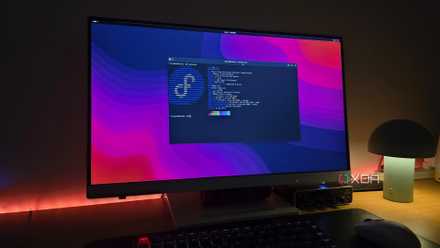
Immutable operating systems are a blessing and a curse
The double-edged sword of the Linux ecosystem
Immutable distros have a rollback system built into their core
Bad updates are a minor setback at best
So, let's go back to that analogy I mentioned, where immutable systems are like hopping onto a different PC with the update already set up. If you discovered that the new update had some really annoying issues with it, what would you do in this situation? Easy; you just go back to the PC you originally used and use that until everything's fixed.
The same thing applies to my immutable distro. Whenever I boot my PC up, GRUB gives me two options: either boot into the latest image or the previous one. 99.9% of the time, I let it automatically choose the latest one, but if something goes wrong with an update, I can simply restart my PC and pick the previous image instead to return to a pre-update state. From there, I can tell my operating system's immutable OS system to roll back and make the previous image the daily driver while I wait for fixes to roll out.
It's worth noting that this wasn't something I had to manually set up. This system comes with using an immutable distro, so I had this protection ready to go the moment I performed my first update. Of course, you can tweak the system if you want to, but I find that it works perfectly fine out of the box.

You can make any OS immutable with Proxmox, here's how I did it
Anything can be immutable with a simple trick
I can't go back to mutable operating systems when immutable ones give me no upgrade anxiety
While mutable distros have plenty of ways to recover after a dodgy update, I adore how immutable distros have a countermeasure as part of its basic operation. Ever since I moved to Fedora Kinoite, I've never had to worry about a bad update. Granted, Fedora is very stable, so that alone has done some heavy lifting in making a reliable OS, but if something did go wrong, I know I have a rollback ready to go.