
I've spent time with Android Auto before while testing various EVs, but over the last few weeks, for the first time, I've primarily been using the Google-powered infotainment system over Apple's CarPlay.
While both CarPlay and Android Auto are evenly matched in several respects — in fact, Android Auto is better at a lot of things, including app variety and customization — there are a few key areas that really matter where Google's in-car projection system lags behind Apple's.
6 useful Android Auto apps that really improve my driving experience
I've never really enjoyed being behind the wheel, but these apps make the experience less painful and help pass the time.
When it comes to an in-car OS, I want a cohesive experience that "just works"
I don't want to mess around with app permissions
When I'm using an in-car operating system, I want it to work right away when I connect my device. Diving into Android app settings on my phone to deal with Android Auto app permissions is the last thing I want to do when I'm already running late for an appointment.
I know I was ripped in the comments in my recent Android Auto app listicle for complaining about Android Auto app permissions, but I argue that if I've already allowed Waze or Google Maps to access my location on my Pixel 10 Pro, I shouldn't need to do it again when I start using that same app with Android Auto. It feels unnecessary, and I encountered this hiccup with both popular map apps and several other apps the first time I booted them up on Android Auto.
To some extent, you could make the argument that this is a one-and-done situation. Sure, it's frustrating the first time you set up your device with Android Auto, but after that, it's no longer a problem (at least in theory). On the other hand, I've never encountered this with CarPlay because the infotainment system mirrors my iPhone's app permissions. Google's infotainment system requests Android Auto-specific settings, regardless of what's already been set on the Android device.
CarPlay's UI is just cleaner
The operating system is also more stable and reliable
Look, I'm not an Android hater. I like the operating system and appreciate many things about it, particularly that third-party developers aren't locked into a closed, tightly-controlled ecosystem. But when it comes to my car, I approach it from a different perspective. Similar to my initial setup complaints about Android Auto, when I'm behind the wheel, I want to concentrate on driving. I need an operating system that's easy to understand and cohesive, and even though some people might not want to admit it, that's exactly what CarPlay is best at.
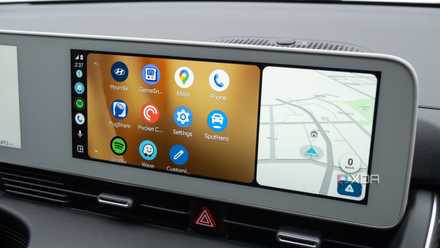
With Android Auto, button locations and animations change between apps. Generally, unless it's developed by Google, the overall feel of many third-party apps is disjointed. At times, reliable app performance isn't there either, especially with more obscure third-party apps. During my roughly a week with Google's in-car operating system, I encountered several bouts of lag when using Waze, Spotify, and Pocket Casts, across both my Pixel 10 Pro and Galaxy S25 Ultra.
On the other hand, I haven't run into these problems with CarPlay. The UI is clean and feels like it was designed for brief interactions while driving. Given Apple's extreme control over its App Store, the tech giant's purpose-built in-car UI extends to third-party apps and widgets, giving them a more cohesive overall feel compared to Android Auto. In the context of a car, Apple's closed ecosystem is the approach I prefer.

6 features I immediately disable on my Google Pixel
Even Google's clean take on Android needs a bit of tweaking.
Wireless CarPlay is more reliable
It's not that wireless Android Auto is awful — it just seems to drop connection more frequently.
While my Ioniq 5 only offers a wired CarPlay or Android Auto connection, which I've switched to wireless with the help of accessories, I've tried several vehicles over the years that feature wireless versions of both Apple's and Google's in-car infotainment systems. While I've never performed a structured test, anecdotally, CarPlay feels significantly more reliable across several different cars. In fact, I can't think of a single instance when my wireless CarPlay connection has dropped, whereas Android Auto has disconnected several times. I've heard the same thing from friends and family, too.
Of course, it's important to acknowledge that the nature of projection infotainment operating systems means several factors are at play. There's your vehicle, the Android device you're using, and even the version of the OS it's running. These are issues Apple's one-size-fits-all iPhone and iOS are better equipped to navigate, and because of this, I've generally found CarPlay's wireless connection to be more reliable and responsive.
Android Auto also has a few key advantages
Before you scroll down to the comments to let me know Android Auto is vastly superior to CarPlay in several ways I haven't mentioned above, let me just say that I agree with you in some ways. On the Android Auto side, I appreciate the wider variety of apps available on the OS, the additional customization options, more notifications, and most notably, the platform's Gemini integration. Google's AI assistant is leagues ahead of where Siri is right now, and is actually surprisingly very useful in a vehicle.
While these are all important features I've enjoyed using over the past week, a clean, refined UI and reliability are more important to me in an in-car infotainment system, and I think many people fall into that same camp. At times, driving a car can be stressful enough already — you don't want to layer on a battle with an often unreliable in-car operating system.

Reddit user solves their Apple TV 4K's stutter issue with a PC fan and heatsink
The DIY fix worked surprisingly great.