
I was looking for an alternative to Microsoft’s Outlook app, which is built into Windows. I started using Proton products about a year ago with the free versions of its apps. By signing up, you get limited access to Mail and Calendar, its strongest products. You can also access Proton Drive, Docs, Pass, and VPN. After using the apps and services, I started moving over from other products like LastPass, Google Drive, OneDrive, and the Outlook app.
Encryption and security appealed to me, since we constantly protect our data from AI model training. I also wanted something simpler that didn’t have unnecessary features. I was also welcome to have an alternative to Outlook that was compatible with other mail services.
So, I decided to import my mail, contacts, and calendar, and I am glad I did. It was easy with Proton’s included import tool. The Easy Switch feature lets you import all or some items from Outlook with a few clicks and syncs them with all your devices. Since making the switch, I no longer need to use Microsoft’s app, except when the Proton app isn’t available on a device I’m working on.

I imported my Outlook calendar to Proton and you should too
I'm moving to the Proton ecosystem from Microsoft and importing my Outlook calendar was a cinch.
A Secure solution
Encryption with compatibility
I looked at Proton Mail because of its notable reputation for encryption and security. I am not a fan of potentially exposing my data to Microsoft, advertisers, and AI models for training. Proton Mail uses Transport Layer Security (TLS) to encrypt your email while it is in transit. Popular services like Gmail and Outlook also support TLS, allowing compatibility with those services.
If I password-protect a message, it provides actual end-to-end encryption of the message and attachments. Also, my emails are encrypted on Proton’s servers while sitting in my inbox. This helps protect them from threats. Also, Proton has a zero-knowledge system, which means even Proton employees can’t see my messages.
Another benefit is that the entire Proton ecosystem is encrypted and secure. Accessing other products like Drive, Docs, Pass, and VPN is also simple. I have apps for all of Proton's services on my computers and phones. Android, iPhone, Windows, Mac, and Linux apps are available. Plus, I can access my data from anywhere there is a web browser. Since I do a lot of work from a browser, I turn to the web versions of Mail and Calendar. I keep them open in a pinned tab for easy access. The feature set is the same in the desktop app and web version.
Proton Drive
- Individual pricing
- $4.99/month
- Key highlights
- No file size limits, end-to-end encryption
Proton Drive is a privacy focused cloud storage provider.
- Platforms
- Windows, macOS, Android, iOS, iPadOS
A straightforward transition
The transfer process is a cinch
The process couldn't have been easier when I imported my calendar from Outlook to Proton. Since Proton Mail and Calendar are tied together, importing my email, contacts, and calendar entries via the Easy Switch tool was a piece of cake. I started the import process using the tool, following the on-screen wizard. After about 15 minutes, Proton sent a notification that the transfer was complete. All the items from Outlook are now in the Proton Mail and Calendar apps on my phone, PC, and on the web. In my experience, importing messages, contacts, and calendar entries with a wizard results in missing items. However, I have yet to find anything missing.

My Journey from Microsoft to Proton: Why I switched ecosystems and won’t look back
From Microsoft’s grip to Proton’s freedom
Clean interface
There’s no unnecessary junk crammed into the UI
Unlike Outlook, there isn’t any extra junk in Proton that you don’t need or want. Whether you spend your time on your computer (like me) or on your phone, Proton is a straightforward interface. Outlook seems like it’s trying too hard. Also, Microsoft crams Copilot into apps whether you want it or not. On the other hand, Proton’s simplistic UI is refreshing, especially on mobile. That means fewer features, but I don’t want anything in Proton that I miss from Outlook. The interface is sparse, which is a good thing. There aren’t a bunch of buttons or menus that get in the way of what I want to do — send and receive emails and check my calendar.
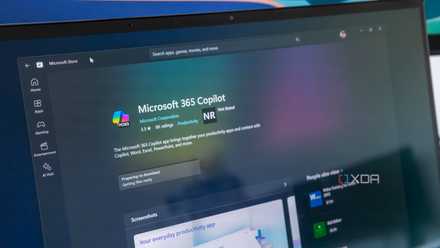
5 reasons I completely remove Copilot on Windows 11 from all apps it’s crept into
Microsoft want to force Copilot AI into your apps on Windows, but I remove it for a better experience.l
I’m happy I imported my data from Outlook to Proton Mail
Proton provides more encryption and security than Outlook, and making the switch was easier than I expected with Proton’s import tool. While I am glad I made the change, I miss certain mobile functionality. For instance, I was in a situation where I needed to enter some events into my calendar. I grabbed my phone, launched Proton Calendar, and realized it slightly threw me off. I am used to scheduling appointments by long-pressing the date in its month view. I was able to get my appointments set up, but it took me longer than I wanted.
However, that is likely due to my Outlook app hangover; if I need it, I still have Outlook on my phone to use in a pinch. Muscle memory with software is often strange to overcome. With Proton's extra security and the ease with which I could import my data from Outlook to Proton, I expect a good report with the new ecosystem.