
Infill is the slider everyone touches, almost nobody truly understands, and plenty of people blame when a print fails. That’s partly because it looks like a “strength” knob, and strength is an easy story to tell. But infill is really a supporting actor that only becomes the star in specific scenes. If you treat it like a universal fix, you’ll waste time, filament, and patience.
Dense infill is often a time tax disguised as a quality upgrade.
The bigger problem is that infill gets discussed in isolation, as if walls, layer height, material choice, and model geometry are all background noise. In reality, those settings do the heavy lifting far more often than infill does. Most prints don’t need to be solid, and most don’t need the default honeycomb look you inherited from someone else’s profile. Once you understand what infill actually does, your slicer settings get simpler, not more complicated.
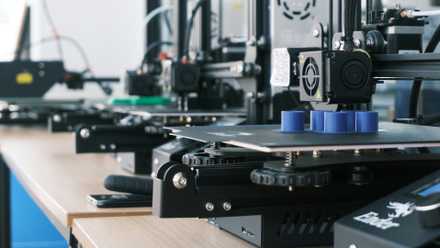
5 reasons your 3D prints keep failing (and how to fix them)
If you're bothered by 3D print failures, these are some of the most common issues to look for
The myth that infill equals strength
Why walls do most of the work
Most beginners learn infill through a shortcut: a higher percentage means a stronger part. That shortcut fails because printed parts usually break at their outer surfaces first, not in the middle. Your perimeters are where loads transfer, where impacts land, and where stress concentrates around holes and corners. If you want a sturdier part, adding walls is often a better first step than stuffing the interior.
Infill can reinforce a print, but it’s not a substitute for good structural choices. A part with thin walls and high infill can still crack along the shell like an eggshell with a packed center. Meanwhile, a print with thicker perimeters and modest infill often feels tougher in the hand and holds up better to real use. Strength isn’t one setting; it’s a small team that has to work together.
There’s also the geometry trap: some shapes barely benefit from dense infill at all. A tall, narrow bracket might fail by bending, and infill won’t fix that. A snap-fit part might fail at the clip, and infill won’t magically strengthen a thin spring feature. When people crank infill to compensate for design limits, they’re often paying for the wrong kind of insurance.
The real job infill performs
How it supports top layers and shape
Infill’s most consistent value is giving top surfaces something to land on. If you’ve seen pillowy top layers, sagging bridges inside a model, or a roof that looks slightly melted, that’s an infill story. Top layers need support underneath, and infill provides that support across open spans. The right infill density can clean up surfaces without turning a print into a brick.
Infill also helps stabilize certain shapes during printing. Large flat areas can warp, and some internal structure can reduce how much the top skin flexes as it cools. Thin towers can wobble, and a bit of internal scaffolding can help them stay honest. This is less about “strength after the print” and more about “success during the print.”
Different infill patterns matter here, too, but not in the way people usually argue about online. The pattern choice can change how evenly the nozzle moves, how much it vibrates the part, and how consistent the support is under the top layers. In many cases, picking a calmer pattern beats picking a denser one. Cleaner motion often leads to cleaner surfaces, even at lower percentages.
Infill is also a time tax
Why dense prints waste hours fast
The easiest way to slow down a printer is to fill it with a large volume of plastic. Infill multiplies toolpaths, adds travel, and increases the risk of small hiccups becoming visible artifacts. Even if each line is quick, thousands of them become a long, noisy choir. That’s why a jump from 15% to 35% can feel like it doubles your print time, even when the part looks identical from the outside.
Dense infill also increases heat buildup, especially on long prints with repeated internal moves. That can cause subtle problems like softer corners, rougher overhangs, and more stringing inside cavities. If you print with materials that dislike prolonged heat, you can create issues that appear to be calibration problems. Then you chase those issues with more tweaks, and infill quietly stays the original culprit.
And yes, infill uses filament, but the time cost is usually the bigger hit. Filament is measurable in grams, but time is measured in plans you cancel because the printer is still going. When you pick infill by habit instead of by need, you’re often paying in the one currency you can’t re-spool. That’s not a moral failing, it’s just a common learning curve.
Where infill actually matters most
Parts that need compression resistance
There are prints where infill earns its keep, and it’s worth calling them out clearly. If a part will be compressed, squeezed, or clamped, infill helps resist the shell collapsing inward. Knobs, feet, vise jaws, and press-fit inserts often feel better with more internal structure. The goal isn’t to make them heavy, it’s to make them resist deformation under load.
Infill also matters when you expect repeated impacts or rough handling. A toolbox latch, a shop hook, or a mount that gets bumped daily can benefit from more internal reinforcement. But even here, the best approach is usually balanced: enough infill to prevent denting, plus enough walls to prevent cracking. If you ignore the shells and only densify the center, you can still end up with a brittle surface failure.
Functional tolerance prints are another place where infill can be important, but it’s more nuanced than “more is better.” Sometimes you want a part to be slightly compliant, and lower infill gives you that. At other times, you need a rigid spacer, and higher infill helps reduce flex. The key is that infill changes behavior, not just strength, and behavior is what functional prints live or die on.
What beginners get right about infill
Higher infill can feel reassuring
There’s a reason people love high infill, and it’s not pure ignorance. A denser print feels more “real” when you pick it up, and weight can signal quality in a very human way. If you’re making a gift, a prop, or something you want to feel premium, extra infill can deliver that vibe. It can also reduce rattly hollow sounds and make thin parts feel less toy-like.
High infill can also be a pragmatic shortcut when you don’t yet know where a part will fail. If you’re prototyping something new, it’s tempting to remove one variable and just overbuild. That can make early testing easier, especially if your goal is to test fit and handling rather than ultimate efficiency. The problem starts when the overbuilt prototype becomes the permanent recipe.
It’s also fair to say that slicer defaults are often conservative for a reason. A beginner doesn’t want to learn about shells, top thickness, and infill overlap on day one. A simple preset that “usually works” builds confidence and keeps people printing. The misunderstanding arises when that beginner preset is treated as an engineering truth.
A smarter way to think about it
Treat infill as a supporting decision
The better mental model is to start from the outside and work inward. Decide what the part needs to do, then set perimeters, top and bottom thickness, and material choice to match that job. After that, use infill to support surfaces, resist crushing, or tune stiffness. When you do it in that order, infill becomes a deliberate choice instead of a panic response.
It also helps to separate “prototype settings” from “final settings.” Your first print might use a moderate infill to get a quick, reliable result. Your next print can be leaner once you know the part fits, the forces are real, and the weak points are understood. That loop keeps you moving fast without locking you into wasteful defaults.
Finally, remember that infill is not a badge of seriousness. A smart 12% print can outperform a sloppy 40% print if the shells are right and the geometry makes sense. The slicer doesn’t reward bravado, it rewards intent. Once you stop treating infill like the answer, you’ll start asking better questions, and your prints will show it.
Putting infill back in its place
Infill isn’t useless, and it isn’t magical. It’s a tool for supporting top layers, tuning stiffness, and reinforcing prints that will be compressed or subjected to abuse. If you reach for it first, you’ll often trade speed and filament for results you could have gotten with walls and thickness. If you reach for it last, you’ll use it with purpose and stop fighting your own settings. The fastest way to improve your prints is to stop treating infill as the headline and treat it as a supporting credit.
OrcaSlicer
OrcaSlicer offers many advanced settings to strengthen your 3D prints, so don't just focus on infill.