
Windows may be the most popular desktop operating system in the world, but it does have a reputation for sometimes being frustrating to use for one reason or another. And with Linux sometimes being brought up by people who are generally more tech-savvy, it begs the question of whether Windows is still a good OS for power users.
The short answer is generally yes. Windows 11 is great for power users. But let's explore that a bit more.
Most software is made for Windows
Defining what makes a power user can be complicated, but at the end of the day, Windows being as popular as it is means that almost every big piece of software out there is made for Windows, so almost anything you'd want to do on a PC is doable on Windows. Even if Linux might do something better out of the box, there's usually some kind of alternative on Windows.
Windows has tons of tools for scripting and automation. PowerShell is built-in and has great scripting capabilities, but you can also install things like Python and other tools to create and run scripts that are cross-platform. You have tools like AutoHotKey that can automate all kinds of tasks with keyboard shortcuts of your choosing. Apps like Flow Launcher can make it easy to do all kinds of things like launching apps more quickly, killing or uninstalling apps, converting units, run terminal commands, and more. Microsoft's own PowerToys offers great tools to improve your productivity, with things like advanced window management, easy image resizing, keyboard remapping, and much more.
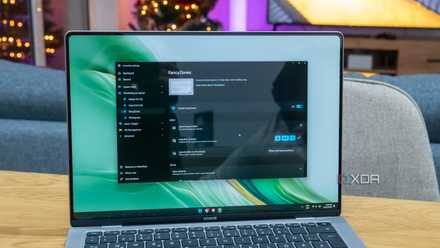
8 reasons you should be using PowerToys on your Windows PC
Take your productivity to the next level
And of course, things like the Microsoft 365 suite are there, if you're a software developer, tools like Visual Studio are on Windows, there's the Adobe Creative Cloud suite for creative professionals. The list goes on and on. Almost anything you need for productivity is on Windows.
Windows itself is highly customizable
Microsoft may try to do things that limit user freedom at times, but thankfully, Windows is still not as restrictive as something like, say, macOS. Through third-party apps and various tweaks, there's still a lot about Windows that can be customized for maximum productivity. If you want to launch apps faster, Flow Launcher is a great option. Don't like the Start menu? Windhawk or Start11 can make it way better.
You can even replace entire parts of the UI to make it look like something else entirely. A tool like Rainmeter can completely change your desktop. You can replace the default file manager with something like Directory Opus or One Commander to make that even easier.

Windhawk is one of the coolest Windows customization tools I've ever seen
Lightweight and powerful customization
Even some of the more annoying parts of Windows can be circumvented with the right tools. If you don't want to use a Microsoft account, a tool like Rufus can modify Windows installation media to remove that requirement during setup. Tools like Win11Debloat can remove a lot of the unwanted junk that's included in Windows 11 in a single click.
It can even run Linux
If you still think you need Linux for something, then that doesn't necessarily mean you have to switch away from Windows. For a few years now, Windows has shipped with the Windows Subsystem for Linux (WSL), which lets you run various Linux distributions in dedicated virtualized containers. WSL supports a few major Linux distros, and while the OS itself is mostly terminal-based, you can install GUI apps, too, and run them right alongside your Windows apps.
WSL is kind of like a virtual machine, but containers are actually a bit different and do a better job at using the system's resources than a full VM, so this is a pretty big plus for Windows users.
Windows isn't perfect, but it's hard to move away from
Windows may have its flaws, whether it's annoying pop-ups and ads or bloatware, but the operating system remains a great choice for the vast majority of users. It's easy enough for anyone to use, but the skill ceiling is very high, meaning you can always find more ways to optimize your workflow and speed things up by learning new tricks.