
After cutting down on streaming subscriptions, I started to miss my Jellyfin library when away from home. I did consider the obvious fix — forwarding Jellyfin's port 8096 on the router. But I held back to avoid permanently cataloging my home server into a publicly searchable directory.
Without proper firewall rules, the Jellyfin login page gets exposed to everyone, including the bots that populate Shodan's Jellyfin list. My ISP's CGNAT made port forwarding redundant. So I took a different path: reliably streaming remotely without punching a hole in my home network.
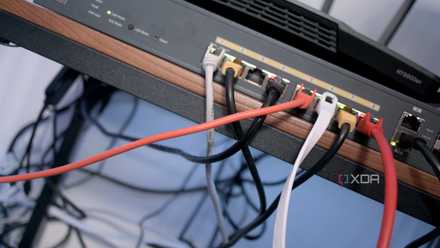
Is Tailscale the safest way to access your home network remotely?
Tailscale is easy to set up, but is that trading off your security?
Why did I skip forwarding the 8096 port?
No more extra maintenance
Port forwarding exposes your Jellyfin instance to the public internet, making it easier to find. Since it doesn't use TLS by default, login credentials are sent in plain text, exposing my router to bots, scanners, and exploit crawlers. On top of that, dynamic IP leases from the ISP break port forwarding whenever the ISP rotates the address.
The CGNAT problem makes things worse since my router's IP isn't the actual public IP. Compare them with services that let you view your public IP address. If they don't match, you're behind a CGNAT, and no amount of router tinkering can fix that. Instead, you can use a stack that never requires you to open an inbound port in the first place.
Here's what I set up to use Jellyfin remotely
A simple setup
For my personal use, I tried a setup with two components. Firstly, a Tailscale setup with the Serve feature to use a WireGuard-based mesh VPN with built-in HTTPS proxy. That removes the need for port forwarding, reverse proxy, or domain. The second option is to use Pangolin on a VPS as a self-hosted tunnel when Tailscale's performance suffers due to CGNAT from the home ISP or cellular provider.
My Jellyfin server runs on a Linux VM spinning on a used x86 mini PC without any reverse proxy or SSL certificates. I wanted a predictable configuration that was safer and low-maintenance.
Tailscale
Setting up Tailscale and connecting trusted devices
Quick install, no port forwarding needed
Tailscale is based on the WireGuard protocol and handles all the key exchange and manages NAT traversal automatically. I installed the Tailscale client on the Linux VM running the media server and added it to the existing Tailnet. MagicDNS automatically assigns a unique hostname to each machine. So the home server becomes reachable at machine-name.random-tailnet.ts.net without dynamic DNS or router configuration.
With a direct Tailscale connection, speeds are fast enough for a 4K direct-play stream without transcoding. You can verify if Tailscale has a direct connection with the tailscale status command and confirm there's no DERP relay. If you see a relay, it means CGNAT is interfering with the stream, and throughput suffers as a result. If you're running Jellyfin 10.8 or earlier, you may need to set the IgnoreVirtualInterface string to false in the network.xml file inside the config folder. That ensures Jellyfin listens to the Tailscale interface. On Jellyfin 10.9 and later, this is handled automatically.
You can add Tailscale's IP range into the LocalNetworkSubnets string in the network.xml file in the Config directory, so that Jellyfin treats the telnet peers as local clients and doesn't impose remote bitrate limits.
Enabling HTTPS on the Tailscale hostname
One certificate without a reverse proxy
To ensure server security, I enabled Tailscale's HTTPS feature. From the Tailscale Admin Console under DNS settings, I enabled the HTTPS Certificates option. That authorizes Tailscale to issue valid TLS certificates for MagicDNS hostnames.
tailscale serve https / http://127.0.0.1:8096 This command spins up a local HTTPS proxy that forwards requests to Jellyfin's localhost port (8096) using a valid, auto-renewing HTTPS certificate. All that takes place without using a reverse proxy or a domain. After that, Jellyfin becomes available at https://machine.random-tailnet.ts.net, with TLS support on every client. The best part is that I only had to run it once, since the configuration survives even when the system reboots.
Tight setup to view Jellyfin server on mobile data
When mobile operators block WireGuard UDP
Tailscale is mostly CGNAT-proof, since WireGuard's NAT traversal works with most configurations. But severe double-NAT at the ISP level, or the symmetric NATs cellular carriers use, force Tailscale to use DERP relays instead of a direct connection. That spikes latency, causing speed dips, and 4K streams become unreliable.
The solution is to use a VPS with a real public IP address that CGNAT can't touch. You can use Pangolin on a cheap VPS for as low as $3 per month. Meanwhile, Newt, its tunnel client, runs on your home server to create an outbound tunnel to the VPS, which becomes your entry point. That keeps your home network's IP private, and you get a custom domain with a TLS certificate on infrastructure you can control.
My colleague, Joe Rice-Jones, has neatly documented the full setup. That'll give you control over your own tunnel on your own domain, without any middleman decrypting your traffic or giving you bandwidth anxiety.
For the hands-on enthusiasts, you can pair Split-Horizon DNS with a VPS tunnel to achieve the same CGNAT bypass without using Pangolin. Again, the same domain resolves to your local IP at home and to your VPS IP everywhere else. Though this setup seems solid, it translates to managing two DNS environments. A misconfiguration can take down your home resolution.
Pangolin
Make streaming actually reliable
The golden rule at play
Pick a Jellyfin client that natively supports the codec, and have the Jellyfin server pass the raw file without any transcoding overhead. With adequate hardware, you can set up Intel QuickSync or NVIDIA NVENC for hardware transcoding rather than relying on software transcoding.
Networking Deals: Save on VPN-ready Routers & VPS
Most importantly, make sure you know the actual upload speed of your home network. It sets the hard ceiling for the remote streams. You can always cap remote playback to 15–20 Mbps to prevent the player from exceeding your home network's upload speed. That's what mostly causes buffering while you stream content.

I tried replacing dynamic DNS with Tailscale Funnels
Tailscale Funnels offer an easy way to expose my self-hosted services to my friends and family
Tame your media server by your rules
I don't need to open ports or expose login pages to feature in the Shodan listing. Tailscale handles everything cleanly without making me set up anything extra—no need to deal with reverse proxy or certificate headaches. When CGNAT disturbs Tailscale's relay performance, Pangolin setup can save the day.
Each layer earns its place by solving a specific problem. No need to hand over your video traffic to a third party that makes you question why you stream outside your home.
Jellyfin
- iOS compatible
- Yes
- Android compatible
- Yes
- Desktop compatible
- Yes