
Despite massive improvements to their specifications, modern Raspberry Pi SBCs just don’t have enough horsepower to run triple-A PC games at 4k 60FPS. However, old-school titles – especially those designed for ancient consoles – are fair game for your tiny tinkering companion. If you’re into retro gaming, you’ll also find several emulation platforms compatible with your Raspberry Pi ecosystem, with each one bringing its own set of emulator cores, UI aspects, and features to the table.
I’ve pretty much gone through all the bare-metal emulation distributions and retro-gaming tools over the course of my DIY project-building journey. But I always find myself returning to Lakka’s slick interface for couch gaming needs. While it’s not as popular as some of its rivals, Lakka is one of the best emulation-centric distros out there – and this article should convince you to give it a shot.

I tried emulating PS3 games on the Raspberry Pi
While the Raspberry Pi 5 can technically run PS3 games, calling them playable would be too generous
Easy to set up
Adding ROMs is just as simple
I tend to use a Raspberry Pi 5 for most of my tinkering projects, especially those centered around gaming. Although the SBC has been out for more than a year, many popular distributions (including the all-powerful RetroPie) don’t have dedicated images for the SBC. The workaround involves compiling the UI elements, emulation cores, and other packages manually, which can take hours even on the 8GB model of the latest and greatest Raspberry Pi.
Meanwhile, Lakka is extremely easy to set up – all you have to do is download the image compatible with your SBC, flash it onto a microSD card, and voilà, you’ve got your retro gaming battle station ready in a couple of minutes.
Adding ROM files is also a breeze on Lakka. Unlike other distributions that fail to detect your ripped game collection unless you place it in the right directory, Lakka has a unified ROMs folder for each console. That way, you don’t have to worry about transferring games to different directories. In case you prefer using external drives to store your game collection, Lakka’s convenient UI lets you mount your SSD/HDD as the ROMs directory without forcing you to go through waves of terminal commands. While we’re on the subject of the interface…
A familiar PlayStation-esque UI
You also get multiple cores to choose from
Unlike Batocera’s flashy appearance, Lakka’s user interface resembles what you’ll find in old PlayStation consoles. As someone who grew up on the PlayStation Portable (and low-key burned out after spending hours save-scumming in JRPGs), I’ll admit that I wasn’t very impressed with the PS-esque aesthetics of Lakka. That said, Lakka’s familiar UI makes it a lot easier to use than, say, RetroPie’s menu-riddled interface, and I’d be lying if I said Lakka doesn’t have that nostalgic edge over its rivals.
Heck, it even uses the Japanese button layout, where the O/B and X/A buttons are swapped. Although the layout can be a bit disorienting if you’ve never used JPN releases of PlayStation consoles, Lakka includes the option to swap the button layouts, so you don’t have to force yourself to get accustomed to the different controls.
Of course, emulation capabilities matter more than appearance, and Lakka has covered that aspect as well. On the core front, you’ve got everything from ancient Sega and Nintendo consoles to the fairly modern PlayStation 1 and Nintendo DS systems. Heck, it can even run Wii titles at (comparatively decent speeds). My only complaint is that the PS2 core for the Play! emulator doesn’t work, though the other platforms don’t support native PlayStation 2 cores on the Rasberry Pi SBCs either (and no, sideloading the AestherSX2 emulator on RetroPie doesn’t count).
Plenty of QoL features
Save states are a godsend for clunky, old-school games
I may be a connoisseur of retro titles, but there’s no denying that older games require a lot of patience. Clunky platformers and difficult RPGs can be a pain with their fixed save system, and grinding can take ages if you play certain JRPGs at normal game speeds. Throw in the fact that low-resolution titles look terrible without some upscaling, and Lakka comes in handy with its quality-of-life features.
Since Lakka supports save states, you don’t have to worry about losing hours of progress due to RNG not being in your favor in a random encounter. Depending on the processing capabilities of your Raspberry Pi, you can use upscaling to prevent your favorite titles from looking like a blurry mess. If you love playing old console games with cheats enabled, you’ll have a blast with Lakka.
Name a better duo than Lakka and Raspberry Pi
Well, technically Batocera has a couple more features than Lakka, including the ability to use separate controllers for eight people. However, Lakka’s simple UI, rock-solid performance, and a robust set of QoL-enhancing features make it the perfect emulation platform for my couch gaming needs.
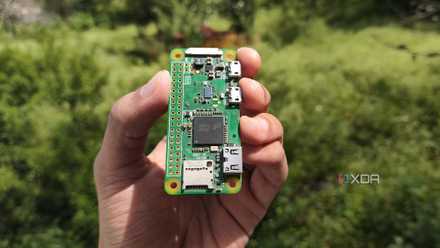
I built an always‑on VPN gateway with a Raspberry Pi Zero to access my home lab from anywhere
It's perfect when I want to work on my home lab projects from external networks