
Lenovo Legion Pro 7 is a certified legend among the best gaming laptops. Year after year, Lenovo refreshes its high-end machine with the latest hardware, and it often comes out on top in performance. The latest Gen 10 model is no different, now packing an Arrow Lake HX CPU and one of Nvidia's RTX 50-series GPUs. For the first time in this range, Lenovo packed in an OLED display, which only elevates the already showstopping performance of the hardware under the hood.
This is a laptop that sticks to its guns. It wants to provide the highest performance possible in games, and it passes with flying colors in that regard. It's also a familiar look for a gaming laptop, and issues like low portability and limited battery life stand out as more thin-and-light gaming machines start hitting the market.
Lenovo sent us the Legion Pro 7i for review. It had no input on the contents of this article.

Lenovo Legion Pro 7i Gen 10
- Operating System
- Windows 11 Home
- CPU
- Intel Core Ultra 9 275HX
- GPU
- Nvidia RTX 5080 mobile
- RAM
- 32GB DDR5-6400
The Lenovo Legion Pro 7i is unapologetically one of the fastest gaming laptops you can buy, for better and worse.
- Incredibly powerful
- Gorgeous 240Hz OLED display
- Manages to stay relatively cool and quiet
- Big and bulky, and even moreso with the 400W power adapter
- Expectedly poor battery life
Lenovo Legion Pro 7i Gen 10 pricing and availability
The Legion Pro 7 designation is reserved for higher-end machines, so you won't find any configurations of the Legion Pro 7i at mainstream prices. This is a premium laptop, and it's priced accordingly, even if it doesn't reach into the full desktop replacement category like Lenovo's higher-end Legion 9i. The basis of the laptop is the Core Ultra 9 275HX, which is the standard CPU across all configurations. There are three main points of customization: RAM, storage, and your GPU.
Configurations start at $2,910 at the time of writing, and for that price, you'll get the Intel chip, 32GB of memory, 1TB of storage, and a mobile RTX 5070 Ti. Jumping up to the maximum of 64GB of memory will run you an extra $160, while an extra terabyte of storage comes in at a reasonable $120. You can scale up to the RTX 5080 for another $530, or to a mobile RTX 5090 for $1,380. If you pack in everything Lenovo offers in this laptop, you'll spend just shy of $4,600. Those are prices at the time of writing, but they're subject to change given the evolving situation with trade in the US.
If you can find a unit in stock, there's a good chance you'll save money compared to configuring your own laptop directly through Lenovo.
Those are Lenovo's official prices, but it looks like the company is working with retailers to reduce the price on specific models. I found the Legion Pro 7i with an RTX 5080, 2TB of storage, and 32GB of memory at Best Buy for $3,200. Configuring the same machine on Lenovo's website will run you $3,560.
The main competitor to the Legion Pro 7i right now is HP's Omen Max 16, which comes in at $3,340 for the same configuration as the Best Buy model mentioned above. If you're looking for something more compact, Asus has the Zephyrus G16 available with a similar configuration, but you can expect to spend close to $4,000 on that laptop. Meanwhile, you can pick up the Razer Blade 16 for slightly less, with a similar RTX 5080 configuration coming in at around $3,500.
Lenovo's pricing on the Legion Pro 7i isn't bad, but I'd be careful about shopping from Lenovo directly. If you can find a unit in stock at a retailer, there's a good chance you'll save money compared to configuring your own laptop directly through Lenovo.
Lenovo Legion Pro 7i Gen 10
- CPU
- Intel Core Ultra 9 275HX
- GPU
- Nvidia RTX 5080 mobile
- Display type
- OLED
- Display (Size, Resolution)
- 16-inch, 2560x1600, 240Hz
- RAM
- 32GB DDR5-6400
- Storage
- 2TB PCIe Gen 4 NVMe SSD
- Battery
- 99.99WHr
- Ports
- 2x USB-A 3.2 Gen 1, RJ45, USB-C, Thunderbolt 4, USB-A 3.2 Gen 2, HDMI 2.1
- Operating System
- Windows 11 Home
- Webcam
- 5MP
- Cellular connectivity
- None
- Wi-Fi connectivity
- Wi-Fi 7
- Bluetooth
- Bluetooth 5.4
- Form factor
- Clamshell
- Dimensions
- 1.04 x 14.33 x 10.86 inches
- Weight
- 6 pounds / 2.72kg
- Speakers
- 4x speakers with Nahimic Audio
A loud and proud gaming laptop
There's no attempt to hide it here, and I wouldn't have it any other way
You're not going to mistake the Legion Pro 7i for anything other than a gaming laptop, that's for sure. It's unapologetic. It's big and bulky, the keyboard is awash with RGB light, and just in case you didn't get the message, there are RGB light strips located under the front lip and around the rear exhaust. We've seen more and more gaming laptops push for a Macbook-like form factor, from the Zephyrus G16 to the Omen Transcend 14, but Lenovo has stayed the course with the Legion Pro 7i.
It's not just RGB, though. There are trade-offs with this form factor, just as there are trade-offs in thinner designs. Here, the positive is cooling. I was able to push the Legion Pro 7i hard in everything from Black Myth: Wukong to Clair Obscur: Expedition 33 without the laptop devolving into a jet engine, even when using the maxed-out Turbo thermal mode. You can use the keyboard without it getting uncomfortably hot, and you can use the built-in speaker array without constantly fighting fan noise. As someone who gravitates toward those thin and light designs, I don't take either for granted.
You can ditch the power adapter if you don't need the full power of the laptop on the go thanks to 140W of USB-C power delivery.
The negative is the size. You can throw the Legion Pro 7i in a backpack, sure, but you better be ready to pop a couple of ibuprofen. The laptop starts at 6 pounds and clocks in at over an inch thick. You'll also need to carry around the massive 400W power brick, which alone clocks in at around 2.5 pounds. It's not thick and heavy considering the hardware that's packed inside, but I'm struggling to call the Legion Pro 7i portable. It's a gaming laptop, and although things like Asus' Zephyrus range are trying to change the narrative about the portability of gaming laptops, the Legion Pro 7i isn't.
It's not all bad news, though. You can ditch the power adapter if you don't need the full power of the laptop on the go. Lenovo includes a USB-C input that supports up to 140W of power delivery, which lives alongside a Thunderbolt 4 connection, two USB 3.2 Gen 1 ports, and a USB 3.2 Gen 2 port. You also get a full-size HDMI 2.1 output, Lenovo's eShutter switch, and a full RJ45 jack if you're hard-wiring to a network. Not that you should need a wired connection considering Lenovo packed in a Wi-Fi chip that supports Wi-Fi 7 and Bluetooth 5.4.

5 things no one tells you about buying a gaming laptop
Gaming laptops are complex. Let's cut through the marketing.
A stunning OLED display
And a first for the Legion Pro 7
For the first time on the Legion Pro 7, Lenovo is including an OLED display. We saw a few laptops packing a 240Hz OLED panel last year, but it's great to see the panel make its way to a laptop built specifically for gaming. With OLED at the helm, you're getting perfect black levels and blistering response times, which is all the better considering the 240Hz refresh rate. The color is excellent, too. I measured 100% of sRGB, 99% of DCI-P3, and a color error of just 0.92.
Brightness isn't an issue, either. The display managed 582 nits in HDR with a 1% window, which is right where I'd expect a screen like this to fall. None of this is surprising. This 240Hz 16-inch OLED panel is the cream of the crop when it comes to laptop displays right now, and I'm just happy Lenovo decided to pack it in.
My favorite laptop keyboard, marred by an awkward layout
Maybe you'll find the numberpad useful, but I don't
I've always been a fan of Lenovo's TrueStrike keyboard, and especially on the Legion Pro 7i with its per-key RGB assignment. You get a deep press at 1.6mm, which is similar to a lot of Asus laptops, but Lenovo is able to reset the keys much faster. You're getting a balance between the snappiness you find on a MacBook keyboard and the depth you get on an Asus keyboard. For a heavy-handed typist like me, that balance is perfect. I can slam away at the keys without constantly checking if I missed a keystroke, all without feeling like I'm typing into a puddle of Play-Doh.
I love the feel of the keyboard, but the layout is a different story. Lenovo has included a thin numberpad and full-size arrow keys on its gaming laptops for years, and that design carries over into the Legion Pro 7i Gen 10. The arrow keys don't bother me, but the numberpad forces the whole keyboard to shift to the left. You're never centered when typing on the Legion Pro 7i, with both of your palms touching the corners of the trackpad while you're resting on the home row. On the plus side, the left shift means resting your hand on the WASD keys is a bit more comfortable while playing games.
As for the trackpad, it's mechanical and comfortable, as expected out of a Lenovo laptop. Windows gestures work great, and I didn't have any issues with palm rejection, despite touching the trackpad while typing. My main issue is how the trackpad looks. I know it sounds like a strange critique, but the trackpad sits alone as an island in wasted space. There's so much dead room around the trackpad that I have to wonder why Lenovo didn't include a bigger one.
Top-level gaming performance with clear battery trade-offs
Keep the Legion Pro 7i plugged in, and you're golden
I won't mince words here. The Lenovo Legion Pro 7i is crazy fast. The CPU clobbers Intel's previous flagship attempts, and the mobile RTX 5080 manages to outclass last-gen's RTX 4090; a feat that even the desktop RTX 5080 couldn't achieve. Lenovo manages this level of performance without undue heat, too. Even when pushed with the Turbo performance mode, I was comfortably able to play on the keyboard for a couple of hours straight. The fans certainly ramp up in Turbo mode, but thankfully, the Auto mode is quiet enough for when you need to use the built-in speakers.
|
Lenovo Legion Pro 7i (Core Ultra 9 275HX / RTX 5080) |
Asus ROG Strix Scar 16 (Core i9-14900HX / RTX 4090) |
Acer Predator Helios 16 (Core i9-14900HX / RTX 4080) |
Asus ROG Zephyrus G16 (Core Ultra 9 185H / RTX 4090) |
|
|---|---|---|---|---|
|
Cinebench R24 (single / multi) |
135 / 2,079 |
126 / 1,508 |
119 / 1,307 |
107 / 1,038 |
|
Geekbench 6 (single / multi) |
3,072 / 19,467 |
2,961 / 17,488 |
2,765 / 16,795 |
2,486 / 14,441 |
|
3DMark Time Spy |
21,368 |
19,684 |
12,800 |
14,305 |
|
3DMark Time Spy Extreme |
11,054 |
10,653 |
6,700 |
7,039 |
|
PCMark 10 |
The Legion Pro 7i manages this level of performance in a like-for-like comparison, too. The 2024 Strix Scar 16 is the most direct point of comparison, as both laptops have a similarly-sized chassis. If you look at a laptop like the ROG Zephyrus G16, which understandably sacrifices some performance for better portability, the Legion Pro 7i is in a completely different league of performance. It's not just beating a last-gen RTX 4090 by a hair. With full power available to the RTX 5080, Lenovo is offering a 50% jump.
The Core Ultra 9 275HX deserves some praise, too. Most of Intel's offerings this generation haven't been top performers, and that's true with Lunar Lake laptops and Arrow Lake desktops. This mobile Arrow Lake chip is seriously impressive, though, offering a clear performance advantage over its Raptor Lake and Meteor Lake counterparts. AMD, for its part, has its Fire Range series of mobile CPUs that could bring the fight back to Intel, but we've seen limited availability for those high-end CPUs.
Looking at games, there's nothing the Legion Pro 7i isn't capable of. In less demanding games, such as Horizon Zero Dawn Remastered and Returnal, you're getting triple-digit frame rates at native resolution without DLSS enabled. I call these games "less demanding" because the Legion Pro 7i can scale much higher, but these are still demanding games. Performance in games that aren't demanding for this hardware, like Rust, DOTA 2, Siege, and Valorant, is something you don't even need to think about.
|
Horizon Zero Dawn Remastered (Very High) |
119 fps |
No DLSS |
|---|---|---|
|
Horizon Zero Dawn Remastered (Very High) |
203 fps |
DLSS Quality + Frame Gen |
|
Cyberpunk 2077 (Ultra) |
96.5 fps |
No DLSS |
|
Cyberpunk 2077 (Ultra) |
178.2 fps |
DLSS Quality + Frame Gen |
|
Cyberpunk 2077 (RT Overdrive) |
173.4 fps |
DLSS Balanced + 4X |
|
Black Myth: Wukong (Cinematic) |
106 fps |
DLSS Quality + Frame Gen |
|
Black Myth: Wukong (Cinematic RT) |
148 fps |
DLSS Balanced + 4X |
|
Returnal (Epic) |
119 fps |
No DLSS |
|
Returnal (Epic RT) |
190 fps |
DLSS Quality + Frame Gen |
In the most cutting-edge games available today, the Legion Pro 7i still holds up with DLSS 4. You can get close to fully saturating the 240Hz display in Cyberpunk 2077's path tracing mode with Multi-Frame Generation (MFG) and moderate settings on DLSS Super Resolution. The same is true in Black Myth: Wukong, even when using the game's maxed-out (and incredibly demanding) Cinematic graphics mode, as well as the highest path tracing setting.
All of this performance comes at a price, and that's battery life. The Legion Pro 7i has a massive 99.99Whr battery, but I was only able to get between 5 and 6 hours of light use on a charge, and about two hours while playing Clair Obscur: Expedition 33. The inclusion of USB-C power delivery is a big bonus here, though. Instead of the power brick, you can bring along a lightweight GaN charger if you're not doing anything too demanding.
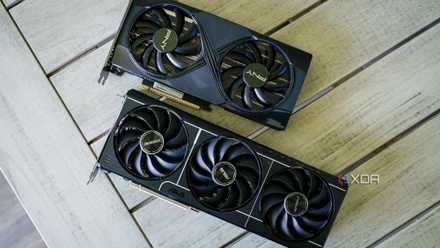
Complain about "fake frames" all you want. DLSS 4 is still a game changer
It's high time to put some respect on the name of DLSS 4.
Should you buy the Lenovo Legion Pro 7i?
You should buy the Lenovo Legion Pro 7i if:
- You want one of the fastest gaming laptops around.
- You're replacing a desktop, or plan to use the Legion Pro 7i in place of a desktop.
- You're never too far away from an outlet.
You should NOT buy the Lenovo Legion Pro 7i if:
- You need something highly portable.
- You already have a powerful desktop.
- You're a developer who needs more than 64GB of RAM.
The Legion Pro 7i doesn't care about the trade-offs. It's not the biggest or the heaviest gaming laptop, no, but it's far from a powerful portable companion. It falls into all the familiar trappings that gaming laptops have exposed in the past, from a chunky design to fairly low battery life. But it also doesn't sacrifice an ounce of performance, which is something we've seen a lot of over the past couple of years as companies like Asus and HP push to make gaming devices more portable.
This is the main show, not some companion to another gaming rig. If you already have a high-end desktop, there's not much the Legion Pro 7i can offer you. However, if you're looking to pick one up as your main gaming device, and you don't mind lugging it around when you need to, the Legion Pro 7i delivers the performance goods for a reasonable price.
Lenovo Legion Pro 7i Gen 10
- Operating System
- Windows 11 Home
- CPU
- Intel Core Ultra 9 275HX
- GPU
- Nvidia RTX 5080 mobile
- RAM
- 32GB DDR5-6400
The Lenovo Legion Pro 7i is unapologetically one of the fastest gaming laptops you can buy, for better and worse.