
The Lenovo Legion Pro 7i has looked the same visually for years now, and the just-released Legion Pro 7i Gen 9 is no exception. It's basically identical to last year's Legion Pro 7i Gen 8, which looked a lot like the previous version, and so on. However, that isn't necessarily a bad thing, because we reviewed the Legion Pro 7i Gen 8 last year and found it to be one of the best gaming laptops you can buy in the 16-inch form factor. Lenovo's design for the Legion Pro 7i might play it safe, but it's held up extremely well over time and the sharp edges still feel modern even in 2024. You're not considering the Legion Pro 7i Gen 9 for its design, though. The big changes this year are under-the-hood, and include an upgrade to Intel's 14th-generation chipset, a more color-accurate display, and an optional Nvidia GeForce RTX 4090 configuration.
We struggled to find flaws with the Gen 8 version of the Legion Pro 7i, as it was an excellent 16-inch gaming laptop for people who could stomach the high price tag. With that being said, the screen didn't have great color and put up meager coverage of the NTSC, Adobe RGB, and DCI-P3 gamuts in our testing. As it turns out, Lenovo has completely solved this problem with the Legion Pro 7i Gen 9. The new display panel has the same 2560 x 1600 resolution and 240 Hz refresh rate as the old one, but now boasts full DCI-P3 coverage. Paired with a new processor and higher-spec GPU options, this subtle display upgrade makes the Lenovo Legion Pro 7i Gen 9 an even more well-rounded gaming laptop.
About this review: Lenovo loaned us a Legion Pro 7i Gen 9 for review. The company did not have input in this review, and did not see its contents before publishing.

Lenovo Legion Pro 7i Gen 9
Lenovo fixed what we didn't like about the Legion Pro 7i Gen 8
- Operating System
- Windows 11 Home
- CPU
- Intel Core i9-14900HX, 24 cores, 32 threads
- GPU
- Up to Nvidia GeForce RTX 4090 Laptop
Lenovo's new Legion Pro 7i Gen 9 might look the same as the last few generations of the Legion Pro 7i, but a few key upgrades make it a much better buy. Our biggest complaint with the Gen 8 version — the lack of color accuracy across gamuts — is now completely fixed on the Legion Pro 7i Gen 9. If that wasn't enough to sway you, the 16-inch gaming laptop can now be equipped with an Intel Core i9-14900HX processor and an Nvidia RTX 4909 graphics card.
- This laptop packs top-of-the-line specs in a fairly sleek 16-inch laptop
- Display panel is now more color-accurate, with better DCI-P3 coverage
- Keyboard and touchpad are excellent, with appealing but not overbearing RGB elements
- Battery life isn't great
- Fans can get loud during extreme workloads
- Still heavy, weighing over 5 pounds
Pricing and availability
Lenovo released the Legion Pro 7i Gen 9 last month, following an initial announcement earlier this year. The laptop is a high-end system designed for gaming, as is exemplified by its $3,220 starting price. However, the pricing situation is a bit complicated for the Legion Pro 7i Gen 9 at launch, since the highest-end configuration of the laptop is discounted by 20% at the time of writing — bringing the typical cost of $3,640 down to $2,900. For that price, you get a 14th-generation Intel Core i9 14900 HX processor, 32GB of DDR5-5600MHz memory, and an Nvidia GeForce RTX 4090 graphics card. This deal probably won't last forever, so you should jump on it if you're interested.
My review unit is the base-model version of the Legion Pro 7i, which still features the Intel Core i9 14900 HX processor and 32 GB of memory. However, it uses an RTX 4080 graphics card instead of the highest-end RTX 4090 variant. For the exact same configuration I reviewed, the Legion Pro 7i Gen 9 costs $3,220. With the current pricing situation, the cheaper (yet more powerful) Legion Pro 7i is the obvious choice. Even when the discount inevitably ends, an upgrade to the RTX 4090 model still makes sense, since a roughly $300 upgrade isn't that much when you're looking at a $3,000 laptop.
Specs
Lenovo Legion Pro 7i Gen 9
- CPU
- Intel Core i9-14900HX, 24 cores, 32 threads
- GPU
- Up to Nvidia GeForce RTX 4090 Laptop
- Display type
- IPS, 240Hz, G-Sync
- Display (Size, Resolution)
- 16-inch QHD+
- RAM
- Up to 32GB DDR5 5600 MT/s
- Storage
- Up to 2TB M.2 NVMe SSD
- Battery
- 99.99Whr
- Ports
- 1x headphone/microphone combo, 4x USB-A, 1x Thunderbolt 4, 1x Ethernet RJ-45, 1x USB-C with PD and DP 1.4, 1x HDMI
- Operating System
- Windows 11 Home
- Dimensions
- 363.5 x 262.1 x 25.9 mm (14.31 x 10.32 x 1.02 inches)
- Weight
- 2.62 kg (5.78 lbs)
- Speakers
- 2x 2W Harman stereo speakers
- Colors
- Eclipse Black
- Price
- Starting at $3,220
Design and ports
Stunning looks, an RGB light bar, and a vast array of ports
If you've seen a Legion Pro 7i from the last few model years, you'll know exactly what to expect from the Legion Pro 7i. It features a modern design with a lot of straight lines and sharp edges, and is pretty low-key as far as gaming laptops are concerned. There are a few hints that it is indeed a high-end gaming laptop, like the thermal shelf, RGB lightstrip, and the hexagonal shapes that cover the cooling vents. If subtlety is your primary goal, I'd say that the Alienware m16 R2 does a better job at looking more like a traditional productivity or workstation laptop than the Legion Pro 7i. However, my personal preference is the Legion Pro 7i due to the angular design and Eclipse Black-colored anodized aluminum chassis. The finish does collect a fair bit of fingerprints, though.
My personal preference is the Legion Pro 7i due to the angular design and Eclipse Black-colored anodized aluminum chassis.
Like many other gaming laptops, the hinge opens up to unfold nearly flat. It feels sturdy, and there's a lip at the top of the display housing the webcam that makes the display easy to lift with one hand. There is some flex in the screen if you try to wiggle it, but that isn't noticeable in daily use and is likely due to how thin it is. Overall, the Legion Pro 7i Gen 9 is about the size of a typical 16-inch gaming laptop, with a thickness of about an inch that depends on your model's configuration. It's lighter than before, weighing under six pounds. That's still very heavy compared to a normal productivity laptop, but you can lug it around if you can live with your bag being heavier.
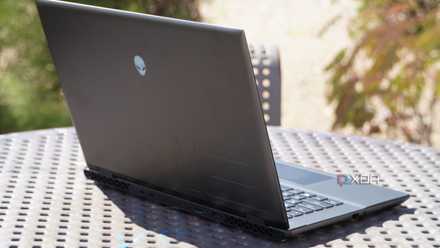
Alienware m16 R2 review: A seismic shift in direction
Don't let the name fool you. Dell's new Alienware m16 R2 is a big upgrade over R1, featuring a significant redesign — but there's still work to do.
Moving onto the Legion Pro 7i Gen 9's ports, I can't help but feel like the port selection is outdated. Lenovo didn't make any changes to the Legion Pro 7i's port selection between the Gen 8 and Gen 9 model years, and that shows. There are only two USB-C ports on the system, with one supporting Thunderbolt 4 and the other USB 3.2 Gen 1, and both supporting DisplayPort Alt Mode. Meanwhile, there are a whopping four USB-A ports on the Legion Pro 7i Gen 9, and they're not even that fast — these ports are limited to USB 3.2 Gen 1 speeds. I know a lot of PC and gaming hardware still relies on USB-A, but the market is moving away from that. Dell's new Alienware Pro Wireless Gaming Keyboard and Gaming Mouse, for example, come with Type-C 2.4GHz receivers. The next Legion Pro 7i revision needs to shift the ratio of Type-A to Type-C ports in the opposite direction.
There are the other usual gaming laptop ports included on the Legion Pro 7i, like HDMI 2.1, an RJ45 jack, a 3.5mm headphone and microphone combo jack, and a proprietary power connector. This laptop can accept 140W of power over USB-C, but Lenovo's proprietary power supply offers 330W of power. The company also claims that the Legion Pro 7i can be charged to 70% battery in 30 minutes with Super Rapid Charge, which is neat. It's a great feature, even if real-world results are less than that, because battery life on the Legion Pro 7i isn't great. You'll get a few hours of usage at best when gaming or doing other intensive tasks.
Keyboard and touchpad
The great Lenovo keyboard we know and love, with a bit more travel
Lenovo has essentially perfected the laptop keyboard, and the company's keyboards are mostly consistent whether you're using a notebook or a bulky laptop. The layout will be familiar to Lenovo users, but it now includes a Copilot key for those that want Microsoft's AI features at their fingertips. There is also a numpad and full-size arrow keys that are shifted downward, and this means that the touchpad isn't perfectly center with the laptop chassis. However, the touchpad is roughly at the center of the main part of the keyboard, so you probably won't notice the difference.
Lenovo has essentially perfected the laptop keyboard, and the company's keyboards are mostly consistent whether you're using a notebook or a bulky laptop.
The keyboard is great, but I can't say it's the best on a gaming laptop — the Alienware m18 R2 and its CherryMX mechanical switches hold that title. However, the Legion Pro 7i keyboard can hang with the best scissor-switch keyboards available on gaming laptops. The touchpad is a decent size, and it can definitely be used for productivity and casual use. While gaming, you'll want to grab a dedicated gaming mouse for the best experience.

Lenovo Yoga 7 (2024, 14-inch) 2-in-1 review: The convertible laptop most people should buy
Lenovo's new Yoga 7 is a convertible laptop when you need it, and a great traditional laptop when you don't.
Display
The same resolution and refresh rate, but with far better color accuracy
Arguably the biggest upgrade Lenovo made to the Legion Pro 7i Gen 9 is one you might not pick up on unless you're looking for it. While the Legion Pro 7i Gen 8 had full coverage of the sRGB color gamut, it didn't cover the NTSC, Adobe RGB, or DCI-P3 color gamuts as well. For some keen-eyed users that have a knack for noticing color, this lower-grade color accuracy meant that colors in games didn't "pop" as much. The deficiency also ruled out the Legion Pro 7i Gen 8 as a good option for color-accurate work, like photo or video editing. With the Legion Pro 7i Gen 9, that entire narrative is flipped around.
The latest Legion Pro 7i Gen 9 now has great color accuracy across the board, and it can keep up with the most color-accurate displays on gaming laptops. The IPS display still completely covers the sRGB color space, but Lenovo now claims that it also provides 100% coverage of the DCI-P3 gamut. In our independent display testing, the Legion Pro 7i review unit covered 99% of DCI-P3, and that result is definitively within the margin of error of our display testing hardware. It's safe to say that Lenovo's claims are true, and the Legion Pro 7i's display is significantly better than the one that came before it. Additionally, the screen covered 86% of NTSC and 88% of Adobe RGB, and both of those figures are improved as well.
Brightness isn't all that bad, either. Lenovo says that the Legion Pro 7i is rated for 500 nits of brightness, and our unit exceeded that, measuring 512.6 nits. Just like last year, the Legion Pro 7i display is very dark when set to 0% brightness. This time around, the display recorded a 0.7-nit reading at 0% brightness.
Otherwise, the Legion Pro 7i Gen 9's display is exactly the same as the Gen 8 version. It still has a 2560x1600 resolution and a 240Hz refresh rate, both of which are excellent for gaming. The panel also supports a few key video and graphics standards, including DisplayHDR 400, Dolby Vision, and Nvidia G-SYNC.

Lenovo Legion Pro 7i Gen 8 review: A gaming laptop that gets almost everything right
The Lenovo Legion 7i Pro is a premium gaming laptop that looks and feels the part in almost every way. If you can stomach the price, it's phenomenal.
Performance
The processor upgrade makes a difference in CPU-based tasks
With this year's spec bump, the Legion Pro 7i Gen 9 now features the latest Intel Core i9 14900 HX processor and the optional upgrade to Nvidia RTX 4090 graphics. We didn't test the RTX 4090 version, so we can't say for sure how much the more powerful graphics card will help improve performance. However, the 14th-generation Intel processor does bring marginal — but still notable — performance improvements. In general, games run similarly on the Legion Pro 7i Gen 9 to how they did on the Gen 8 variant with the same RTX 4080 graphics. If you already own the Legion Pro 7i Gen 8, there isn't much of a reason to upgrade to Gen 9. If you're coming to the Legion Pro 7i from an older or less powerful gaming laptop, you'll find that this laptop is a powerhouse.
We ran our usual suite of benchmarks on the Legion Pro 7i, using the "performance" mode for testing. The default mode for the Legion Pro 7i is called "balanced," and it adjusts power and thermal considerations automatically for day-to-day use. When you are plugged into wall power and need the best performance, switching to the performance setting provides a noticeable advantage. For example, in the Cinebench 2024 GPU benchmark, the Legion Pro 7i put up a score roughly 3,000 points higher using the performance mode versus the balanced mode.
|
Lenovo Legion Pro 7i Gen 9 (Core i9 14900 HX, Nvidia RTX 4080) |
Lenovo Legion Pro 7i Gen 8 (Core i9 13900HX, RTX 4080) |
Lenovo Legion 9i (Core i9 13980 HX, RTX 4090) |
Alienware m16 R2 (Intel Core Ultra 7 155H, RTX 4070) |
Asus ROG Strix Scar 16 (Core i9 14900 HX, RTX 4090) |
|
|---|---|---|---|---|---|
|
PCMark 10 (AC) |
8,185 |
7,570 |
7,512 |
7,187 |
8,583 |
|
Geekbench 6 (single / multi) |
2,884 / 16,730 |
2,760 / 16,745 |
2,943 / 17,153 |
2,308 / 12,349 |
2,961/ 17,488 |
|
3DMark: Time Spy Extreme |
9,428 |
8,892 |
10,406 |
6,032 |
10,653 |
|
Cinebench 2024 (single / multi / GPU) |
122 / 1,481 / 18,347 |
N/A |
124 / 1,570 / 23,438 |
93 / 853 / 11,056 |
126/ 1,508 / 22,357 |
The Legion Pro 7i performed about how we'd expect an RTX 4080 system to run, posting scores much higher than comparable RTX 4070 laptops (like the Alienware m16 R2) and much lower than RTX 4090 laptops (like the Asus ROG Strix Scar 16). The RTX 4080 graphics card will perform better than other RTX 4080 laptops in some instances, though, because it includes the maximum 12GB of VRAM. Additionally, the Core i9 14900 HX processor pushes the Legion Pro 7i Gen 9 decisively ahead of the Gen 8 model in CPU-based tests, like PCMark 10. Plus, this year's version edges out last year's variant in GPU-based tests like 3DMark: Time Spy Extreme as well. However, if you want the best performance, the upgrade to an RTX 4090 graphics card is the way to go.
Real-world gameplay tells a similar story to the benchmarks, which is that the Legion Pro 7i review unit I tested is excellent — but not better than an RTX 4090 laptop. Most games, including titles like Fortnite, Grand Theft Auto V, and Forza Horizon 5 support the highest graphics settings by default at varying frame rate ranges. Older and less graphically-demanding titles like GTA 5 consistently provided frame rates of over 100 FPS with a lot of movement, with highs of over 200 FPS during more static scenes. In the Forza Horizon 5 benchmark, the Legion Pro 7i finished flawlessly with a score of 127 FPS on the "extreme" preset. While the Legion Pro 7i's hardware is plenty powerful, it won't outdo the 240Hz display panel unless you turn down the graphics settings of your games.

Acer SpatialLabs View Pro portable monitor review: The only real way to experience PC games in glasses-free 3D
The Acer SpatialLabs View Pro is a one-of-a-kind portable monitor, but with a price of $1,500, you probably shouldn't buy it.
I also happened to use the Lenovo Legion Pro 7i while reviewing the Acer SpatialLabs View Pro portable monitor, and can say that the Legion Pro 7i can power its own display and a portable monitor while gaming at high levels with no problems at all. To sum up, the Legion Pro 7i Gen 9 with RTX 4080 graphics unsurprisingly handles top games with ease at frame rates that are more than playable — even if it isn't quite at the level of RTX 4090 laptops.
Should you buy the Lenovo Legion Pro 7i Gen 9?
You should buy the Lenovo Legion Pro 7i Gen 9 if:
- You want a high-end gaming laptop in a 16-inch form factor
- You need a great display with a high resolution, quick refresh rate, and great color accuracy
- You want the best possible CPU and GPU in a gaming laptop
You should NOT buy the Lenovo Legion Pro 7i Gen 9 if:
- You want a mixed-use gaming laptop with a more subtle design
- You would do fine with a lower spec CPU and GPU
- You're on a budget, or simply don't want to spend over $3,000 on a gaming laptop
For those who want to spend a few thousand dollars on a top-of-the-line gaming laptop, the Lenovo Legion Pro 7i is a great option. It was one of our favorite gaming laptops this year, and the upgrade to a 14th-generation Intel chipset helps the Gen 9 version perform better than last year's Gen 8 model. Additionally, Lenovo fixed one of the few qualms we had with that laptop by including a much more color-accurate display on the Legion Pro 7i Gen 9. Of course, the RTX 4080 laptop GPU found inside this laptop will run even the most demanding games, and there's the optional RTX 4090 upgrade if you think you need more power. If you are willing to pay a high price for a versatile and well-rounded gaming laptop, the Legion Pro 7i Gen 9 fits the bill excellently.
Lenovo Legion Pro 7i Gen 9
Lenovo fixed what we didn't like about the Legion Pro 7i Gen 8
- Operating System
- Windows 11 Home
- CPU
- Intel Core i9-14900HX, 24 cores, 32 threads
- GPU
- Up to Nvidia GeForce RTX 4090 Laptop
We already recommended last year's Lenovo Legion Pro 7i, with the caveat that it didn't have the most color-accurate display on a gaming laptop. Now, Lenovo has addressed that problem with the Legion Pro 7i, making it an even more well-rounded pick. People with a recent gaming laptop probably won't need to upgrade, but it's a great high-end gaming laptop for people in need of more performance.