
If you have an older PC that just doesn't meet the hardware demands of Windows 11, you're not out of options. Several Linux distributions are designed specifically for lightweight performance, user-friendly interfaces, and compatibility with aging hardware. These distros can breathe new life into machines that would otherwise be collecting dust. Best of all, they’re free, secure, and surprisingly capable for daily use.
5 Linux Mint XFCE is smooth and simple
A lightweight desktop that feels familiar and fast
Linux Mint has long been a favorite among users transitioning from Windows. The XFCE edition is its lightest version, and it runs well on older PCs with limited RAM or slower processors. It keeps things simple with a traditional desktop layout that makes it easy for former Windows users to feel right at home. Out of the box, it includes all the essentials, such as a web browser, media player, and office suite.
One of the strongest points of Mint XFCE is its minimal hardware requirements. You can expect solid performance on systems with as little as 1GB of RAM, although 2GB is a more comfortable starting point. Updates are easy to manage, and the Software Manager makes it painless to install new applications. It’s also built on Ubuntu LTS, so it benefits from long-term stability and support.
The XFCE desktop might not win design awards, but it’s incredibly efficient. Everything feels snappy, even on decade-old laptops or desktops. If you're looking for a system that just works without requiring constant tinkering, Linux Mint XFCE is a great place to start.
4 Zorin OS Lite looks good and runs well
A stylish Linux experience for older computers
Zorin OS Lite stands out for its balance of performance and aesthetics. It’s based on XFCE but includes a polished interface that closely resembles Windows, making the transition smoother. Even on aging systems, Zorin OS Lite delivers a surprisingly modern feel without draining system resources. It’s an excellent choice for users who want something visually appealing but still lightweight.

6 reasons I chose ZorinOS as the absolute best way to move from Windows to Linux
If you want to move from Windows to Linux, ZorinOS is the best way to do it.
What makes Zorin OS Lite especially friendly is its attention to detail. The developers have created custom themes and layouts that mimic those of Windows 7 and XP, thereby reducing the learning curve for new users. It also includes Zorin Connect, which makes it easy to sync with Android devices. Under the hood, it utilizes Ubuntu as its base, ensuring excellent compatibility with both hardware and software.
You don’t need a powerhouse to enjoy Zorin OS Lite. It performs well on systems with as little as 512MB of RAM; however, 1GB or more will provide a better experience. If you care about design but still want a distro that respects your old hardware, Zorin OS Lite is a solid pick.
3 Puppy Linux runs entirely from RAM
One of the lightest Linux systems available today
Puppy Linux offers a unique Linux experience. It’s designed to be incredibly small, fast, and portable, often running entirely from RAM. That means it can boot quickly and perform smoothly even on machines that seem hopelessly outdated. It’s ideal for PCs with low-end specs or for creating a temporary rescue system on a USB stick.
Despite its tiny footprint, Puppy Linux includes a complete set of applications for browsing, word processing, and media playback. The interface is more basic than other distros, but it’s highly functional and surprisingly customizable. You can use it on systems with just 256MB of RAM, although 512MB or more improves usability. It’s also one of the few distros that supports older 32-bit systems reliably.
Because it runs in memory, Puppy Linux doesn’t rely heavily on the hard drive, making it perfect for systems with failing disks or slow storage. You can even save your session and settings to the USB stick. If speed and minimal hardware use are your priorities, Puppy is well worth exploring.
2 AntiX is built with speed in mind
A Debian-based distro that uses very few resources
AntiX Linux is a no-frills distribution designed for low-spec hardware. It’s based on Debian but strips out heavier desktop environments in favor of lightweight window managers, such as IceWM and Fluxbox. This keeps resource usage extremely low, often using under 200MB of RAM at idle. Despite its minimalism, AntiX remains surprisingly capable and stable.
You won’t find flashy animations or modern UI elements in AntiX, but you will find speed and efficiency. It comes with a suite of preinstalled apps that cover everyday tasks, and its package manager makes it easy to add more if needed. It’s particularly well suited to users who aren’t afraid of a little manual configuration to get things just right. That said, it's not difficult to use once installed.
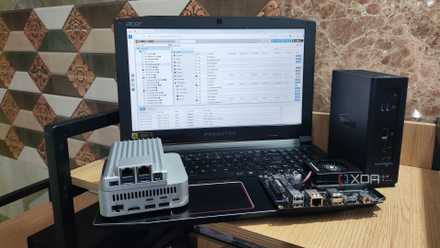
I'm addicted to installing Proxmox on old devices
Proxmox has become my favorite virtualization platform for revitalizing outdated systems
AntiX also supports both 32-bit and 64-bit systems, which makes it a rare find these days. It can boot quickly and run reliably on computers from the early 2000s. If you’re comfortable trying something a little different and don’t need visual polish, AntiX can turn even the oldest PC into a practical machine.
1 Peppermint OS balances speed and usability
A modern Linux distro with lightweight performance
Peppermint OS is a well-maintained, lightweight Linux distribution that prioritizes speed and simplicity without compromising functionality. It uses the XFCE desktop environment and is designed to run efficiently on older or low-spec hardware. Peppermint has undergone a comprehensive overhaul in recent years, now based on Debian and Devuan, featuring a modern installer and updated system utilities. The result is a responsive desktop that feels polished without being bloated.
One of Peppermint's best features is its modular design. It avoids preloading too much software, giving users a clean slate to build from. Instead, you get tools like the Peppermint Hub and a streamlined Software Manager to easily install only what you need. Despite its light system footprint, you still get an experience that feels complete and snappy. It runs comfortably on systems with 1GB of RAM or more; however, 2GB provides extra breathing room.
The user interface is clean and familiar, especially if you're coming from Windows. There’s support for both 64-bit and some legacy 32-bit systems, making it more flexible than many modern distributions. If you're looking for something easy to use that won’t choke on older hardware, Peppermint OS delivers a solid balance of performance, flexibility, and modernity.
These distros give old PCs new purpose
Each of these Linux distributions provides a reliable and efficient way to keep older PCs useful and productive. Whether you prefer a sleek interface, ultra-light footprint, or full-featured desktop, there’s something on this list that fits your needs. With the right distro, even a machine left behind by Windows 11 can still shine. All it takes is a little time, a USB stick, and an open mind.