
When I first got used to Linux, I had a real rollercoaster moment with the terminal. At first, I was terrified of it; I thought I was one superuser command away from wiping my operating system. Then, once I had gained confidence in using it, I wanted to use it all the time. I installed apps with it, edited files with it, the full kit.
Now that I'm settling into Linux, I'm back to using the terminal more sparingly. However, it's not because I'm scared of it (although I probably should be), but because...I don't really need to use it. And the thing is, that's perfectly okay.
The Terminal isn't essential for setting up your PC
Getting set up is easier than ever
Just so I'm clear on my stance on the Terminal: I think it's a fantastic tool. The reason I don't use it as much isn't that it's not powerful; in fact, one could argue that it's the mightiest Linux tool there is. However, I don't use it often because it's not essential.
Why isn't it essential? Well, everything I want to do is handled by the UI. If you download a Linux distro, there's a very good chance it'll come with either GNOME or KDE Plasma. Both of these put all of the settings, options, and variables you can tweak within the UI. You could use the terminal if you want to, but why bother when you can just open the Settings panel and tweak the options there instead?
Some may argue that using the GUI over the Terminal robs people of a learning experience, but once people have gotten their PCs all set up, they'll rarely (if ever) dive back into the Settings to tweak things. I don't think it's worth learning a ton of Terminal commands just so you can skip the UI on the first day of setup.

6 Linux command line tricks everyone should know
Level up your Linux CLI experience with these cool tricks
In fact, the Terminal isn't essential for a lot of things
Linux has gotten good at working out of the box
Linux used to have some real compatibility issues. If you wanted your GPU, your webcam, your printer, or any other peripheral to work on Linux, you had to get it working yourself. This usually involved opening up the Terminal and implementing tweaks until your Linux PC understood what you just plugged in.
But these days, Linux PCs really don't demand that much tweaking to work with your hardware. In fact, it's very plug-and-play now. You plug whatever you want to use into your Linux PC, and there's a good chance it'll instantly know what it is and get it all set up for you. So there's no need to poke into the Terminal; everything just works out of the box.
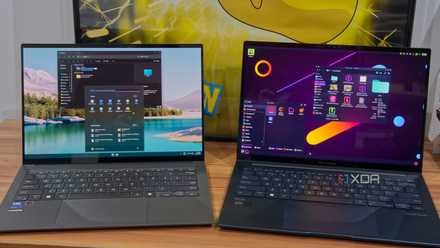
5 awesome Linux features that will blow the mind of a Windows user
Don't know much about Linux? Get ready to blow your mind!
For common tasks, there's usually a GUI for that
Click a button, and you're set
These days, Linux operating systems have buttons and UIs for all the common tasks you want to perform with Linux. If you want to update your system, you could run a command...or you could open up Discover and get a full, easy-to-read list of everything that needs updating. If you want to use openSUSE's Snapper tool, you could run a command...or you could open up the Snapper GUI and manage everything there instead. Even stuff like Arch Linux's pacman and AUR can run off a UI, now.
Is there anything wrong with people opting for the 'easy route' with GUIs? I don't think so. After all, GUIs are there to make our lives easier, and I can't really admonish people for wanting to take the simple route without stressing about Terminal commands. There's nothing wrong with using UIs for common tasks.

New to Linux? Here are 7 of the best beginner-friendly distros for you to try
Get up and running with Linux in no time.
Installing apps is a lot easier outside the Terminal
They even come with all the dependencies
I used to enjoy installing apps via the Terminal. Then I realised that I was essentially jumping through hoops to get a similar experience to if I just downloaded the app off Discover. Sure, not all apps have a Flatpak, Snap, or an AppImage you can download, but a lot of my daily drivers do.
When it comes to managing these apps, I much prefer having a clear install/uninstall button to going through Terminal commands trying to achieve what I want. Plus, technologies like Flatpak handle all the dependencies without any risk of conflict with your system, which is always a plus.
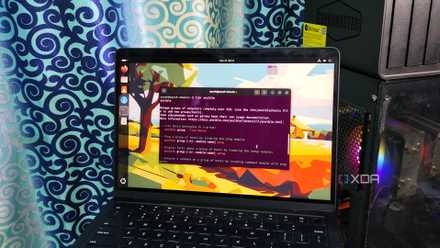
6 Linux terminal habits I wish I learned years ago
These neat tricks make my Linux experiments a lot easier
The Terminal is a great tool, but it's not a requirement for using Linux
While it's understandable that some people who want to give Linux a try are anxious about using the Terminal, the OS is at a point where you can get a daily driver up and running while running little to no commands. And while there's absolutely nothing stopping people from using the Terminal for their daily tasks if they want to, the key is that they don't need to, and that's important in both an accessibility and an introductory sense.