
Let's say I'm introducing ice cream to an alien. I get a cone, put a dollop of vanilla ice cream onto it, and hand it over. The alien gives the ice cream a lick, says it doesn't like the flavor, and then states that, as a result, ice cream just isn't for them. Of course, people wouldn't allow the alien to believe that all ice creams taste bad because it didn't like the vanilla flavor; instead, they'd recommend different flavors of ice creams and all the different forms it can take until the alien finds the one it likes the most.
Linux is very much the same. There are a ton of different 'flavors' of Linux, and each distro can use a wide range of desktop environments that change things up even more. However, people giving Linux a try will sometimes give one distro a try, dislike it, and then chalk it up as a Linux-wide problem. The problem is, most of the time, a problem with Linux is actually a problem with the distro, but people aren't sticking around long enough to realise that.
Linux doesn't have the same 'one-size-fits-all' attitude of Windows and macOS
There's a lot more to explore than just a single distro
I actually made the jump from Windows to Linux in mid-2025, and I can see why people try a distro, dislike it, and assume it's a problem with Linux as a whole. After all, people coming from a commercial OS to Linux are used to a single 'strain' of OS. If you're on Windows right now, there's a good chance you're either on Windows 10 with extended support or you've upgraded to Windows 11. Both OSes have their differences, but at their hearts, they're still Windows.
As such, while people understand that all Windows OSes have that same Windows core, and all macOS versions have that same macOS core, they come over to Linux and assume that the first distro they land on is the "Linux core." And if they don't vibe with it, they assume that all distros are just like that. Which isn't too far off; I mean, they're all using the Linux kernel, after all. But unlike Windows and macOS, the 'meat' of a Linux distro is not the kernel, but what surrounds it.

5 awesome Linux features that will blow the mind of a Windows user
Don't know much about Linux? Get ready to blow your mind!
Linux has a huge number of distros and desktop environments
And they're all free to try
So what do I mean by the meat being what surrounds the Linux kernel? Well, all you need to do is take a look at all the major Linux distros out there. Each one came to be because someone took a look at how others were using the Linux kernel, decided that none of them matched what they wanted, and made their own version that does things their way.
For example, you have distros like Debian, Fedora, and Arch. Each of these has a different focus: Debian is all about stability, Fedora pushes the envelope with bleeding-edge tech, and Arch is all about letting people construct the OS they want by hand. You then have forks of these distros that build upon the tech and do their own thing, such as Debian's Ubuntu and Arch's CachyOS. Going back to the ice cream example, it's like having a selection of flavors like vanilla, chocolate, and mint, but then also having the option between vanilla with sprinkles and vanilla with chocolate sauce.
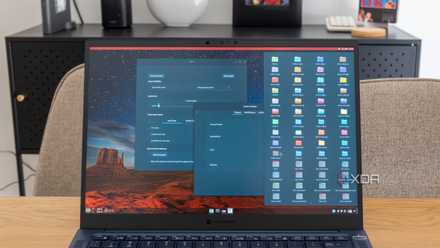
On top of all that are the desktop environments. If the Linux kernel is the core, and the distro is the engine, then the desktop environment is the control panel with which you control your operating system. They add the UI, the menus, and some additional apps to help you get going, and I'm not exaggerating when I say that desktop environments can be wildly different. If you showed a newcomer to Linux the Fedora GNOME desktop and the Fedora KDE one, they'll think they're looking at two different operating systems, even though the only thing that really changed was the GUI.

New to Linux? Here are 7 of the best beginner-friendly distros for you to try
Get up and running with Linux in no time.
Problems with Linux are usually problems with the distro
You just need to find 'the one'
Hopefully, you can now see why people who bounce off Linux likely aren't blaming Linux itself; they're having an issue with the distro and how it lays things out. Unfortunately, people don't stick around with Linux long enough to realise that, and just assume that all Linux distros share the same pain points as the one they tried.
The key to finding the right distro is to pick one you like the look of and stick with it. Take note of any issues and annoyances you have with it. Then, after a week or so, do some research into distros that fix the problems you had and give them a try. Keep doing this until you find one that checks 95% of the boxes, or more, if you're lucky.
My own journey began with Linux Mint. I really didn't like Mint, but I stuck with it for a little while and learned why I didn't like it. It turns out, I wasn't gelling with Linux Mint's desktop environment, Cinnamon. It felt outdated, clunky, and hard to customize.
Fortunately, issues with desktop environments are some of the easiest to fix; you can swap out your distro's current environment with a new one while keeping all of your files. However, I didn't take that route; instead, I discovered that KDE Plasma held the solution to all the problems I had with Cinammon, so I wiped Linux Mint and installed Fedora KDE on my drive instead. And ever since then, Fedora KDE has been my home away from Microsoft's operating systems.
Linux Mint isn't the answer for Windows refugees anymore
It's still good, but not the best.