
The idea of local LLMs is fascinating. You can run an AI model on your laptop or your own server and get effectively unlimited access without worrying about usage limits, but that idea starts to break down once you actually try using one.
The problem is that LLMs need serious hardware. You cannot realistically run a usable model on a budget laptop. You need at least 8GB of RAM and ideally a Mac. Otherwise, you need a PC with a dedicated GPU just to run smaller 3B or 7B models properly. If you want decent performance, you usually have to move up to 14B models, and those require fairly powerful hardware.
I have been running my setup on an M5 Mac with 16GB of RAM, and even this machine struggles sometimes. Running a 32B model or anything larger is basically out of reach unless you have a much more powerful system. I have seen people successfully run larger models on high-end MacBook Pros with M5 chips, but for most people, that's just not realistic.
That limitation made my local-first setup frustrating for more complex tasks because the model would often get stuck. I am using Qwen 2.5, and while it is impressive for its size, it is still a relatively small model. So I decided to give it some help. I configured my setup so that whenever the local model gets stuck, it can call Claude for assistance. That completely changed how useful this setup became for me.
Want to stay in the loop with the latest in AI? The XDA AI Insider newsletter drops weekly with deep dives, tool recommendations, and hands-on coverage you won't find anywhere else on the site. Subscribe by modifying your newsletter preferences!
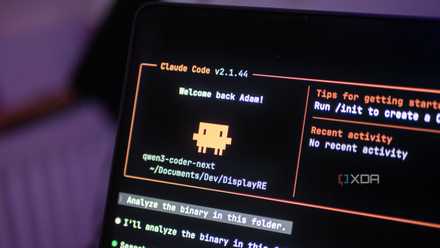
I finally found a local LLM I actually want to use for coding
Qwen3-Coder-Next is a great model, and it's even better with Claude Code as a harness.
Local LLMs can use some help
Local LLMs are not very good at handling highly complex tasks because they are running on limited hardware in the first place. Most consumer-grade models that you can run locally are nowhere close to what you are used to with tools like OpenAI ChatGPT. Those systems run on massive commercial infrastructure, and a laptop simply cannot match that level of performance.
You can run larger models, including 70B parameter models, but doing that properly requires much more powerful hardware. I have had some success running models at that scale on a MacBook Pro with an M5 chip and 32GB of RAM, but that setup is still expensive and not practical for most people.
What I eventually realized is that the best way to use a local LLM is not to expect it to handle everything on its own, but to treat it like a junior engineer. It can handle the groundwork, basic implementation, and repetitive tasks, but when it gets stuck, it should ask for help.
So I built an orchestration system around that idea. There is a local LLM handling the primary workflow, and then there is a cloud model, which, in my case, is Claude, acting as the fallback. The local model first attempts the task on its own. If it fails, it retries. If it still cannot solve the problem, it escalates the issue to Claude with only the information needed to move forward, instead of dumping the entire conversation.
That context usually includes the task itself, the specific issues or errors the local model ran into, relevant code snippets or logs, and a concise summary of the conversation or workflow up to that point. Once Claude returns a response, the local model uses that information to continue working on the task. That completely changed how practical and reliable my local-first setup became.
But how did I make the Claude escalation work?
To make your local LLM call Claude for help, you need to build a hierarchical AI stack. The first thing you need is a local inference engine. The easiest option is Ollama because it handles model downloads, inference, and serving with almost no setup friction. Once installed, you can pull coding-focused models like Qwen2.5 Coder, DeepSeek Coder, or Codestral. These are good enough for implementation work, code edits, debugging, and shell tasks.
The second thing you need is a routing layer that controls how models are used. You could write this entirely yourself in Python, but using LiteLLM makes life much easier because it provides a unified API for both local and cloud models. With LiteLLM, your orchestrator can call Ollama models and cloud models using the same interface, which means you can swap providers or models later without rebuilding your architecture. It also simplifies retries, fallback chains, logging, and request management.
For cloud escalation, you have two choices. You can either use Anthropic’s API directly through Anthropic Console or use OpenRouter. I would strongly recommend OpenRouter because it gives you flexibility. Instead of hardcoding your system to only use Claude, OpenRouter allows you to route tasks between multiple models dynamically. Your chain could become something like a local model first, then a smaller cloud model like GPT-4.1 mini, and finally Claude Sonnet or Opus only if necessary. That lets you optimize both cost and reasoning quality over time without changing your infrastructure. Importantly, you do not install OpenRouter locally. You just create an account, generate an API key, and call it like any other API endpoint.
The orchestrator itself is where the intelligence of the system lives. This is the component that decides whether the local model succeeded, whether another retry is worthwhile, or whether escalation is necessary. Initially, you should keep this extremely simple. Do not build a giant multi-agent system on day one. Start with a basic retry loop. Let the local model attempt the task once, run tests, inspect errors, and retry with self-debugging prompts. If tests still fail after two or three iterations, collect the current state and escalate.
Your old GPU can still run big LLMs – you just need the right tweaks
There's a lot you can do with these models