
The $240-a-year tax on my productivity is officially over. ChatGPT Plus has been a crucial part of my workflow. However, last month, after testing several specific local models, I finally found some that match the intelligence and reliability of OpenAI’s flagship.
I did the unthinkable: I canceled my subscription and dragged the desktop app to the trash. Here are the local models that helped me replace ChatGPT in my workflow.

I started self-hosting LLMs and absolutely loved it
Who needs OpenAI when your home lab can do the thinking for you?
Gemma-3-4B
Ideal for low-power devices
Gemma-3 is Google’s latest open-weight breakthrough. The 4B version is specifically designed to be ‘small but mighty.’ I use it as a local replacement for ChatGPT's vision. Since it’s only 4 billion parameters, it loads into my VRAM almost instantly.
I often need to extract text from sensitive documents and PDFs, screenshots of private dashboards, or personal photos. Sending these to OpenAI always felt risky.
With Gemma-3-4B running in LM Studio, that data never leaves my machine. I drag a screenshot of a long article or a complex diagram into LM Studio. Gemma-3-4B handles the OCR and gives me a bulleted summary in seconds.
Recently, I uploaded a client’s meeting notes document to it and started asking it relevant questions. Not only does it give me answers, but it also explains the reasoning behind them (check the screenshot above).
As a developer/creator, I will snap a screenshot of a landing page I’m working on and ask Gemma, ‘Analyze the visual hierarchy of this header — is the CTA prominent enough?’ It gives me feedback that is surprisingly close to what I would get from GPT-4o.
Because it only takes up about 4GB of VRAM, I keep it running in the background. It doesn’t slow down my coding software.
Qwen2.5-Coder-32B
The coding powerhouse
If there was one model that finally convinced me to hit cancel on my ChatGPT Plus subscription, it was Qwen2.5-Coder-32B. I tried several local coding models before, but they always felt like junior devs who could handle a basic Python script, but would fall apart the moment I ask them to refactor a complex React component or debug a race condition.
Qwen2.5-Coder is the first local model I have used that feels like a senior engineer. To push Qwen to its limit, I gave it a prompt that usually breaks other mid-sized models.
I asked it to create a single-file dashboard using HTML, Tailwind CSS, and Lucide Icons. It should include a sidebar with navigation, a main area with a dark mode toggle that works, a responsive grid of three cards showing Total Sales, Active Users, and Server Uptime, and a simple line chart using SVG for the sales data.
I can now copy the answer, paste it into a file named index.html and open that file in my browser. Because Qwen2.5 supports a massive 128k context window, it completes the whole job instantly.
When you realize you can have that level of intelligence sitting on your hard drive for free, paying for a cloud-based coding assistant feels unnecessary.
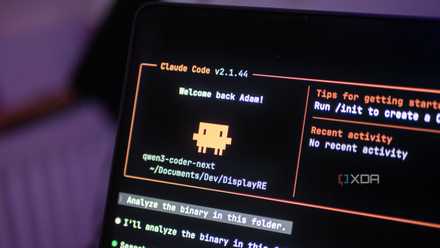
I finally found a local LLM I actually want to use for coding
Qwen3-Coder-Next is a great model, and it's even better with Claude Code as a harness.
Mistral Small 24B
The 'Everything' assistant
I used to keep the ChatGPT app open just for the small stuff — summarizing an email, brainstorming a catchy headline, or rewriting a text to sound less like a robot. I didn’t think a local model under 25GB could capture that specific human nuance. Mistral Small 24B proved me wrong.
Last Friday, I had to write a delicate email to a client about a project delay. I was frustrated, and my first draft sounded aggressive.
I pasted my draft into LM Studio and told Mistral: I’m annoyed, but I need to sound professional and solution-oriented. Rewrite this, keeping it under 100 words, and suggest two potential ‘make-good' offers.
In literally five seconds, Mistral gave me a perfectly balanced email that hit the exact tone I couldn’t find myself. It didn’t just swap words; it understood the social vibe of the situation.
Initially, it was a short answer in around only 80 words. I asked it to make a bit longer and got desired results in no time.
That was the moment I realized I didn’t need OpenAI’s servers to help me communicate like a human.
I often record my meetings and get a raw transcript. I will dump a 2000-word mess into Mistral and say: extract the five key action items and format it as a Markdown table. Overall, it’s my go-to for turning chaos into order.
If you aren’t running a base-model laptop and if you have a capable machine like a Mac with 64GB of unified memory or a PC with a 4090 GPU, you have to try Llama 3.3 70B. This is the model I turn to when I have a problem so complex, I would usually reach for GPT-4o.
It’s dense, knowledgeable, and at 70B parameters, its worldview is massive.
I took my workflow offline
At first, I thought the cloud was the only place powerful enough to host the brains of our digital workflows. With these models (and countless others), the power that once required a massive server farm now lives entirely on my SSD, which is private, permanent, and free.
If you have been waiting for the moment local AI finally caught up to the hype, this is it. These are just my preferred models. You shouldn’t limit them to only.
If you have ample space (and patience), I highly recommend exploring other large local models.