
I'll never forget how it felt logging into good old Windows XP in my elementary school's computer lab. Maybe some would say XP was "ugly" by today's standards, but I'll always have nostalgia for it, with its iconic rolling fields wallpaper and vibrant blue and green UI. Modern Windows is dull by comparison.
Naturally, one of the first things I did after installing Linux on my PC was play around with retro-inspired themes for my desktop environment. It can take a bit of digging to find good themes that still work on current versions of popular desktop environments, not to mention tracking down good icon packs to go with them.
So, I've gathered the themes that have worked best for me so you, too, can relive your retro PC nostalgia (or get a taste of old operating system UIs you missed out on). For these demos, I stuck to Cinnamon and XFCE since they strike a good balance between functionality and ease of customization, although some of the themes I found will also work on KDE Plasma, MATE, and even Gnome.

I tried out these 5 Linux desktop environments that aren't GNOME or KDE, and they're surprisingly decent
But KDE Plasma is still the king of desktop environments
Recreating Windows XP on Cinnamon
Windows XP was the operating system I grew up with, so it was the first one I tried to recreate on Linux. There are plenty of XP-inspired themes out there, but they were hit-or-miss for me on my Fedora 41 Cinnamon setup. Luckily, there's one gem that goes above and beyond.
The B00merang Project Windows XP-inspired theme collection not only recreates the classic look of Windows XP, but also adds some additional variations of it with different colorways. My personal favorite is the "Homestead" version, which is a cozy light green spin on the UI I have so much nostalgia for.
The "Luna" version is inspired by the classic look of Windows XP. If you're a fan of the old skeuomorphism design style, you might like the "Royale," "Royale Dark," and "Zune" versions.
If you want a really immersive experience, you can try out the Palemoon browser, which has some great themes reminiscent of old 2000s browsers that go well with this Windows XP-style theme. Be warned, though—Palemoon looks cool but isn't the most functional browser and may not load some types of webpages correctly. It's fun for screenshots, though.
What I especially love about this collection of themes is the wide compatibility. I'm using them on Cinnamon, but the whole collection is also compatible with Gnome, MATE, XFCE, and any GTK-based desktop.
You can download the entire collection on GitHub as a zip file. Extract that file and simply move the themes you want into your PC's "~/.themes" folder to access them in your desktop environment's appearance settings.
The "~/.themes" folder is hidden by default. If you can't see it, select "Show Hidden Files" in your file browser, and it should show up. If it's still not there, you can create one by simply making a new folder titled ".themes".
Revisiting old-school macOS XFCE
Recreating old versions of Windows on Linux is pretty straightforward, but reviving old versions of macOS proved much more challenging. For one thing, it requires extra tools to create the floating, glass-like dock from macOS versions like Lion and Snow Leopard. On top of that, themes inspired by the old skeuomorphic look of macOS have become pretty hard to find, partly because some themes just don't get updated after a while.
However, with some trial and error, I was able to make it work on XFCE. My solution replaces the regular bottom dock in XFCE with Cairo Dock using the "OS X" theme. You can install it from the terminal using the command "sudo dnf install cairo-dock" and run it with the command "cairo-dock". Once it's running, right click on it and select "Cairo Dock" then "Configure" to open the customization window.
There should be dozens of pre-loaded themes there, including the "OS X " one I used, or you can make your own. If Cairo Dock doesn't work for you, the XFCE style theme I picked is a decent compromise that gives the regular XFCE panel a nice bubbly skeuomorphic look.
After trying dozens of similar themes, I went with the Mac Aqua Advance XFCE style theme paired with the built-in "Aqualemon" Xfwm4 theme to give my panel and windows an OS X look. Finding a decent icon pack to complete the look was the easiest step for this recreation. There are plenty of great options out there, but I went with the "Obsidian" icon pack.
The fantasy 90s desktop environment of your dreams
One of my favorite retro desktop themes for Linux isn't a recreation of an old version of Windows or macOS, but an original theme called DesktopPal97. It's like a more vibrant take on Windows 95, with a blocky UI and VGA color palette. I've been using it as my daily driver on XFCE on my laptop for weeks now.
DesktopPal97 is also available for KDE Plasma
Installing DesktopPal97 was incredibly easy on my laptop. It doesn't require any special dock extensions and worked "out of the box" for me. Just download the theme file and copy it to your PC's "~/.themes" folder then copy the "hicolor" subfolder into your "~/.icons" folder. After that all you have to do is select the DesktopPal97 theme in your XFCE appearance settings.
If you want to complete the look, I suggest installing the Plasma Overdose mouse cursor and the Delft icon pack or a BeOS-inspired icon pack.
I love DesktopPal97, but if you're looking for the classic Windows 95 look, there's a great theme for that, too: Chicago95. This theme is even packaged with a matching icon set and cursors to complete the look. Pair it with that iconic teal background and it's like going right back to a chunky, beige 90s PC.
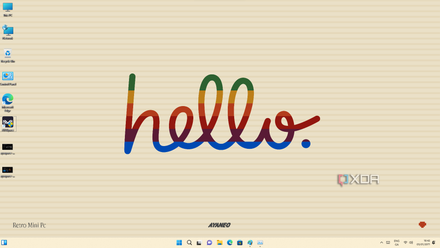
10 retro operating systems you can try out for a shot of nostalgia
Nothing ever truly dies on the internet and these retro operating systems are live and kicking and ready for you to use.
Live out your old PC nostalgia with Linux
One of the best parts of using Linux is unlimited freedom to customize your desktop environment however you like, including revisiting iconic, now-retro UIs and operating systems. If you were too young to experience these UIs in their heyday, Linux allows you to get a taste of computer history. Plus, it's just plain fun tinkering around with desktop environment customization.