
Let's face it: 2026 is not the year to be brave with PC upgrades. RAMflation is very real, GPU pricing is still doing backflips, and even SSD shopping now feels like you're negotiating with a cartel instead of buying storage (technically, you are going up against multinational conglomerates for the same silicon). Building or upgrading a PC today isn't "future-proofing" in the least. Instead, it's pretty much just financial sabotage with RGB lighting.
But here's the thing. Your PC doesn't need more horsepower to feel fresh. It needs fewer friction points, better ergonomics, and cleaner workflows. Your setup should feel like it's working with you instead of constantly asking you to babysit it. So no, I'm not swapping GPUs this year, but I'm doing something better: making non-performance upgrades that change how my PC feels every single day.
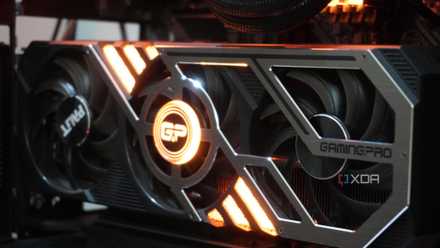
5 reasons I have mentally given up on upgrading my gaming PC
Upgrading my gaming PC isn't my focus anymore, and I have a lot of reasons for it
2026 is the year to get a monitor arm
No screen upgrades, but a massive upgrade in daily comfort
I don't have any display upgrades planned this year, but that doesn't mean I can't treat my 27-inch 1440p monitor like it deserves a retirement package. I'm finally slapping a VESA monitor arm on it, and I'm not being dramatic when I say it might change my entire desk ecosystem. Between the webcam perched on top of the monitor, I've been locked into one "perfect angle" for months, and it's only perfect when the universe cooperates.
With the arm, I can swing my monitor around like a studio rig. Work calls? Rotate the screen slightly, so my background looks like a respectable adult lives here. Streaming? Turn it back towards the "geek corner" and let the chaos be part of the charm. And the best part is what it removes: the monitor stand eating up my desk space like a rent-free tenant. That space is being repurposed immediately with a spare keyboard and mouse, USB hub, and the next component I plan on buying.
Ergotron LX Single Monitor Arm
This aluminum LX arm is compatible with 75x65mm and 100x100mm VESA compliant monitors
A stream deck/macro keypad
Nobody should be Alt-Tabbing mid-hype moment
Since the VESA arm is already a streaming upgrade, and I'm planning to get a capture card anyway, it only makes sense to add the missing piece: a stream deck. Something tactile and physical that I can smack like an elevator button when I need to switch scenes immediately without fumbling around in confusion.
I'm tired of streaming feeling like I'm playing two games at once. One, the actual game, and the second, the "please don't scuff the stream" game. A streaming deck fixes that. Instant mute, instant BRB screen, and instant replay markers — all of these just a button push away. It turns streaming from a stressful balancing act into something that feels controlled, intentional, and clean.
And even outside streaming, it does wonders for productivity. It acts as a hotkey pad for Discord push-to-talk, or a screenshot button, or mic gain toggles, or even media controls. If you haven't gotten a shortcut pad yet, and you want your PC setup to feel like a cockpit in 2026, then this small purchase could prove to be a huge quality-of-life win for you, too.
Stream Deck Neo
- Buttons
- 8 programmable keys with LCD
- Switches
- Membrane
- Dials
- N/A
The Stream Deck Neo is the newest member of Elgato's Stream Deck family. It's simpler, more compact, and affordable than most other Stream Decks on the market. This $100 accessory comes with 8 programmable keys with LCD, two touch sensors, and a digital info bar screen. It's easy to customize and set up, and it also works well on macOS and Windows.

You'd think this was a real Stream Deck, but this genius DIYer 3D printed it and made it smart home-ready
It can control apps, enhance productivity
A CRT monitor for emulation (yes, really)
$15 nostalgia therapy that modern displays can't replicate
I still can't believe I'm getting a CRT monitor off Facebook Marketplace for basically pocket lint — around $14. Add another couple dollars for a VGA-to-HDMI converter, and suddenly, I've got a time machine sitting on my desk. Because if you've never played retro games on a CRT monitor, you haven't played them the way your childhood brain remembers them.
This isn't nostalgia bait, either. CRTs solve a problem modern displays created: these older games were made for that soft glow, that motion clarity, and that natural blur that somehow makes pixel art look smoother and more alive. From NES and SNES masterpieces, all the way to PS2-era stuff, it's going to hit different. In fact, even the Nintendo Wii feels like it belongs there.
And the best part, of course, is that it becomes a second lane for my setup. My main 1440p monitor stays modern and clean, while the CRT becomes my dedicated emulation shrine. I might even hook my Raspberry Pi into it using RetroPie, or just run it through my KVM as another input. It's the cheapest way to make my PC feel like it exists in two different eras at once.
A new DAC for premium audio
If you care about audio quality at all, this one's for you too

I'm finally looking into getting a proper DAC, and I know exactly why: I'm tired of my PC treating audio like an afterthought. We'll spend thousands on GPUs and monitors, then run our sound through whatever random motherboard chip is hanging on for dear life. The result is audio that "sounds fine," which is the audio equivalent of saying, "Yeah, I guess the food didn't poison me."
A dedicated DAC cleans everything up, with better separation, better detail, less hiss, and more power for headphones that actually deserve it. Suddenly, footsteps in shooters will feel sharper, dialogue in story games will feel richer, and music will stop sounding like it's being filtered through a sock. It's not even about being an audiophile, but rather about respecting the fact that sound design is half the immersion. Routine proved that to me, and Arc Raiders proves that every day.
And if you're wondering whether you "need" a DAC: if you use decent headphones, if you care about positional audio, or if you've ever felt like your sound is almost great but not quite, then you'll feel the upgrade instantly. It's one of the few purchases where your brain immediately goes, "Oh, that was missing."

This is the simple and affordable way to upgrade your PC audio setup
An even better value at its discounted price
SceneStarter shortcuts and macros
Building a PC that always knows my next step
This year, I'm going to stop treating my PC like a chaotic playground and start treating it like a system that runs on intent. The way I'm doing that is by going all-in on macros and software like Scene Starter — tools that let you bundle apps together based on the "mode" you're in, whether it's work mode or gaming mode, or even streaming mode.
Productivity mode should open everything I need in one click: writing apps, browser tabs, cloud storage, notes, a timer, and maybe even the specific playlist that tells my brain it's time to lock in. Gaming mode, on the other hand, would fire up Steam, Discord, my RGB profiles, GPU overlays, and whatever launcher is holding my library hostage this week. Streaming mode should launch OBS, my audio tools, and my capture card input scene at the ready so that I don't have to say "give me five minutes while I configure everything."
This isn't about being fancy, either. It's about killing friction instead. If my PC can boot in seconds, why can't my apps and the state of mind I need to be in? Macros make the machine feel smarter, and in 2026, it's high time I invested time in setting them up.

7 ways to save time with keyboard shortcuts and automations on Windows
You can work faster and more efficiently using these shortcuts and automations.
Your "feel-new" upgrades could be different from mine
In 2026, it's fruitless to chase more frames with hardware components. What I'm going to be chasing instead is flow. RAM prices can keep spiraling, and GPU discontinuations can keep being insulting, because I'm opting out. Instead, I'm making the kind of upgrades that change my everyday relationship with my PC, not just my benchmark scores.
The best part is that none of the choices are universal at all. Your "feel-new" upgrades might be a better chair, a second monitor, a cleaner cable setup, or a controller dock that finally ends low-battery anxiety. That's the point, after all. In a year where performance upgrades feel pointless, the smartest move might just be making your setup feel like home again.