
After years of resisting the upgrade, I finally shelled out for a Microsoft 365 subscription. I had been using the Microsoft Office 2013 edition, as well as my trusty Google Docs tab, up until now. After all, there are plenty of Microsoft 365 alternatives.
But the reality is that, as part of my job, I need to be able to cover topics like Word and Excel while having access to the latest features. So I relented and subscribed to Microsoft 365 — but there are several features that make the subscription a bitter pill to swallow.
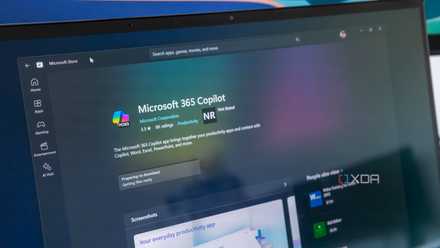
3 reasons I'm ditching Microsoft 365 after the latest changes
One step too far for me.
6 The inadequate dark mode
It’s inconsistent and not customizable enough
Believe it or not, one of the things I was looking forward to when it came to using Microsoft 365 apps was the ability to switch my documents to dark mode. Dark mode is an essential feature for me due to my chronic migraines — I use dark mode in addition to F.lux and Pangobright to reduce the eye strain and light sensitivity I experience when working on my computer.
But unfortunately, Microsoft 365’s dark mode in Word and Excel was extremely disappointing. The document page in Word’s dark mode is actually gray rather than black. When it comes to Excel, the dark mode situation is worse. While the app pane and menus are in dark mode, the new sheets I create are white — which completely defeats the purpose of me using dark mode in the first place.
This is also the case with PowerPoint. Clipchamp is the worst because its dark mode only applies to the video editor, while the rest of the app uses a white theme.

8 things Microsoft 365 actually needs to change to be better
A name change was the last thing we wanted
Technically, my favored Excel and Word alternatives, Google Docs and Google Sheets, also don’t offer a dark mode. However, since they are web-based, my dark mode extension works with Google’s platform to offer me the relief I need.
I wouldn’t fault Word and Excel’s inconsistent dark mode if they were also free apps. But they are paid software — better customization should be available. I also found that when using the Immersive Reader feature in Word, I could change the page color to black. So it’s possible, just not with dark mode settings.
5 I’m paying for software I don’t need
I hate bundles that inflate the price
When you subscribe to Microsoft 365, you get an entire office suite. This might be a bonus for some, but for me, it feels like I’m paying for bundled items that inflate the price without giving me much utility. The Personal subscription gives you access to Word, Excel, PowerPoint, OneNote, and Access. You also get 1TB of OneDrive storage. But in reality, all I want is access to Word and Excel.
Some of the apps available in my subscription will never be opened. I already pay for Google One storage, so I don’t plan on using OneDrive. I didn’t even know Access existed until I checked which apps my account gave me access to.
As much as I dislike Adobe’s software-as-a-service (SaaS) approach to its own products, the company at least lets you subscribe to separate apps individually. It doesn’t force you to go with Creative Cloud and nothing else.

Office 2024 vs. Microsoft 365: Which one should you use?
Choosing the right Office for your workflow
4 You have to install everything or nothing
You don’t get to choose which apps to install
When you upgrade to Microsoft 365, you can access the software by downloading an installer provided by Microsoft. This installer doesn’t let you select which of the apps you actually plan to use — it installs all of them. Now, I shouldn’t be complaining about system space since I have multiple 1TB drives. But I also don’t want to install a bunch of apps I don’t even use.
I thought that one way to get around this would be to uninstall each unused app separately. However, Windows' apps manager only lists Microsoft 365, not individual Office apps. If you try to uninstall an app by right-clicking on it in your Start Menu, you'll just be guided back to the same app manager where it won't be listed as a standalone item.
This is technically a problem with my Office 2013 suite as well. But I had figured Microsoft would've gotten the memo about PC users wanting to avoid system bloat by now.

5 reasons you should use the free web version of Microsoft Office instead of Google Docs
Microsoft Office is still the best
3 It pushes you to use Copilot
The AI is especially prevalent in Word
Microsoft's focus on Copilot is one of the things that make me regret upgrading to Windows 11. I've long since uninstalled the Copilot app on my PC, only for the AI to be spread across my Office apps now that I have a Microsoft 365 subscription.
I could always ignore the Copilot button and pane when using Word and Excel, but Microsoft pushes you to use the AI, especially in Word. When right-clicking on an underlined word, the pop-up window encourages you to use Copilot. When you open up a new document in Word Online, it offers you a series of prompts at the top of the page. When you highlight a paragraph in Word, a Copilot button appears.
I also can't stand the fact that by subscribing to Microsoft 365, I now have Copilot in apps that previously didn't include the AI. By purchasing the 365 subscription, I've elevated the AI to a whole new level of persistent presence on my PC.

3 reasons Copilot puts people off Windows 11
If Copilot was meant to boost sales, something has gone wrong.
2 Microsoft makes it difficult to figure out exactly what’s included
This makes it harder to figure out what you'll lose
When I subscribe to a service, I like to know exactly what I'm getting as a premium feature and what I'll retain if I cancel my subscription. However, Microsoft makes it really difficult to tell what a premium feature is and what isn't when it comes to Microsoft 365.
When you visit the store and information pages, you'll often see free apps bundled in with the premium ones. The most accurate reflection of which apps I have access to is in my account information in Word. But even then, it includes Outlook as if it's a premium app.
Looking at my subscription information on my Microsoft account page doesn't help either. Even in the Apps included in your subscription section, Skype is still included, even though Microsoft will be discontinuing support for it in May 2025. In the section that focuses on installing Microsoft 365 apps in my account, Outlook and OneDrive are listed as if they are premium apps.
This mixed information makes it difficult to determine exactly what you'll lose if you cancel your Microsoft 365 subscription. It also makes it look like you're gaining more apps than you are. I prefer a system like Canva's, which clearly marks what is a premium feature and what isn't.

8 Windows 11 features that should never have been added
Windows 11 is great, but there are features that never should have been added - here are workarounds for some of them
1 There’s not that much that’s actually new
Apparently not much has changed since 2013
The inclusion of Python in Excel is one of the things that motivated me to upgrade to Microsoft 365. Dark mode was another major difference that I thought would improve my experience compared to my copy of Office 2013.
But when I took a closer look at the apps side-by-side, I realized that there aren't that many new features. It has been over a decade since my copy of Office was released, and I really assumed the updated apps would be game-changers. In reality, there are a few superficial changes, some new templates, and a lot of AI. Past that, it really feels like Microsoft has not innovated much.
When switching between tabs, not that much stands out when comparing the features. I noticed that the newer apps have a feature for assessing a document's accessibility, while the newer version of Word includes an Editor feature as well as the ability to use speech-to-text input. However, some of these features are already available in free office apps like Google Docs.
At the end of the day, I expected that since so many years had passed and that I was forking over another $100 for a yearly subscription, there would be more apparent changes for everyday users.
Microsoft 365 has been a disappointing experience
While there are some features I enjoy in my Microsoft 365 apps, I also feel like the subscription fails to really deliver value-for-money. This was already a grudge purchase for me, but actually experiencing the apps first-hand has been an underwhelming experience. While I'm sure some features, like Python in Excel, are essential for power users, I'm definitely leaning towards just getting another lifetime license for a more recent version of the office suite and canceling my subscription.