
Try as you may to leave it, Microsoft 365 (formerly Microsoft Office) is like an ex you keep coming back to. You don’t like the way it claws at your wallet, but it is also invaluable for productivity. While there’s no shortage of Microsoft 365 alternatives — many of which we’ve covered — most people seem to have difficulty moving away from it. Some reasons may be obvious, others are less so.
Also, here is a disclaimer before we dive in. Google Workspace is the other major player in productivity, and while it’s free for personal use, it lacks a desktop app. This list focuses on Microsoft 365 alternatives that offer a full-fledged desktop experience that lets users edit offline.

4 Office alternatives that let you work across devices
Part of choosing an MS Office alternative is knowing if it will work across your devices. Here are four that are free and cross-platform.
6 A sense of familiarity
Many of us grew up with Microsoft Office in schools
From essays to group projects, Microsoft 365 has likely played an integral role in our education. That’s no coincidence; Microsoft provides significant discounted licenses to schools, hoping that once students enter the workplace, their familiarity will compel employers to adopt them. This creates a feedback loop: the more ubiquitous Microsoft becomes in the workplace, the more people use it, the more it is in demand. And once you've mastered its shortcuts and behaviors, it's hard to transition to an entirely unfamiliar software without significant impetus.
5 It’s provided at a discount
Workplaces and schools often provide Microsoft 365 licenses for cheap
Elaborating on the previous point, Microsoft 365 licenses can often be acquired at a discount through an employer or educational institution. At a discounted price, its value proposition becomes that much stronger, especially since they often include a good chunk of cloud storage. In the workplace, having an industry-standard office productivity suite is always a good idea. You'll never know when it will be handy. Microsoft is always expanding Microsoft 365's features as well.
4 It's required
No way to get around the boss's orders
If a workplace provides you with Microsoft 365, chances are it’s required in some capacity. In addition to using the base apps, your workplace or school may have a special extension or document template for specific projects, expense reports, and so on. The same goes for complex macros in Excel or a shared Outlook calendar. This is even more true if you need real-time collaborative editing with your co-workers; everyone needs to be on the same platform. Whatever the case may be, once Microsoft 365 has been customized for specific workflows — especially if it involves another app — there’s very little wiggle room to ditch it.
3 Format conversion woes
An improper conversion between file formats can seriously mess up a document's structure
Sometimes, the recipient of a document requires that it be sent in a Microsoft 365-compatible format. Although cross-app compatibility between Microsoft 365 and other productivity suites has improved drastically, it still isn’t perfect. When converting from one file format to another, you always run the risk of losing the meticulous formatting you spent hours perfecting. And while it's gotten better, getting Microsoft 365 to display all the images and tables correctly can sometimes feel like trying to catch an eel coated in oil. The fear of flushing all your hard work down the drain can lead people to default to Microsoft 365, especially for critical items, such as a last-minute report or a project proposal.
2 Cloud and app integration
Collaborative editing comes in handy👁 A screenshot of Microsoft Onedrive folders
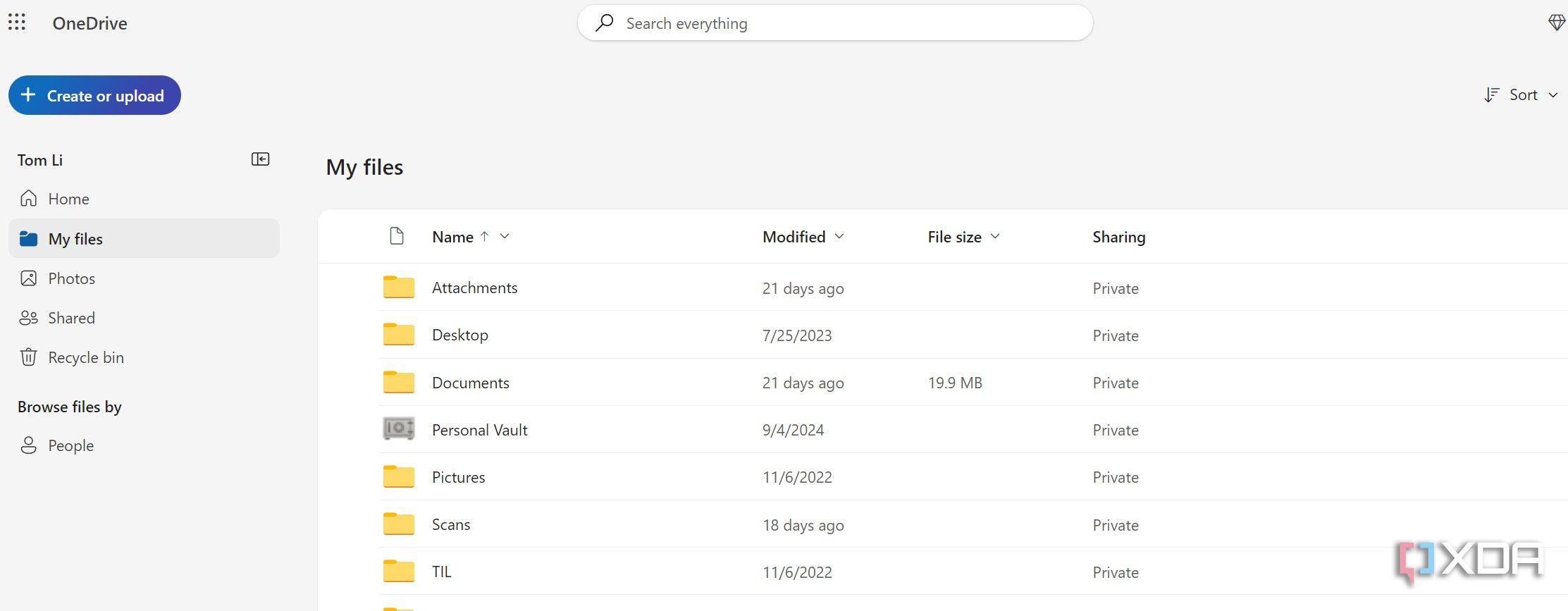
The years Microsoft has spent developing its cloud infrastructure have also benefited Microsoft 365. By deeply integrating with the cloud, Microsoft 365 lets you access and edit the same documents from your browser or mobile devices. It also means your coworkers and friends can work on the same document with you in real time. This is a huge benefit that many Office alternatives don't offer. Microsoft 365 has neat extensions for communication apps, such as Slack, in addition to Microsoft's Teams.
1 Better mobile apps
In the modern productivity landscape, a lot of work is taking place on mobile devices, and Microsoft 365 (and Google Workspace) have their mobile apps fully worked out. This is something Office alternatives are still working on. OpenOffice’s AndroOpen is still young and has quirks that need to be worked out, and LibreOffice only has a viewer app. From clean, fast interfaces to their general stability and performance, there's no question that Microsoft offers a superior experience compared to others. The above points on format conversions and compatibility apply to mobile as well. It's best to open a Word document in its native app — especially for documents with tracked changes, revisions, comments, and footnotes.
The switch is hard, but not impossible
Microsoft 365 isn’t the be-all and end-all of office productivity, but it is by far the most polished desktop office suite. Sure, Excel still mistakes numbers for dates, and Microsoft's web apps lag behind Google’s, but as a whole, Microsoft 365 is very polished, especially with its fantastic mobile apps and collaboration features. That said, switching to a Microsoft 365 alternative isn’t unfeasible. LibreOffice and Apache OpenOffice each have unique strengths that, in some cases, outshine Microsoft 365. If you’re wondering whether you can ditch the subscription and still stay productive, start by using an alternative office suite for non-critical work, find ways around its quirks, and if it meets your needs, commit to the full switch. Even then, keep Microsoft 365 installed. You never know when you'll need it.

7 features in LibreOffice that might make you switch from Microsoft Office
LibreOffice goodies that will make you rethink Microsoft Office